Go to Menu Dashboard
Navigate to Appearance > Menus
Create a Menu
Enter your preferred menu name in the Menu Name text field, then click Create Menu button.
Add some Menu Items
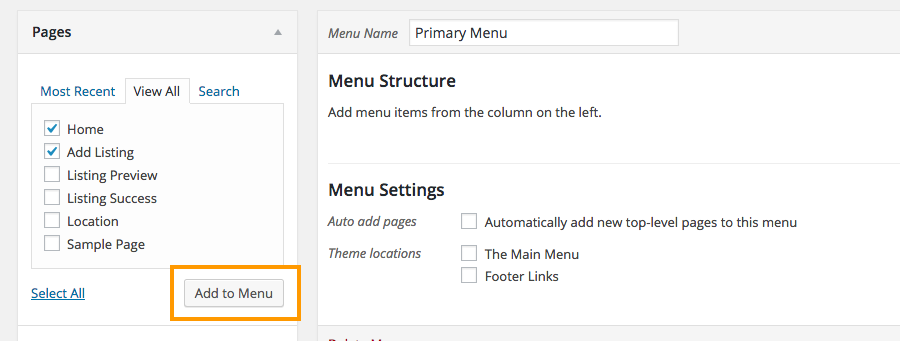
Check the menu items you need and then click Add to Menu button.
Set Menu Location
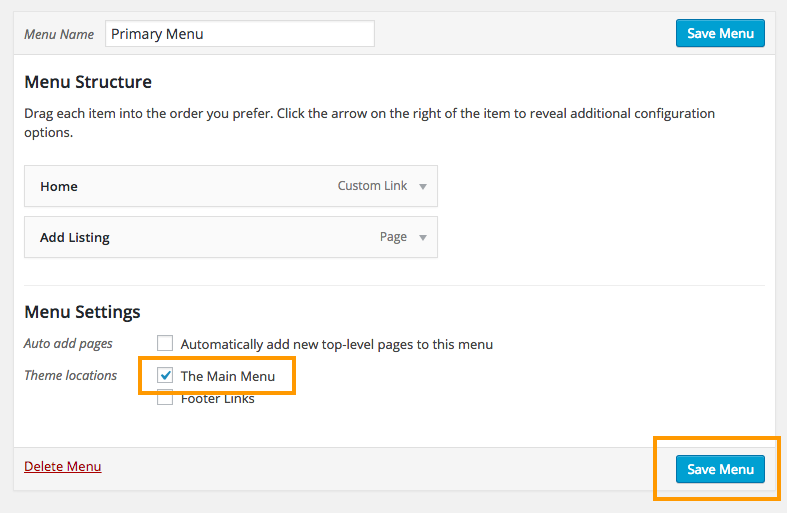
If you are planning to display your menu, then make sure you check at least one of the Theme Locations. Sometimes you might wanna display your current menu on a widget. In that case you don’t have to check the theme locations. Finally save your menu by clicking Save Menu button.