
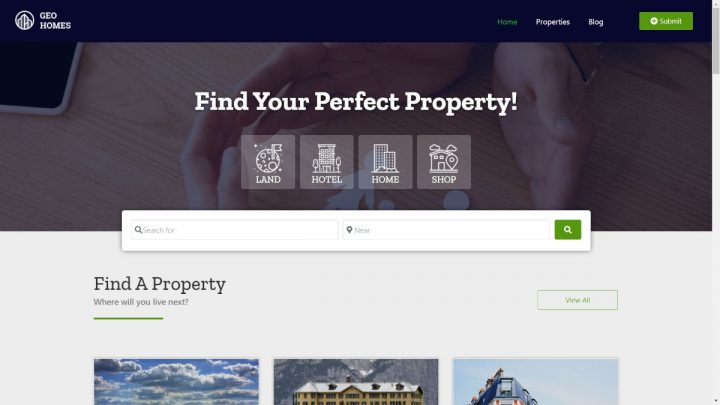
Building a real estate listings directory on WordPress comes down to a single architectural choice: which page builder or theme framework you use.
The three serious options in 2026 are BlockStrap (the framework behind the free Real Estate Listings theme), Elementor PRO, and the Kadence theme.
All three work cleanly with GeoDirectory and produce a functional real estate site in under an hour.
The trade-offs between them are real, and worth understanding before you start.
This post covers the Elementor PRO path and the Kadence path step by step, plus the framework for picking between them.
If you want the third option (the recommended BlockStrap path), see our guide to how to build a real estate website, which walks through the same workflow with the Real Estate Listings theme that ships pre-configured for real estate use cases.
Which Path Fits Which Operator
BlockStrap + Real Estate Listings Theme (Recommended)
The free Real Estate Listings theme built on the BlockStrap framework is the fastest path to a working real estate site.
It uses native WordPress blocks (no page builder dependency), loads fast on regular hosting, and ships with a real estate-specific design out of the box.
This is the path covered in detail in our how to build a real estate website guide.
Choose this if: you want the simplest, fastest setup with no recurring page builder costs.
Elementor PRO
Elementor PRO is the most flexible visual page builder in the WordPress ecosystem.
It lets you design custom layouts, listing templates, archive pages, and search results visually, with deep dynamic data integration into GeoDirectory.
The trade-offs: Elementor PRO requires a $59/year subscription (entry tier), adds frontend weight that benefits from higher-quality hosting, and has a steeper learning curve than the native-blocks approach.
Choose this if: you need full design flexibility, you already use Elementor across other sites, or you have a designer on the team who works in Elementor.
Kadence Theme
Kadence is a popular free WordPress theme with optional paid add-ons (Kadence Pro, Kadence Blocks Pro).
It uses native Gutenberg blocks like BlockStrap, but the styling and theme architecture are different.
The trade-offs: Kadence is excellent for general WordPress sites but is not real estate-specific the way the Real Estate Listings theme is. You will spend time customizing the design to feel like a real estate site rather than a generic one.
Choose this if: you already use Kadence on other sites and want consistency across your stack, or you prefer Kadence’s specific design system over BlockStrap.
Path A: GeoDirectory + Elementor PRO
Step 1: Set Up WordPress Hosting
Skip this step if you already have a blank WordPress site set up.
For Elementor PRO specifically, lean toward hosting plans with at least 2GB of RAM and SSD storage. Elementor adds frontend weight that benefits from faster infrastructure.
Managed WordPress hosts (Kinsta, WP Engine, Cloudways, SiteGround) handle the underlying optimization automatically.
Step 2: Install Elementor and Elementor PRO
From your WordPress admin, go to Plugins → Add New.
Search for Elementor, install, and activate the free version.

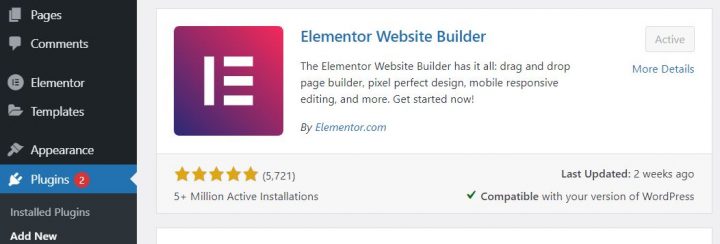
Then click Add New → Upload Plugin and install Elementor PRO by uploading the ZIP file from your Elementor account.
Elementor PRO is a paid subscription, starting at $59/year for the entry tier. Purchase directly from Elementor.com.
Step 3: Install the AyeCode Connect Plugin
Navigate to Plugins → Add New.
Search for AyeCode Connect.

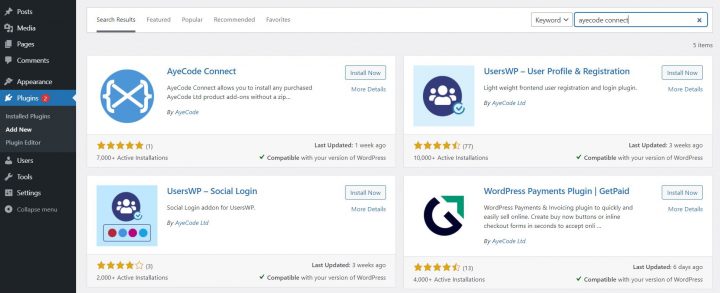
Click Install, then Activate.
A new AyeCode menu item appears in the WordPress sidebar with two submenus: AyeCode and Import Demo Data.
Step 4: Connect to the AyeCode Demo Library
Click the Connect Site button and register (or log in if you already have an AyeCode account).
Registration is free.

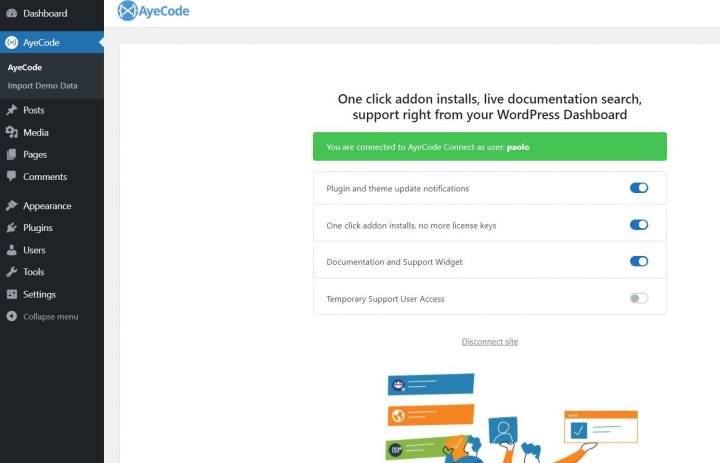
The connection lets AyeCode automatically install premium add-ons you have a license for. If you do not have a license, demos still install without the premium features.
Step 5: Import the Elementor Real Estate Demo
Navigate to AyeCode → Import Demo Data.
Select the demo called Real Estate (Elementor).

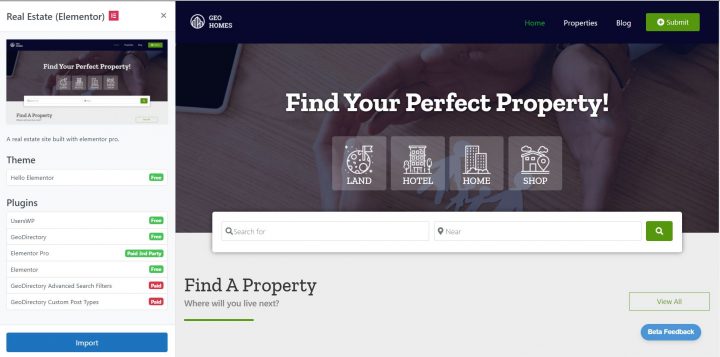
Click View, then Import.
The import installs the GeoDirectory plugin, the Real Estate Directory add-on, the Elementor-specific templates, and a set of demo property listings.
When the import finishes, view the site. You have a working Elementor-based real estate directory ready to customize.
Path B: GeoDirectory + Kadence Theme
The Kadence path is simpler than the Elementor path because you do not need to install or pay for a separate page builder.
Step 1: Set Up WordPress Hosting
Same as the Elementor path, but Kadence’s lighter weight means you can use lower-tier hosting if budget is a constraint.
Step 2: Install the AyeCode Connect Plugin
Follow the same steps as the Elementor path above.
Step 3: Connect to the AyeCode Demo Library
Same connection process as the Elementor path.
Step 4: Import the Kadence Real Estate Demo
Navigate to AyeCode → Import Demo Data.
This time select the demo called Real Estate (Kadence).

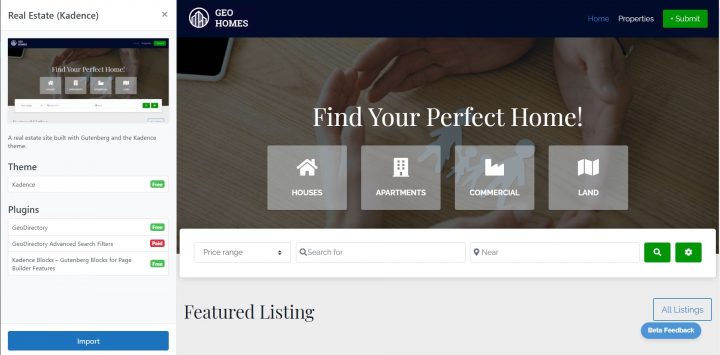
Click View, then Import.
The import installs the GeoDirectory plugin, the Real Estate Directory add-on, the free Kadence theme, and a set of demo property listings.
Nothing else needs to be installed in advance. Kadence is free, GeoDirectory is free, the Real Estate Directory add-on is free.
After the Import (Both Paths)
The post-import customization is similar for both paths:
- Replace the placeholder logo with your brand mark
- Adjust colors and typography in the theme customizer (Appearance → Customize for Kadence, Appearance → Editor for the BlockStrap-based themes, Templates > Theme Builder for Elementor PRO)
- Edit the menu navigation to match your site structure (Home, Listings, Agents, Areas, Contact)
- Replace the demo property listings with your real properties under Places in the WordPress admin
- Configure the contact form and lead capture flow
- Submit your sitemap to Google Search Console
For the deeper walkthrough of replacing demo listings and configuring real estate-specific features (mortgage calculator, energy rating, walk score, virtual tour), see our how to build a real estate website guide.
Performance Notes
One real difference between the paths worth flagging.
Elementor PRO sites add frontend weight that benefits from higher-quality WordPress hosting. On budget shared hosting, an Elementor-based real estate site will feel measurably slower than a Kadence or BlockStrap-based site running the same content.
This is not an Elementor flaw, it is the cost of the visual flexibility that makes Elementor so powerful.
Native-block themes like Kadence and BlockStrap stay fast on regular WordPress hosting because they output cleaner HTML and require less JavaScript on the frontend.
For real estate sites that need to load fast on mobile (where most property browsing happens), the native-block paths have a real performance advantage.
For real estate sites where the design flexibility justifies the performance trade-off (luxury listings, agencies with strong brand identity), Elementor PRO remains the strongest choice.
The Practical Path
For most operators starting a real estate listings directory:
The free BlockStrap + Real Estate Listings theme path is the simplest, fastest, and lowest-cost starting point.
The Kadence path (covered above) is the right call if you already use Kadence on other sites and want stack consistency.
The Elementor PRO path (also covered above) is the right call if you need the design flexibility and have the hosting budget to support it.
All three paths run on the same underlying GeoDirectory plugin and the free Real Estate Directory add-on, so the listings, search, maps, mortgage calculator, energy rating, walk score, and virtual tour features work identically regardless of which path you pick.
For the broader comparison of WordPress real estate plugins (including GeoDirectory vs Easy Property Listings, Estatik, WPL, and the MLS-dependent options), see our guide to the best real estate listing plugins for WordPress.
For the broader case against SaaS directory platforms across all directory categories, see our best business directory software guide.
Final Thoughts
The right page builder for your real estate listings directory is the one that matches your existing workflow, your hosting budget, and your need for design flexibility.
All three serious paths (BlockStrap, Elementor PRO, Kadence) produce a working real estate site in under an hour using the GeoDirectory demo import.
For most operators, free and fast wins.
For operators with specific design or workflow requirements, the paid Elementor PRO path remains worth the investment.
Pick the path that fits, install AyeCode Connect, import the demo, and have a functional real estate listings directory live by the end of the afternoon.