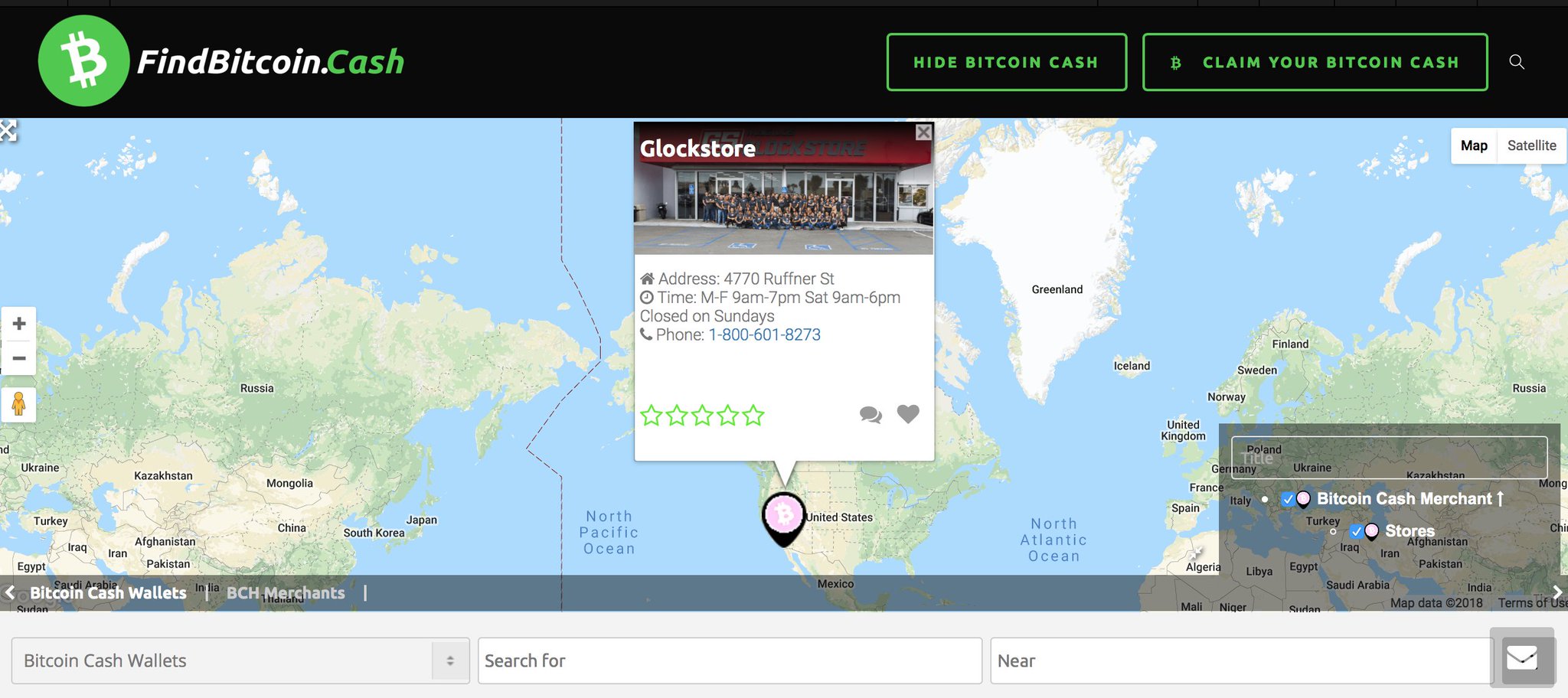
search bar under map gone after update?
This topic contains 14 replies, has 4 voices, and was last updated by Alex Rollin 6 years, 7 months ago.
We have moved to a support ticketing system and our forums are now closed.
Open Support Ticket-
AuthorPosts
-
May 3, 2019 at 5:59 pm #484363
hi, previous to the update, we had a search bar under the map which is now gone. Can you advise how i can get it back? I’ve scoured through all settings.
May 3, 2019 at 8:45 pm #484401Before the home page was built with widgets, now with shortcodes or blocks.
You just need to add back the gd_search shortcode in the home page content: https://wpgeodirectory.com/docs-v2/geodirectory/design-elements/
Hope this helps.
Thanks
May 4, 2019 at 2:26 pm #484477this helps, but can you identify which short code will bring that search box back?
May 4, 2019 at 3:40 pm #484482This reply has been marked as private.May 5, 2019 at 12:46 am #484519To customize you can contact a GD expert here:
May 13, 2019 at 10:03 pm #486236Hi Paolo/Alex, in the main post image, there is a layer that allowed users to sort by category, any suggestions how i can get that back?
[gd_map width="100%" height="400px" zoom="2" map_type="directory" marker_cluster="1"][gd_search]this is what I have right now
Thanks!
May 14, 2019 at 3:24 pm #486415What you are using for the map should have category filters. If you provide a link and admin credentials we’ll check what the problem is.
Thanks
May 14, 2019 at 5:50 pm #486451This reply has been marked as private.May 14, 2019 at 8:54 pm #486493Needs cat_filter=”1″
Site is coming along!May 14, 2019 at 10:25 pm #486515This reply has been marked as private.May 15, 2019 at 12:20 am #486543I removed the filter as it created an issue on the home page where “recent listings” wouldn’t show, also as per the PM above in blue, it looked really off being a small box in the middle of the map compared to the image that I started this post with:
I just made some changes, but this is what was there before:
[gd_map width="100%" height="425px" maptype="ROADMAP" zoom="0" map_type="directory" post_settings="1" cat_filter="1" marker_cluster="1"] [gd_search]May 15, 2019 at 1:43 am #486548looks like my issue is the same as this: this post
I tried clearing cache and still have my bar showing like this:
(dont know why pic isnt loding)
May 15, 2019 at 8:36 am #486581Hi there,
Thanks for your reply. Try using the custom CSS code below and see if it helps.
.geodir-map-wrap .map-category-listing { width:100%!important; max-width:100%!important; } .map_category { width: auto!important; }May 15, 2019 at 12:25 pm #486635Thank you! this worked perfect!
There are 2 issues that have started now after adding cat_filter=”1″
1. recent listings on home page; I now have to refresh the page, sometimes up to 5 times to get the recent listings on the page to show.
2. post_type_filter=’true’ – seems to me that the inverse option to what is shown on the map is highlighted, would be better to have the option thats shown on the map highlighted. How can I fix that?
Thanks again for all your hard work and efforts!
May 15, 2019 at 4:16 pm #4866911. Recently viewed uses a sort f browser history, so, yes, you have to view 5 listings before it shows 5 listings.
2. You can adjust the shortcode or visit the custom post types tab to change the order of the post types.
GD – Settings – Post Types – choose one to be last, edit it, set it to 100, repeat with lower numbers counting down to first post type. -
AuthorPosts
We have moved to a support ticketing system and our forums are now closed.
Open Support Ticket