V2 Upgrade not working
This topic contains 15 replies, has 4 voices, and was last updated by Paolo 6 years, 6 months ago.
We have moved to a support ticketing system and our forums are now closed.
Open Support Ticket-
AuthorPosts
-
June 18, 2019 at 3:16 pm #493621
Hi there.
I am so unhappy and so sad. It took me a year to build my directory site.
I did the upgrade and followed every instruction and now my whole web site is lost.It took me soo soo sooo long to learn how to do the web site and so much monies I spent on it with paying someone to do the initial set ups here in South Africa.. I now am at the beginning with no web site. I do not have the energy or time to put it all together again. Ive cried many tears now over this.
Please tell me how can you have an upgrade that has so many changes to the web site. It is going to be hours and hours for me to put it all together again.
Imagine I had paid listings on it. I thought that I would do the upgrade before I get paid listings. Thank goodness otherwise I would be in serious trouble.
It was looking so nice and working perfectly before the upgrade, but I was advised by your advisors to upgrade it to the V2 version. Now what????I do not even know where to begin with putting my web site back together.
I hope that there is an explanation for this.One very very very sad client. My whole dream was in this site and now it is crushed.
June 18, 2019 at 4:55 pm #493635Sounds like a good step would be to restore to a backup until you are ready.
June 18, 2019 at 5:12 pm #493640Hi Sacha,
Do you have a backup? If you do have a back up it’ll take 10/15 minutes to have it back up again.
We highly suggest to take backups and do the update on a staging site for a reason.
Why didn’t you follow our recommendations?
Thanks
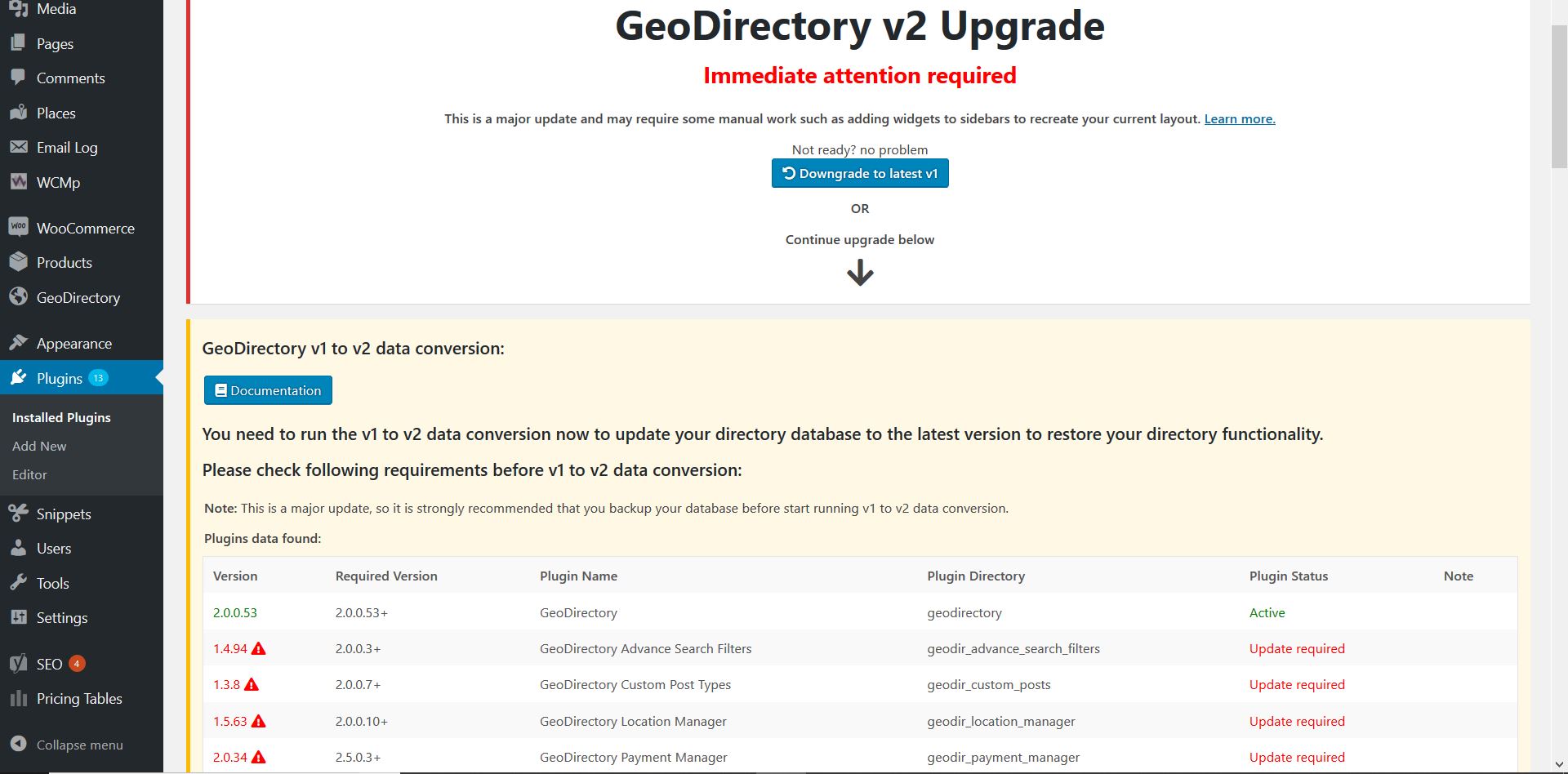
June 18, 2019 at 5:20 pm #493644As far as giving you an explanation, after 5 years V1 needed a major refresh and that’s what happened. We started alerting our members in early 2017 about this coming and we added a huge warning for the update:
Were we strongly advise to take a back up before proceeding and in our docs we also say that it is strongly advised to do the update on a staging site 1st: https://wpgeodirectory.com/docs-v2/geodirectory/upgrade-from-gdv1/#backup
Thanks
June 21, 2019 at 11:23 am #494159This reply has been marked as private.June 21, 2019 at 12:59 pm #494178This reply has been marked as private.June 25, 2019 at 10:16 am #494686This reply has been marked as private.June 25, 2019 at 12:24 pm #494717This reply has been marked as private.June 25, 2019 at 12:29 pm #494719This reply has been marked as private.June 25, 2019 at 12:57 pm #494726This reply has been marked as private.June 25, 2019 at 1:48 pm #494744This reply has been marked as private.June 25, 2019 at 2:10 pm #494752This reply has been marked as private.June 25, 2019 at 3:05 pm #494766Hi there.
I tried those links for the menus.
The Add listing works
The Add Event WorksThe Add Classified (Place) is not working. It take me to add Business Listing.
This link
https://globalgreenhousedirectory.com/add-listing/?listing_type=gd_placeGOES TO THIS LINK
https://globalgreenhousedirectory.com/add-classifieds/?listing_type=gd_businessesJune 25, 2019 at 3:11 pm #494770This reply has been marked as private.June 25, 2019 at 3:26 pm #494772This reply has been marked as private. -
AuthorPosts
We have moved to a support ticketing system and our forums are now closed.
Open Support Ticket