


Which Directory plugin is best for your Website?
So you’ve decided to build a directory or marketplace site on WordPress.
You did your research, and two names kept showing up: GeoDirectory and HivePress.
Both are real plugins, with years of operating history and free versions on WordPress.org.
Both ship the basics of a working directory at the free tier.
The surface similarity is real.
The bigger differences are what this article is about.
Full disclosure first: we built GeoDirectory.
That’s the bias, on the table.
The goal here is a fair read all the same.
HivePress has a loyal user base, a clean reputation, friendly support, and a team in Warsaw shipping point releases on a regular cadence.
We’ll give credit where it’s earned, and we’ll be honest where the architecture, the customization model, or the long-term cost would point a growing directory toward a different stack.
No fluff, no fake neutrality.
Just verifiable facts and the conclusions that a buyer can check for themselves.
If you’re also weighing Directorist, we wrote a separate comparison here.
TL;DR
GeoDirectory and HivePress both build directories on WordPress, both have free versions, and both have a few years of operating history.
The differences that matter for buyers:
HivePress is faster to launch inside its lane (rentals, freelance services, expert directories, job boards, appointment booking) because the niche themes ship a polished default.
GeoDirectory is more flexible everywhere else: native compatibility with Bricks and Elementor PRO, including dynamic data, custom database tables that scale past the wp_postmeta ceiling, a real location hierarchy for local SEO, and a payment stack that doesn’t require WooCommerce or its $239-per-year Subscriptions add-on.
HivePress is friendly if you can code or you’re happy with what the theme ships. The Trustpilot reviews show the customization tax adds up fast for non-developers.
GeoDirectory has a steeper learning curve in week one and a much higher ceiling in year two.
Pricing is in the same ballpark on a single site if you buy HivePress lifetime today (~$288 one-time vs $139/year). It diverges sharply if you need recurring billing (~$527 + $239/year vs $229/year for unlimited sites) or if you’re buying HivePress after the lifetime model ends.
Pick HivePress if your project fits a niche theme and you can live with the customization model.
Pick GeoDirectory if you want a directory that grows, customizes, and integrates without ceilings.
Comparison Table
| GeoDirectory | HivePress | |
|---|---|---|
| Free plugin on WordPress.org | Yes | Yes |
| Active installs | ~18,000+ | ~15,000+ |
| Free add-ons | 5 (Events, Real Estate, Directory Converter, WPML Multilingual, Google Analytics) | 5 actively maintained (Claim Listings, Favorites, Geolocation, Messages, Reviews) + 2 deprecated (Authentication, Paid Listings) |
| Free themes | All current themes are free (Classified Ads, Events, Job Board, Real Estate, Directory) | ListingHive only |
| Page builder compatibility | Native compatibility with Gutenberg, Blockstrap, Bricks, Elementor PRO, Divi, Beaver Builder, Breakdance. Deep dynamic data integration with Bricks and Elementor PRO, no add-on required | None native. Elementor support has been a confirmed feature request since 2022 |
| Custom post types | Multiple CPTs via add-on, each with its own detail table | One core listing type, additional models via Marketplace, Bookings, Requests, Memberships |
| Events | Free dedicated Events for GeoDirectory add-on with full event-date model | No dedicated extension |
| Custom fields storage | Dedicated table per CPT (wp_geodir_gd_{cpt-name}_detail) with typed, indexable columns | wp_postmeta for text/number, taxonomies for select/radio/checkbox |
| Search architecture | Single indexed query against the detail table | Multi-join across wp_postmeta and taxonomy tables, one join per filter |
| Map providers | Google Maps, OpenStreetMap | Google Maps, Mapbox |
| Marker clustering | Server-side, scales to hundreds of thousands of markers (Marker Cluster add-on) | Client-side only |
| Location hierarchy | Country, region, city, neighborhood with combined category+location URLs (Location Manager add-on) | No hierarchy. Category+location URLs not possible without major customization |
| Reviews depth | TripAdvisor-style multi-criteria via MultiRatings and Reviews. Embeddable Ratings Badge generates external backlinks | Single 5-star rating with comments |
| Monetization models | Paid listings, pay-per-featured, banner ads, pay-per-lead, two booking systems, marketplace, event tickets | Paid listings, marketplace, bookings, requests, memberships |
| Recurring billing | Native via GetPaid, no add-on required | Requires WooCommerce + WooCommerce Subscriptions ($239/year) |
| Mobile apps | Available via third-party vendors (service-based) | Requested since 2022, not shipping |
| SEO | Native schema in core, location hierarchy for local SEO, Yoast/Rank Math compatible | $29 SEO add-on, Yoast/Rank Math compatible, no location hierarchy |
| Multilingual | Official WPML compatibility | Translated UI in 27 locales, no guaranteed compatibility with WPML or Polylang for content |
| Security record | Clean, ~15 patched CVEs since 2018 | Clean, no significant disclosed CVEs |
| Migration tools | Free Directory Converter supports phpMyDirectory, Listify, Business Directory Plugin, eDirectory, Vantage, and Directorist | None |
| Customization model | Standard WordPress conventions work with any page builder | Proprietary block library and BEM CSS, code snippets are often required |
| Pricing model | Annual membership ($139 single site / $229 unlimited sites) or à la carte ($19-$49 per add-on) | Lifetime licenses today, transitioning to subscriptions soon. Bundle $199, themes $69-$89 separately |
| 3-year TCO (typical paid build) | $417-$687 | $288 lifetime, $1,005+ if recurring billing needed |
Now the full article and what you’ll find inside:
- Features Comparison (free plugins)
- Design & Customization
- Listing Details
- Frontend Submission & User Dashboards
- Claim Listings
- The Search Engine
- Maps, Features & Locations
- Ratings & Reviews
- Monetization & Marketing Tools
- Mobile Features
- SEO & Schema
- Performance & Scalability
- Security
- Multilingual
- User Friendliness
- Developer Extensibility & Integrations
- Import / Export & Migration
- Support, Documentation & Reputation
- Pricing and TCO
- Verdict
Features Comparison (free plugins)
Both plugins are free on WordPress.org.
Both ship enough to launch a basic directory without paying.
The shape of “enough” looks different in each one.
GeoDirectory’s free plugin.
You get one default custom post type called Places.
It’s tied to a primary city that doubles as the directory’s home page.
A two-field search bar combines a keyword field and a location field, and the keyword search reaches into titles, descriptions, categories, and tags by default.
Maps work with Google Maps and OpenStreetMap out of the box.
Reviews use the standard WordPress comments system, extended to include a 1-to-5-star rating tied to the Places post type.
CSV import and export ship with the free plugin and support bulk editing: re-import a modified CSV to update existing listings in place.
The REST API is included.
HivePress’s free stack.
The core HivePress plugin handles one listing type by default.
The team layers on seven companion add-ons hosted on WordPress.org:
- HivePress Claim Listings for letting users claim a listing as their own
- HivePress Favorites for letting users save listings
- HivePress Geolocation for location-based search and maps
- HivePress Messages for private user-to-user messaging
- HivePress Reviews for ratings and reviews
- HivePress Authentication for third-party social sign-in
- HivePress Paid Listings charges users to submit a listing
A free theme called ListingHive sits alongside them, built specifically to render the HivePress block library.
Two of the seven extensions are worth a footnote.
HivePress Authentication and HivePress Paid Listings are both listed on their own WordPress.org pages as “no longer in active development,” with the documentation directing users to paid replacements: Social Login at $29 and Memberships at $39.
So the seven-free-add-on stack is more accurately five actively developed free add-ons plus two deprecated ones whose recommended replacements live behind a paywall.
That’s not a hostile read.
Plenty of vendors retire free tools and offer paid alternatives.
It’s just useful context if you’re picking HivePress because the free stack looks complete.
The bigger catch with the free stack.
HivePress’s block library only renders cleanly inside HivePress-aware themes.
A community thread titled “No blocks in third-party theme” confirmed exactly what the title says, when a user tried the plugin with a non-HivePress theme.
If you’ve already chosen your theme and it isn’t ListingHive or one of HivePress’s premium themes, the block library won’t surface in the editor.
GeoDirectory’s blocks don’t have that constraint and drop into any block theme.
Where each free tier lands.
HivePress’s free stack has a broader surface area.
Five actively maintained free add-ons, plus a tailored free theme, are still a lot for a free directory plugin.
GeoDirectory’s free stack is narrower at the surface but deeper at each point.
The keyword search reaches into more fields by default, the CSV importer handles updates instead of just inserts, and the plugin drops into any block theme you’ve already chosen.
Pick HivePress’s free tier if you plan to run ListingHive, and you can live with the deprecation pattern on Auth and Paid Listings.
Pick GeoDirectory’s free tier if you want to keep your theme choice open or you’re planning to grow into a paid stack later.
Design & Customization


Both plugins handle design through different philosophies.
One brings the design to you.
The other expects you to bring your own.
HivePress’s design model
HivePress invests heavily in a curated theme catalog.
ListingHive is free.
The niche themes (JobHive at $69, then RentalHive, ExpertHive, TaskHive, and MeetingHive at $89 each) are tailored to specific use cases and look good out of the box.
You can launch something polished in a weekend.
The design conversation happens inside the theme you chose, through the WordPress Customizer and HivePress’s own block library.
The catch sits one layer below that.
Customizing past what the theme exposes typically involves CSS, sometimes JavaScript, and sometimes PHP template overrides inside
hivepress/templates/A 4-star Trustpilot review from January 2026 put it plainly: “a lot of styling is required by css and code snippets”.
A longer 1-star review from a WordPress developer described his “Full Stack programmer” struggling with template overrides on RentalHive and giving up on changes that should have been straightforward.
HivePress’s own team maintains a public collection of 150+ ready-made code snippets on GitHub Gists, which tells you something about how often the answer to a customization question is “here’s a snippet.”
The HivePress AI Assistant has lowered that friction over the last year.
Multiple recent reviews specifically credit it for getting users unstuck on customization questions.
It doesn’t change the underlying coding burden, it just shortens the time-to-answer.
GeoDirectory’s design model
GeoDirectory takes a different stance.
The plugin is a layout system that drops into whatever theme you’ve already chosen.
Pair it with our BlockStrap theme for a finished look out of the box, or run it on Astra, Kadence, GeneratePress, Hello Elementor, Bricks, Divi, or any other modern block theme or page builder.
The blocks are editable in the standard Gutenberg editor.
They also work with Elementor PRO and Bricks, with deep integration into both builders’ dynamic data systems, with no separate add-on required.
Divi works with our shortcode builder.
Beaver Builder works too!
Custom CSS is rarely the answer in GeoDirectory.
Design controls are in the theme, block settings, and the page builder.
Where each design model lands
If you love the HivePress theme aesthetic and you don’t plan to push past what the theme exposes, HivePress is faster to launch, and the result looks good.
If your design brief evolves over time, or you’ve already settled on a theme that isn’t built for HivePress, the customization tax is real and well-documented in user reviews.
GeoDirectory’s design ceiling is whatever your theme and page builder allow, which, on Blockstrap, Bricks, or Elementor PRO, is effectively no ceiling at all.
The trade-off is that you do more design setup in week one, rather than inheriting it from a niche theme.
Listing Details (CPTs, Custom Fields, Franchise Manager, Compare Listings)
This section is where directory plugins quietly diverge.
The defaults look similar.
The depth doesn’t.
Custom post types and listing models
GeoDirectory ships with one default custom post type called Places.
You can add more (Events, Real Estate, Job Listings, Rentals, whatever fits your project) through the Custom Post Types add-on.
Each new CPT gets its own database table, field set, template, and archive logic.
A single GeoDirectory installation can run a city guide, an events calendar, and a real estate directory simultaneously, each with its own data model.
HivePress handles one listing type at the free core level.
To unlock additional listing models, you reach for specific paid extensions: Marketplace ($39) adds vendor-owned sellable listings, Bookings ($39) adds reservable listings, Requests ($39) adds reverse-direction job-style requests, and Memberships ($39) adds tiered membership-gated content.
These aren’t generic “add another CPT” tools.
Each one ships a specific model that fits a specific niche.
If your project is one of HivePress’s bundled niches (rental marketplace, freelance services, job board, expert directory, appointment booking), the model fits.
If your project is two niches on the same site, or a niche that the bundled extensions don’t cover, the architecture wasn’t built for that.
Events specifically
Events are worth their own paragraph.
GeoDirectory ships a free Events for GeoDirectory add-on on WordPress.org, with proper start and end dates, status tracking (Upcoming, Ongoing, Past), archive logic for past events, calendar widgets, and date-based search filtering.
The events post type integrates with the same maps, search, and reviews as the rest of the directory.
HivePress has no dedicated events extension.
You can simulate one with custom fields on the standard listing type, but there’s no event-date model, no status tracking, no archive logic for past events, and no calendar.
If events are anywhere in your business plan, this gap is significant.
Custom fields
Both plugins ship with a custom field builder that includes the usual field types (text, number, select, radio, checkbox, file, image) and conditional logic.
The storage model is where they part ways.
GeoDirectory stores listing data in dedicated database tables.
For the default Places CPT, the table is wp_geodir_gd_place_detail, with native columns for title, status, category, rating, address, latitude, longitude, phone, email, website, business hours, and the rest of what a listing includes (including user-created fields).
For any additional CPT, GeoDirectory creates its own detail table following the same pattern: wp_geodir_gd_{cpt-name}_detail.
Each column is properly typed (varchar, int, float) and indexable for the fields that directory queries often access.
HivePress stores listing data in WordPress’s standard tables.
HivePress dev Andrii confirmed the storage model publicly on the community forum: “non-selectable attributes (e.g. text, number) are stored as meta fields with ‘hp_{field_name}‘ key (for example the Phone field is stored as ‘hp_phone‘), while selectable (e.g. select, radio buttons, multiple checkboxes) are stored as terms of taxonomies with ‘hp_listing_{field_name}‘ name”.
That means text and number attributes live in wp_postmeta, and select-style attributes live in wp_term_relationships and wp_terms.
We’ll cover what this means for performance in the Performance & Scalability section.
For now, the practical takeaway is that GeoDirectory’s custom fields are queryable as proper columns, and HivePress’s custom fields are queryable as joined meta and taxonomy rows.
Franchise Manager
GeoDirectory offers a Franchise Manager add-on for businesses that operate multiple locations under a single parent company.
Parent and child listings are linked, with inheritance: the parent’s description, photos, business hours, or contact details flow down to children automatically, with the option to override per child.
A change at the parent level propagates to every child.
HivePress has no franchise model.
You’d build the same effect by creating individual listings and using custom fields to link them, with no automatic inheritance.
Compare Listings
GeoDirectory ships a Compare Listings add-on that lets users put two or three listings side by side, attribute by attribute, like comparing products on Amazon.
HivePress doesn’t have a comparison feature.
The free Favorites add-on lets users save listings to a personal list, which is a related but different pattern. GeoDirectory has the favorites feature in the core plugin.
Where each plugin lands on the listing depth
HivePress’s listing model is deep inside the niche it was built for.
A rental marketplace that uses RentalHive and the Bookings extension is well-modeled.
A freelance services site that uses ExpertHive and Marketplace is well designed.
The moment you want to combine niches, add events, manage franchises, or offer side-by-side comparisons, you’re outside the architecture’s scope.
GeoDirectory’s listing model is built around CPT flexibility from day one.
The defaults take more configuration upfront.
The ceiling sits much higher.
Frontend Submission & User Dashboards


This is the experience your end users will actually live in.
The submission flow, the dashboard, and the listing management screens.
Get this right, and your directory feels usable.
Get it wrong, and your conversion drops at the most important step.
HivePress’s submission and dashboard
HivePress’s frontend submission is one of its stronger areas.
The form is clean.
Field validation works.
Image uploads handle well.
The user dashboard shows listing status, messages, favorites, and reviews in tabs, and the visual polish is solid.
Most users get a coherent experience from registration through ongoing listing management.
One friction point comes up repeatedly in support threads and feature requests: the paid-listings flow.
In the default setup, users fill out a full submission form and only then hit the package selection step at the end of the process.
Filling in the listing first and discovering the paywall last is the inverse of how most paid directories train users to think.
A community-confirmed bug titled “Change Details link is not working” on the paid-listings flow sat open in the bug reports forum for months.
You can reconfigure the order with the Memberships or Paid Listings extensions, but the default trips users up.
The dashboard itself is also flat from a role perspective.
Every user sees a similar dashboard regardless of whether they’re a regular member, a listing owner, or an admin.
That’s fine for a small directory.
For sites with active listing owners managing inquiries, images, and payments alongside regular browsing members, the lack of role-specific dashboards becomes a visible limitation.
GeoDirectory’s submission and dashboard
GeoDirectory’s frontend submission ships in the free plugin.
The user side runs through UsersWP, our free companion plugin, which handles registration, login, profiles, and the user dashboard.
The two plugins are built to integrate, and the dashboard covers listing management, status, profile fields, and authored content.
For paid directories, the flow runs through GetPaid, our free invoicing and payments plugin.
GetPaid places the package selection step at the start of submission by default, which mirrors how Yelp Business and Google Business Profile train users.
The user picks a plan, then submits the listing and pays. But you can also require payment before submission to avoid listing submission abandonment.
The payment, the listing fields, and the renewal logic all live inside the same admin once configured.
Role-specific dashboards through the UsersWP Dashboard add-on
For sites that want a dedicated control center for every user role, UsersWP offers a Dashboard add-on.
It’s a premium product, currently $49 for a single site, and it ships three distinct dashboard experiences:
- Admin Dashboard: site-wide stats, user management, listing moderation, payment review, and support handling, all from one screen.
- Listing Owner Dashboard: view and edit listings, manage images, track submissions, respond to inquiries, and stay on top of the account.
- Regular User Dashboard: profile updates, subscription management, payment tracking, notifications, and support access.
The add-on integrates with UsersWP, GeoDirectory, and GetPaid out of the box, so a listing owner managing a paid renewal, a profile edit, and a customer inquiry sees all three actions in one place rather than scattered across screens.
It works with any well-coded WordPress theme.
This is the kind of dashboard most directory owners eventually want once their site has both browsing members and listing owners actively using it.
HivePress’s flat dashboard model can be customized through its block library and templates, but a role-aware dashboard isn’t something the platform ships.
Where each plugin lands on the user-facing UX
HivePress edges out on out-of-the-box visual polish for the default dashboard.
The tabs, the spacing, and the visual hierarchy are well-designed for a small directory.
GeoDirectory edges out in the flow defaults around money and in the role-specific dashboards available through UsersWP.
Plan-first submission is a small thing that compounds over thousands of listings, because it stops the “fill in everything, then surprise paywall” abandonment pattern.
Role-specific dashboards are a bigger thing that compounds as your directory grows past the hobbyist stage.
Both plugins get the basics right.
The difference shows up in which end of the user experience each team polished hardest.
Claim Listings
Claim Listings is a feature that quietly drives revenue for monetizing directories.
The pattern is simple.
The admin or an importer pre-populates listings, typically pulled from publicly available business data.
The actual business owner shows up, claims their listing, and verifies ownership.
Then they pay to take over the listing and modify it to fit their vision.
It’s how Yelp, TripAdvisor, and dozens of local directories built their early revenue.
HivePress Claim Listings
HivePress ships a free Claim Listings add-on on WordPress.org.
The user submits a claim through a form on the listing page.
The admin reviews the claim, verifies it, and approves or rejects it.
Once approved, the claimant becomes the listing owner and can edit it.
Charging for the claim is possible by combining Claim Listings with the Paid Listings or Memberships extensions.
The flow works.
Worth flagging that HivePress Claim Listings on WordPress.org currently shows 3,000+ active installs and a regular update cadence, so this one is actively maintained (unlike the deprecated Authentication and Paid Listings free add-ons we covered earlier).
GeoDirectory Claim Listings
GeoDirectory’s Claim Listings is a premium add-on inside the membership.
The submission flow uses a lightbox pop-up claim form that can be placed anywhere with a block when using Blockstrap.
A built-in Ninja Forms integration lets you build custom claim forms if the default form doesn’t fit your verification process, or for those using another theme or page builder.
Approval modes are flexible.
You can auto-approve via email verification (the claimant clicks a link sent to their email address).
You can auto-approve on payment received when combined with the Pricing Manager add-on (which supports both GetPaid and WooCommerce as payment systems).
You can also stay fully manual, with admin review of every claim, plus an undo option if you approve something by accident.
Email notifications cover both the admin and the user, with customizable copy at every step.
Once a claim is approved, the listing automatically transfers ownership: the original poster loses edit access, and the listing moves to the new claimant’s profile.
There’s also a built-in Verified Listing badge that you can display anywhere using the post badge widget, shortcode, or block.
The claimed status integrates with the drag-and-drop sort builder, so you can rank verified listings higher in archive results.
Pair it with the Advanced Search add-on, and end users can filter search results to show only verified listings.
Where each plugin lands on claims
For a small directory just getting started with monetization, HivePress’s free Claim Listings is enough.
It’s an honest tool that does the job without extra cost.
For a directory that plans to scale claims into a real revenue stream, GeoDirectory’s add-on gives you more handles: payment-triggered auto-approval, automatic ownership transfer, a verified badge, sort and search integration, and a unified payment stack through GetPaid.
The choice here comes down to how seriously claims are part of your business model.
If claims are a side feature, HivePress is fine.
If claims are central to revenue, the depth of verification matters.
The Search Engine

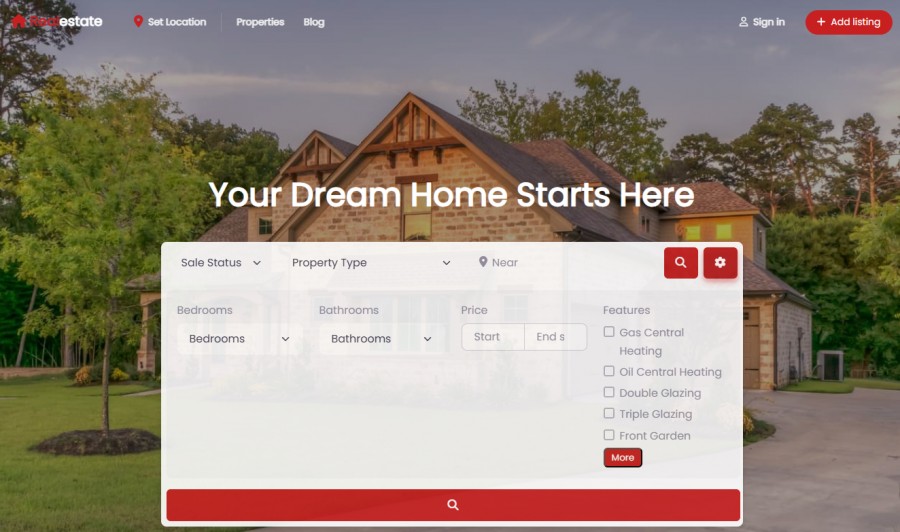
Search is the feature most directory buyers underestimate, and the feature their users feel most.
A slow or shallow search is the fastest way to make a directory feel broken.
HivePress’s search
HivePress runs AJAX search by default in the free plugin.
The search bar exposes a keyword field and a sidebar of filters built from the attributes you’ve defined on the listing type.
It’s a clean experience on a small scale.
The keyword search matches against the listing title and content.
It does not reach into taxonomies by default.
A community feature request titled “Auto-complete search queries in the keywords field” has been on the roadmap since 2022 and is still open as of this writing.
The filter sidebar surfaces every attribute as a separate filter, which is good for discoverability.
The underlying architecture is where the conversation gets interesting, and we’ll cover it in Performance & Scalability.
For now, the practical limit is set by the storage model.
Text and number attributes live in wp_postmeta, select-style attributes live in the taxonomy tables, and a multi-attribute filter runs a join per attribute.
At small attribute counts and small listing volumes, this works.
At larger combinations, it doesn’t, and we’ll quantify that later.
A separate confirmed feature request titled “Ajax Layered navigation in listing filters” has been on the HivePress roadmap since 2023 and is also still open.
Layered filtering (the kind where filter options dynamically reflect the available results, as Airbnb and Yelp do) is the standard people compare HivePress’s search against, and the current implementation isn’t there yet.
GeoDirectory’s search
GeoDirectory’s default search bar ships two fields: a “Search for” field and a “Near” field.
The keyword search includes titles, descriptions, categories, and tags by default, which casts a wider net than HivePress’s title-and-content default.
Location search uses Google Maps or OpenStreetMap APIs to calculate proximity, depending on which provider you’ve configured.
The free plugin handles the basics here.
For deeper search capabilities, the premium Advanced Search add-on unlocks the full toolkit.
That includes a search autocompleter, geolocation proximity filtering (coupled with the Location Manager add-on), a configurable search radius, and the ability to expose any custom field as a frontend filter.
Filters can be combined and stacked without the per-attribute join problem, because each GeoDirectory CPT stores its data in a dedicated detail table with proper columns.
A search filtering by city, category, rating, price range, and three custom fields runs as a single indexed query against a single table, not as a cascade of joins.
This is the architectural advantage that compounds as the directory grows.
Where each plugin lands on search
For a directory with hundreds or low thousands of listings and three or four filters, both search engines feel responsive.
For a directory with tens of thousands of listings and five-plus filters running simultaneously, the architecture matters, and HivePress runs into the joins problem we’ll cover next.
HivePress edges out on out-of-the-box filter UX in the free tier, because the attribute sidebar is built in, and AJAX is the default.
GeoDirectory edges out on keyword reach (categories and tags included by default) and on the ceiling that proper detail tables provide once you add the Advanced Search add-on.
Pick HivePress’s search if your directory is limited, if search is a secondary feature, and if the filter UX matters more than depth.
Pick GeoDirectory’s search if you expect your directory to grow past the point where joins start costing you milliseconds that the user can feel.
Maps, Features & Locations

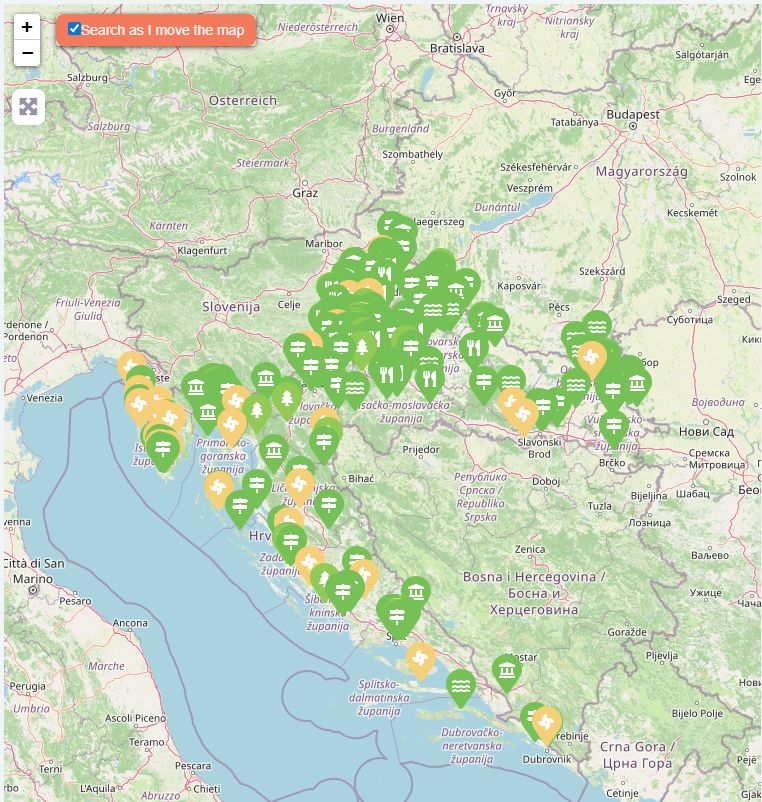
Maps are the second most-used feature after search.
A slow map, or one that doesn’t sync with the results, kills the discovery experience.
A location structure that doesn’t compound into proper archive pages caps your SEO ceiling.
Both deserve attention.
Maps in HivePress
HivePress handles maps through the free HivePress Geolocation add-on on WordPress.org.
It supports two map providers out of the box: Google Maps and Mapbox.
Google Maps offers $200 of free credit per month, which is enough for most small and medium-sized directories without paying a cent.
Mapbox is a separate paid provider with its own pricing model and feature set.
Which one fits depends on your preferences and your scale, not on which one is free.
The mapping system uses client-side marker rendering.
For an archive page showing 20 to 50 markers, that’s fine.
For a homepage that tries to display every listing in the directory, or a location page that tries to render every listing for a country like the United States, the browser has to load and render every marker.
That’s where the architecture starts to feel it.
A confirmed bug worth flagging for anyone planning to use Mapbox: a community thread titled “Exact addresses are not hidden [Mapbox]” sat open from October 2025, where the privacy-mode setting that hides exact addresses on the map didn’t apply when Mapbox was the map provider.
For a directory dealing with home addresses (rentals, in-home services, real estate), that’s a real concern until it’s patched.
Maps in GeoDirectory
GeoDirectory supports Google Maps and OpenStreetMap natively in the free plugin.
The map syncs with the archive or search results, so when the user paginates the listing grid, the map updates accordingly.
The deeper performance answer sits in the premium Marker Cluster add-on.
It uses server-side clustering and is engineered for marker counts in the high six figures, which is the kind of scale a national directory or city-spanning real estate site actually hits.
Server-side clustering means the heavy lifting happens on the server, and the browser receives a small set of pre-clustered markers instead of every individual point.
That’s the difference between a homepage map that loads instantly and one that locks up the browser for 10 seconds or even freezes it completely.
Locations as a structure
This is where the two plugins really diverge.
HivePress treats locations as a geolocation field or a taxonomy, with no native hierarchy.
You can search “near me” or filter by a chosen city, and the two don’t combine into structured location pages.
Combining a category and a location into a single canonical URL isn’t a “more work” situation in HivePress.
It isn’t possible without major customization.
GeoDirectory’s Location Manager add-on treats locations as a first-class hierarchy.
Country, region, city, and neighborhood each get their own page, their own URL, their own meta title and description, and their own indexable archive.
The permalink structure is fully configurable when you install the add-on, so you can decide how your URLs look for your specific directory.
Category and location can be combined into a single canonical URL.
That’s the structural prerequisite for ranking pages like “Restaurants in Paris” or “Restaurants in the 14th arrondissement of Paris” against established competitors.
We’ll come back to the SEO implications in the SEO & Schema section, because the location hierarchy is the part that compounds over the years.
Where each plugin lands on maps and locations
For a small directory with a few hundred listings on a single map, HivePress’s mapping is fine, and the free Mapbox support is a real budget win.
For a directory at scale, or a directory that wants to render an entire region or country on a single map without locking the browser, GeoDirectory’s server-side clustering is the answer.
On locations as a structure, the gap is bigger.
HivePress doesn’t have a hierarchy.
GeoDirectory does, and that hierarchy is what local-SEO-driven directories need to compete.
Pick HivePress’s mapping if your directory is small and one of its two supported map providers fits your needs.
Pick GeoDirectory’s mapping and Location Manager if your directory plans to grow past one city, or if location-based archive pages are central to your SEO strategy.
Ratings & Reviews
Reviews are the social proof that turns a directory into a destination.
They drive trust, conversion, and SEO at the same time.
How each plugin handles them shapes how seriously visitors take your listings.
Reviews in HivePress
HivePress handles reviews through the free HivePress Reviews add-on on WordPress.org.
It’s a 1-to-5 star rating plus a written review, tied to a logged-in user account.
The admin can require approval before reviews go live.
Reviews integrate with the listing’s overall rating display and feed into sorting in archive pages.
The implementation is honest and gets the basics right.
A few quirks that show up in user feedback are worth knowing about.
A confirmed feature request titled “Add reviews for vendor profiles” has been on the HivePress roadmap since 2023, which means out of the box, you can review listings but not the vendors who own them.
That’s a gap for marketplace-style directories where the seller’s reputation matters as much as the individual listing.
A second pattern in the community: reviews are tightly tied to listings.
If the listing is deleted, the associated reviews go with it, which makes negative-review moderation messier than it should be.
Long reviews on mobile also lack pagination or a “read more” toggle, which has been called out in feature requests but isn’t shipped yet.
Reviews in GeoDirectory
GeoDirectory’s free plugin uses the WordPress core comments system and extends it with a 1-to-5-star rating tied to the Places post type (or any custom CPT you’ve built).
The free implementation covers the basics: star ratings, written reviews, admin moderation through standard WordPress comment tools, and rating-driven sorting on archives.
Honest caveat we should put on the table here.
If you delete a listing in GeoDirectory’s free implementation, the comments will either be deleted with it or, at best, become orphaned.
The free version is a baseline.
The real differentiation sits in two premium add-ons.
MultiRatings and Reviews
The MultiRatings and Reviews add-on takes ratings to a TripAdvisor-style level.
Instead of one overall rating, you can split a review into multiple criteria.
Quality, price, cleanliness, friendliness, service, accuracy, whatever fits your niche.
Each criterion gets its own score.
The overall rating is given directly by the user, the same way Airbnb and TripAdvisor do.
That’s intentional because sometimes a user wants to give 5 stars overall even when cleanliness only deserves 4 stars, for example.
If you want the overall to auto-average based on the criteria instead, that’s just one JavaScript snippet away, which any AI tool can write for you if you know how to inspect the code. If that’s not the case, we can help you set that up through support.
There are no half-star limitations.
The fill is percentage-based, so the score shown is exact, not rounded to the nearest half.
You can use 5-star, 3-star, 10-star scales, or any range you want, with custom score labels (Terrible, Poor, Average, Very Good, Excellent) configurable per criterion.
You can use Font Awesome icons (1,500+ available), custom images, or a simple dropdown for rating inputs.
Different rating criteria can be configured per post type and per category, so Hotels can include “room service” while Camp Sites doesn’t.
Reviewers can upload multiple images with titles and captions, which doubles as additional SEO content on the listing page.
Users can rate reviews as helpful or not, which surfaces the most useful reviews.
Listing owners get clearly marked owner replies, giving them a way to respond to feedback publicly.
Review sorting includes Latest, Oldest, Highest, Lowest, and most-images, so visitors can navigate long review sets the way they actually want to.
This is the layer that separates a “listing site with reviews” from “a real reviews directory.”
Embeddable Ratings Badge
The second premium add-on is the Embeddable Ratings Badge.
It lets listing owners embed a live ratings widget on their own external websites.
The pattern is the same as TripAdvisor’s: a restaurant displays “Rated 4.7 on YourDirectory” on its homepage, with a link back to your directory.
This is a money-making add-on disguised as a free service for listing owners.
Every time a business embeds your badge, you get an organic backlink from their website.
For SEO, organic backlinks from real businesses are the most valuable kind you can earn.
The widget is fully customizable.
Admins can lock the styling to match the directory’s branding, or let listing owners adjust colors, fonts, and layout to match their own site.
A smart script detects if the listing owner’s site uses Font Awesome and matches the rating icons accordingly.
If not, it falls back to lightweight HTML stars.
There’s also a CDN option to reduce server load as the widget grows in popularity.
This is the kind of feature that compounds over the years.
A directory with 1,000 listings, where even 10% of owners embed the badge, picks up 100 organic backlinks pointing to specific listing pages.
That’s the trust signal Google uses to rank your directory higher than your competitors.
HivePress has no equivalent feature.
Where each plugin lands on reviews
For a small directory or a niche site where ratings are a side feature, HivePress Reviews is enough.
It’s free, it works, and it integrates with the rest of the plugin.
For a directory that takes reviews seriously, the GeoDirectory premium stack pulls ahead in two specific places.
MultiRatings and Reviews give reviewers the depth to leave meaningful feedback across multiple criteria, which is what serious review directories like TripAdvisor and Yelp built their reputations on.
The Embeddable Ratings Badge gives the directory a backlink engine that runs on autopilot once listing owners start embedding it.
If you want reviews to be a core part of your business model, the gap is real.
If reviews are just a nice-to-have, both plugins handle the basics.
Monetization & Marketing Tools
Monetization is where a directory becomes a business.
Marketing tools are how the business grows past launch traffic.
Both plugins offer revenue models, but they target very different operator profiles.
HivePress’s monetization stack
HivePress runs monetization through paid extensions, with a few free building blocks at the WordPress.org level.
The deprecated HivePress Paid Listings free add-on still works for basic paywall flows.
For anything beyond that, the team directs users to two paid extensions:
Memberships ($39) lets you sell tiered listing packages with feature gates per tier.
You can charge per submission, per featured listing, or on a recurring basis.
You can bundle multiple listings into one package, so a business owner can post several listings under a single subscription.
Featured listings, listing limits, expiration handling, and renewal logic all live here.
One caveat worth flagging on recurring billing.
Memberships 2.1.0 added integration with WooCommerce Subscriptions for true auto-renewing subscriptions, which means recurring billing requires the WooCommerce Subscriptions extension on top of WooCommerce itself.
WooCommerce Subscriptions costs $239 per year and renews annually.
Without it, you can sell fixed-duration plans and listing packages, but not auto-renewing recurring subscriptions.
That’s a real additional cost layer for any HivePress directory built on a subscription revenue model.
GeoDirectory’s GetPaid handles recurring billing natively, with no equivalent add-on cost.
Marketplace ($39) turns the directory into a marketplace for sellable products.
Listings become products, and customers can buy them directly through the site.
Payments route through WooCommerce, which is a real architectural choice worth understanding.
There’s no direct Stripe integration on listings without WooCommerce sitting in the middle.
For a marketplace that’s selling tangible or digital products, this is reasonable.
For a directory that just wants to charge for paid listings, it’s heavier than needed.
Bookings ($39) adds reservable listings (rental properties, appointments, equipment) with calendar-based booking flows.
A separate add-on, Requests ($39), adds reverse-direction request listings, where customers post a need and providers respond.
That’s the model behind sites like Bark and Thumbtack.
Beyond listing monetization, HivePress doesn’t ship a dedicated advertising add-on, a pay-per-lead system, or an events ticketing solution.
The Marketplace extension can be configured to sell event tickets if you build the model yourself, but there’s no purpose-built tool for it.
GeoDirectory’s monetization stack
GeoDirectory’s monetization runs through GetPaid, our free invoicing and payments plugin that integrates directly with the directory.
But you can use WooCommerce too if that’s a requirement for you.
GetPaid handles Stripe, PayPal, Authorize.Net, and a dozen other gateways out of the box, without WooCommerce sitting in the middle.
For pure-directory monetization (paid listings, packages, recurring renewals), it’s a lighter, more direct stack.
The premium add-ons layer specific monetization patterns on top:
Pricing Manager is the package-and-pricing engine.
You can charge per listing submission, per featured listing, or with recurring renewals.
You can bundle listings (sell a 10-listing package to a single business owner who runs multiple locations). A bundle of listings can be of different types, such as 1 place and 20 events.
You can configure pay-per-featured-listing as its own model, where listings are free to submit but pay to be featured at the top of archives or search results.
You can mix and match: free basic submissions, paid premium tiers, paid featured upgrades, and recurring memberships, all on the same site.
Advertising is a dedicated add-on for selling banner ads on your directory.
Listing owners or third parties pay to display ads in defined zones on your archive and listing pages.
Pricing, rotation, and placement are all controlled by the admin.
Ads can be linked to paid listings, so in addition to extra visibility in archives, paid listings also appear in ad zones and banners throughout the website.
Pay-per-Lead is a different monetization model entirely.
Listing owners pay only when a visitor takes action and sends a message. The contact details, or even part of the message, are shared with the listing owner only after the charge is accepted and paid for.
This is the Thumbtack model, monetized through cost-per-action rather than a subscription.
For categories where business owners are sensitive to fixed-fee directories but happy to pay for actual leads, this is the right tool.
Booking Marketplace and Appointment Bookings are two separate booking add-ons.
Booking Marketplace is the more advanced of the two, with calendar logic, availability rules, and reservation workflows. Very similar to the Airbnb booking engine.
Appointment Bookings is the version for directories that just need appointment-style bookings for time slots, without full inventory management.
GeoMarketplace is the marketplace add-on for directories that want to sell tangible or digital products attached to listings.
It integrates with WooCommerce and its marketplace extensions, but the directory-side flow remains within GeoDirectory rather than being absorbed into Woo’s product model.
Events for GeoDirectory is free and ships with full ticketing flows when paired with GetPaid and the Events Tickets Marketplace, so event organizers can sell tickets directly through the directory without bolting on a separate ticketing plugin.
Marketing tools
HivePress’s core plugin ships transactional email handling with the Email Customizer built in.
Search Alerts ($39) covers saved-search notifications, in which users save a search query and are emailed when new listings match it.
That’s one of the strongest retention loops a directory has.
GeoDirectory’s free core ships transactional emails for the directory and integrates with the WordPress email layer.
The premium Dynamic User Emails add-on lets you send context-aware emails to users based on their activity: listing renewals coming due, featured listing expirations, profile completion nudges, and saved-search matches.
It pairs naturally with the Saved Search Notifications add-on, GeoDirectory’s equivalent of Search Alerts.
Combined, these two add-ons turn the directory into a recurring engagement engine that brings users back without manual outreach.
Where each plugin lands on monetization and marketing
HivePress’s monetization stack is well-suited to a specific operator profile: someone running a niche marketplace or paid directory, comfortable working within WooCommerce for payments, and seeking monetization that fits one of the bundled extension models.
GeoDirectory’s monetization stack is built for directory operators who want multiple revenue models running side by side: paid listings, pay-per-featured upgrades, banner ads, pay-per-lead, bookings, and event tickets, all monetized through GetPaid’s direct gateway integrations, without forcing you to install WooCommerce too, while still leaving it as an option, especially if the marketplace extension is needed.
The marketing tools follow the same shape.
HivePress offers saved searches as a paid add-on and competent transactional email in the core.
GeoDirectory has saved searches, transactional emails, and dynamic user emails that pull listing-specific data into automated retention campaigns.
If your business model is “paid listings on a niche marketplace,” HivePress’s stack is enough.
If your business model is “multiple revenue streams on a directory that needs to retain users over the years,” GeoDirectory’s stack is broader.
Mobile Features
Mobile users browse directories differently from desktop users.
They want maps, they want fast loading, they want to call or message a business in two taps.
Mobile responsiveness is the floor.
A real mobile experience is the ceiling.
HivePress on mobile
HivePress themes are responsive out of the box.
The listing pages, search filters, and user dashboards adapt to mobile breakpoints, and the visual design holds up well on small screens.
For a small directory, this is enough.
A few confirmed bugs from the HivePress community sat in the bug tracker at the time of writing, including video embeds not resizing properly inside textarea attributes and settings tooltips not appearing on mobile.
Neither is a launch-blocker, but they’re worth knowing about if mobile is your primary audience.
A native mobile app has been a confirmed feature request on the HivePress roadmap since 2022.
Three years later, it’s still open and not shipping.
For the foreseeable future, HivePress sites are mobile-web experiences, not app experiences.
GeoDirectory on mobile
GeoDirectory’s mobile experience is theme-driven, so the responsive behavior matches whatever theme you’ve chosen.
Pairing GeoDirectory with our Blockstrap theme, or with any well-built block theme like Astra, Kadence, or Bricks, gives you the same mobile design quality as the rest of your site.
The plugin’s own UI elements (maps, search, submission flow) are designed to work across breakpoints by default.
On native mobile apps, GeoDirectory has the same answer at the core level: no native app shipped by us.
But unlike HivePress, third-party vendors have built native mobile apps that connect to GeoDirectory directories through the REST API.
There are at least two vendors currently offering this as a paid service, in which they build and maintain iOS and Android apps branded for your specific directory.
The pricing model is service-based rather than plugin-based, so you’d contract directly with the vendor.
This isn’t a feature we ship.
It’s an ecosystem option that exists because GeoDirectory’s REST API is open enough for third parties to build on top of it.
For a directory that needs a branded mobile app, that’s a real option.
For a directory that doesn’t, the responsive web experience covers the use case.
Where each plugin lands on mobile
Both plugins are responsive out of the box and deliver acceptable mobile web experiences for small- to mid-size directories.
If a native mobile app is part of your roadmap, neither plugin ships one natively.
The difference is that GeoDirectory’s REST API has attracted third-party vendors offering apps as a service, while HivePress’s app request has been on the roadmap for years with no progress.
For most directory operators, this section is a wash.
For the small subset of operators who genuinely need a branded mobile app, GeoDirectory’s third-party ecosystem gives you a path forward today.
SEO & Schema


SEO is the section where directories have won or lost over the years.
Schema markup, structured URLs, indexable archive pages, and content depth all compound one another.
A directory that gets this right ranks against Yelp.
A directory that gets this wrong stays invisible in Google.
HivePress’s SEO
HivePress sells SEO as a paid extension at $29.
The SEO add-on handles meta titles, descriptions, sitemaps, and basic structured data for listings.
It’s a competent base layer.
For deeper SEO, HivePress is compatible with Yoast SEO and Rank Math, both of which extend coverage to OpenGraph tags, Twitter Cards, and additional schema types.
Where the architecture limits HivePress’s SEO ceiling is the location structure.
Locations are a taxonomy or a geolocation field with no native hierarchy.
You can’t combine a category with a location into a single canonical archive URL out of the box.
Building a page that ranks for “Restaurants in Paris” requires major customization, because the plugin doesn’t generate that intersection as a real indexable page by default.
For a niche marketplace where SEO is about ranking the marketplace itself rather than local intersection pages, HivePress’s SEO is enough.
For a local directory competing in Google’s local search results, the missing hierarchy caps how far the SEO strategy can scale.
GeoDirectory’s SEO
GeoDirectory ships schema markup natively in core.
That includes LocalBusiness, Product, Event, Article, and other Schema.org types relevant to directory listings, with the schema generated automatically from the listing’s actual fields.
Reviews, hours, addresses, prices, and other attributes feed into the JSON-LD without manual intervention.
Yoast SEO and Rank Math are both compatible, and you can layer them on top for OpenGraph, Twitter Cards, and the broader SEO toolkit they provide.
The bigger SEO advantage comes from the Location Manager add-on we covered earlier.
Country, region, city, and neighborhood each get their own page, their own meta title and description, and their own indexable archive.
When you install Location Manager, you can configure how the permalink structure works for your directory and combine category and location into a single canonical URL.
That’s the structural prerequisite for ranking pages like “Restaurants in Paris” or “Restaurants in the 14th arrondissement of Paris.”
Each intersection page becomes a real archive with its own content blocks, listings, and potential to rank.
Multiply that across the categories and locations a directory covers, and you get hundreds or thousands of indexable archive pages without writing any of them manually.
This is what serious local directories do to compete with Yelp, Tripadvisor, and Google Business Profile.
It isn’t possible in HivePress without major custom development.
Where each plugin lands on SEO
For a niche marketplace or a directory where SEO is about the brand rather than location-driven keywords, HivePress, with its SEO add-on plus Rank Math or Yoast, covers the basics.
For a local directory whose business model depends on ranking for “[category] in [location]” search queries, the missing hierarchy in HivePress is a structural limitation.
GeoDirectory’s native schema, plus Location Manager, gives you the foundation local-SEO-driven directories actually need.
The SEO ceiling between these two plugins is not about meta tags.
It’s about the architecture under the URLs.
That architecture is the difference between ranking a few generic pages and ranking thousands of geo-specific intersections.
Performance & Scalability
This is the section where the architecture talk matters most.
It’s also the thing buyers underestimate the hardest before launch.
A directory that runs fine at 500 listings can fall apart at 5,000 with heavy traffic, and the difference comes down to how the plugin stores and queries its data.
How HivePress stores listing data
HivePress’s storage model was publicly confirmed by HivePress dev Andrii on their community forum.
Text and number attributes are stored in wp_postmeta with keys like hp_{field_name}.
Select, radio, and checkbox attributes are stored as taxonomy terms in wp_term_relationships and wp_terms, with taxonomy names like hp_listing_{field_name}.
The query layer wraps standard WordPress functions: WP_Query, WP_Comment_Query, WP_Term_Query.
There are no custom tables for listings.
Listings are WordPress posts, with their data spread across wp_posts, wp_postmeta, and the taxonomy tables, just like any other WordPress content.
How GeoDirectory stores listing data
GeoDirectory uses dedicated database tables for listing data.
The default Places post type stores its data in wp_geodir_gd_place_detail, with native columns for title, status, category, rating, address fields, latitude, longitude, phone, email, website, business hours, and the rest of what a listing actually has.
Each additional custom post type gets its own detail table following the same pattern: wp_geodir_gd_{cpt-name}_detail.
Columns are properly typed (varchar, int, float, datetime) and indexable on fields that directory queries often access, such as city, country, latitude, and overall_rating.
Attachments live outside the WordPress media library, which itself becomes a bottleneck quickly in a directory with a high image count per listing.
What this means for queries
The difference shows up the moment you start filtering.
A user runs a search on a GeoDirectory directory for “Italian restaurants in Paris with a rating above 4 and outdoor seating.”
That’s one indexed query against a single detail table, with the proper columns for category, location, rating, and the outdoor-seating custom field.
The query returns results in milliseconds, even with 100,000 listings and battering traffic.
The same search on a HivePress directory runs differently.
The category filter joins a taxonomy table.
The location filter joins another taxonomy table.
The rating filter joins wp_postmeta.
The outdoor-seating filter joins wp_postmeta again.
That’s four joins on a single query, with the joins running against tables that grow with every listing and every meta entry.
At a few hundred listings with two or three filters, it works.
With thousands of listings with five or six filters running simultaneously, and multiple concurrent searches, the plugin makes WordPress unusable.
This isn’t a HivePress-specific bug.
It’s the architectural ceiling of WordPress’s standard post meta and taxonomy storage when you push it into multi-attribute filtering at scale.
The same ceiling exists in Directorist, in any directory plugin that doesn’t ship its own tables, and in any plugin that wraps WP_Query for filtered searches. To our knowledge, GeoDirectory is the only directory plugin that ships its own.
What HivePress says about scalability
A user asked on the WordPress.org support forum about scalability for TaskHive and ExpertHive, two of HivePress’s marketplace themes.
The official response from HivePress: “There are no restrictions on our part; restrictions can only arise from the server you are using. Additionally, please note that if you have a large number of users, listings, etc., you will need proper site optimization to ensure it is displayed correctly and quickly enough.”
That’s a fair answer.
It’s also the textbook way to put the scalability burden on the user.
There’s no custom table layer to buy.
There’s no plugin setting that fixes the join problem.
“Proper site optimization” means caching, faster servers, query optimization, and accepting that some queries will be slow no matter what you do.
Map performance specifically
Map performance scales with the same logic.
HivePress’s Geolocation add-on uses client-side marker rendering, meaning the browser receives and renders each marker individually.
At a few dozen markers, that’s fine.
At thousands of markers on a single map (a homepage map, a country-level location archive, a “view all listings” page), the browser locks up.
GeoDirectory’s Marker Cluster add-on does server-side clustering and is engineered for marker counts in the high six figures.
The server pre-clusters the markers based on the visible map bounds, and the browser receives a small set of cluster markers instead of every individual point.
That’s the difference between a map that loads instantly at any scale and a map that becomes unusable past a few thousand listings.
Where each plugin lands on performance and scalability
For a directory with hundreds or low thousands of listings and light traffic, two or three filters, and a few dozen markers per map, HivePress runs comfortably.
The architecture isn’t the limiting factor at that size.
For a directory with heavy traffic, thousands of listings with five or more filters, and thousands of markers per map, the post meta and taxonomy join pattern becomes the limiter.
There’s no extension you can buy from HivePress to change the storage layer.
GeoDirectory’s custom tables, proper column types, indexable fields, and server-side marker clustering are the architectural components you need when the directory grows beyond the hobbyist stage.
If your directory will never grow beyond a few thousand listings and doesn’t have great aspirations for popularity, the architectural difference doesn’t matter, and HivePress is fine.
If growth is the plan, the storage model decides the ceiling.
Security
Security is one of the few sections where neither plugin has anything to hide.
It’s also the section where the broader directory plugin market has the worst record.
For HivePress and GeoDirectory specifically, this is short and honest.
HivePress’s security record
HivePress has a clean public security record.
I checked the National Vulnerability Database, Wordfence Intelligence, and the Patchstack database.
There are no significant CVEs filed against HivePress at the time of writing.
The codebase has a reputation for being well-structured, the team responds to vulnerability disclosure responsibly, and there’s no history of plugin closures or emergency patches that left users exposed.
This is genuine credit.
A directory plugin that doesn’t show up in vulnerability databases is doing its job on the security front.
GeoDirectory’s security record
GeoDirectory’s record is also clean by directory plugin standards.
Roughly 15 CVEs have been disclosed since the v2 release in 2018, mostly low-to-medium severity, all patched in subsequent releases.
The team handles vulnerability disclosures through standard channels, and patches are shipped quickly when issues are found.
No plugin closures, no emergency notifications to users, no compromise events.
What’s actually different between these two plugins
For buyers comparing HivePress and GeoDirectory specifically, security is not a differentiator.
Both plugins have done their job here.
The much larger security stories in the directory plugin market involve other vendors.
HivePress and GeoDirectory have both avoided that kind of trouble.
If security is a major decision factor for you, both plugins pass the bar.
The decision between them comes down to the other sections, not this one.
Multilingual
Directories built for international audiences need multilingual support.
For local directories with a single-language audience, this section is a nice-to-have.
For directories covering multiple countries or languages, it’s a requirement.
HivePress multilingual
HivePress is translated into 27 locales on WordPress.org, which is a real strength.
The interface, the admin labels, and the default frontend strings ship in multiple languages out of the box.
The harder question is multilingual content: running the same directory in English, Spanish, and French simultaneously, with translated listings, categories, and custom attribute labels.
HivePress’s official position on this is documented in a community thread titled “Multi-language translation of attribute labels or any other label text entered in the WP admin.”
The team’s response: HivePress doesn’t guarantee compatibility with any multilingual plugin.
You can try WPML or Polylang, but the team won’t commit to supporting issues that arise from the integration, and there’s no official documentation on which translation patterns work and which don’t.
For a small directory in one language, this is fine.
For a directory that needs to run multiple languages in production, the absence of guaranteed compatibility is a real risk.
GeoDirectory multilingual
GeoDirectory is officially compatible with WPML.
The integration covers translated listings, translated categories, translated custom field labels, and translated location names.
WPML compatibility is documented and supported by the GeoDirectory team, which means issues with the integration go through a defined support path rather than a “good luck” community thread.
Polylang is not officially supported at this time.
If WPML is your multilingual stack, GeoDirectory’s integration is mature and production-ready.
If Polylang is a hard requirement, neither plugin is the right fit at this stage.
Where each plugin lands on multilingual
For a single-language directory, this section is a wash.
Both plugins ship in your language and handle it fine.
For a multi-language directory, GeoDirectory’s official WPML compatibility is the safer foundation.
The difference isn’t about features.
It’s about whether the plugin team commits to supporting the multilingual setup when something breaks.
HivePress doesn’t make that commitment.
GeoDirectory does, for WPML specifically.
User Friendliness
User friendliness is two different conversations.
There’s the end-user experience, which we covered in the Frontend Submission & User Dashboards section.
Then there’s the site builder experience, which is what this section is about.
How easy is it to get a working directory up, configured, and customized to what you actually want?
HivePress for site builders
HivePress is genuinely friendly to use inside the lane the team designed for.
Install the core plugin, pick a HivePress theme (free ListingHive or a niche premium theme), add the free or paid extensions you need, configure attributes through the admin, and ship.
The default experience is smooth, the admin screens are organized, and most positive reviews praise this very aspect.
The wall hits when you want to push past what the theme exposes.
A common pattern in the community forum and on Trustpilot: someone wants to change a layout that isn’t in the WordPress Customizer, and the answer comes back as a code snippet, a template override path inside hivepress/templates/, or a referral to HivePress’s customization service.
The plugin is friendly to coders.
It’s less friendly to site builders working without code.
HivePress’s AI Assistant has lowered that friction over the last year.
Several Trustpilot reviews specifically credit the AI for getting them unstuck on customization questions.
It doesn’t change the underlying coding burden; it just shortens the time to answer.
GeoDirectory for site builders
GeoDirectory has a steeper learning curve than HivePress.
The plugin gives you more options, more add-ons, more configuration paths, and more decisions to make in week one.
The trade-off is that the ceiling is much higher.
Once configured, GeoDirectory drops into any modern WordPress workflow.
You manage listings the way you manage posts.
You build pages with Gutenberg, Bricks, Elementor PRO, or any other page builder you already know.
You configure settings through standard WordPress admin screens.
The conventions match what experienced WordPress users already expect, which means an agency or freelancer with WordPress experience can pick up GeoDirectory faster than you’d guess from the initial setup time.
The infinite possibilities cut both ways.
If you don’t need them, they’re overhead.
If you do need them, they’re what separates a small directory from a real business.
Where each plugin lands on user friendliness
HivePress is faster to launch if your project fits within one of the bundled themes, and you can live with what the theme ships with.
You’ll have a working, polished directory in a weekend. But it will look like countless other almost identical websites.
GeoDirectory is slower to launch, but uncapped in what you can build.
If your project will grow, change, or push past the standard listing model, GeoDirectory’s broader compatibility and higher ceiling is the better long-term bet.
The decision here isn’t about which plugin is easier in absolute terms.
It’s about whether the constraints of the easier plugin will become problems for your specific directory six months from now.
Developer Extensibility & Integrations
This section matters most for two groups.
Developers who plan to extend the plugin with custom code.
And site builders who want to integrate the directory with other tools in the WordPress ecosystem.
Both plugins have stories to tell here, but the stories point in different directions.
HivePress for developers
HivePress has earned its reputation as a developer-friendly framework.
The codebase follows WordPress coding standards.
The hook reference is published.
The REST API is documented.
The team maintains a growing library of code snippets on GitHub Gists.
If you’re a developer building a fully custom directory from scratch, the framework is pleasant to extend, and the documentation is genuinely useful.
The flip side of “built for developers” is that customization often requires being a developer.
The template system uses HivePress’s own block library and BEM CSS notation.
It’s well-documented, but it’s a proprietary system with its own learning curve.
WordPress conventions you might expect from a typical plugin don’t always apply.
Plugins that work fine on other WordPress themes can misbehave on HivePress themes, especially anything that touches the listing template, the user dashboard, or the submission flow.
A 1-star Trustpilot reviewer described this exact pattern, where premium plugins they’d used elsewhere produced unexpected behavior the moment they landed on a HivePress site.
The framework is powerful for developers building inside HivePress’s conventions.
It’s harder when you want to bring outside tools to the party.
HivePress and page builders
HivePress’s integration story with the major WordPress page builders is short.
There is no native integration with Elementor.
There is no native integration with Bricks.
There is no native integration with Divi or Beaver Builder.
A community feature request titled “Elementor support for HivePress and its themes” has been confirmed since 2022 and is still open as of this writing.
The current answer is to use the HivePress block library within a HivePress theme, or commission custom development to bridge the gap.
GeoDirectory for developers
GeoDirectory is also developer-friendly.
There are countless hooks and filters, a well-documented PHP API, REST API endpoints, and a code snippet library maintained by our team.
The conventions follow standard WordPress patterns more closely, which means a WordPress developer who has never worked with GeoDirectory can usually find their bearings in an afternoon.
The plugin is built to be extended.
It’s also built to coexist with other tools, which is the bigger difference.
GeoDirectory and page builders
GeoDirectory is 100% compatible with the major WordPress page builders out of the box.
Gutenberg works.
Elementor PRO works, with deep integration into Elementor’s dynamic data system.
Bricks works, with deep integration into Bricks’ dynamic data system and query loops.
Divi works through our shortcode builder.
Beaver Builder works.
Breakdance works.
None of these integrations requires a separate add-on.
If you’re building a directory in Bricks or Elementor PRO, GeoDirectory’s dynamic data integration lets you render listing fields, custom attributes, location data, and review data via the page builder’s native dynamic data UI.
Your developer or site builder works in the tool they already know.
The directory data flows into that tool natively.
That’s a very different experience from being asked to learn HivePress’s block library to customize a listing layout.
Where each plugin lands on developer extensibility
GeoDirectory wins this section without much room for debate.
Both plugins offer hooks, filters, REST APIs, and developer documentation.
Both plugins are extendable by competent developers.
The difference is what happens when you want to integrate the directory with the rest of your WordPress stack.
HivePress asks you to work inside its proprietary template and block system.
GeoDirectory works with whatever you’re already using, with native dynamic data integration on the two page builders that matter most in 2026.
For developers building one-off custom directories, both plugins do the job.
For developers and agencies building directories that need to fit into existing workflows, integrate with existing tools, and extend without inventing custom bridge code, GeoDirectory is the easier choice and the more compatible foundation.
Import / Export & Migration
This section matters in two scenarios.
You’re starting a new directory and want to bulk-import existing data.
Or you’ve already built a directory on another plugin and want to migrate to a better one.
HivePress import and export
HivePress sells the Import extension for $29.
It handles CSV imports for listings, mapping your CSV columns to HivePress attributes.
For initial bulk-loading of listings into a new HivePress directory, it does the job.
The bidirectional flow is more limited.
There’s no clean CSV export designed for bulk-edit workflows, where you’d export the directory, edit listings in a spreadsheet, and re-import the changes.
There’s no built-in migration tool to move from another directory plugin to HivePress.
If you have existing data in Directorist, GeoDirectory, the Business Directory Plugin, or any other directory plugin, you’ll need a custom import script or a database-level migration to import it into HivePress.
GeoDirectory import and export
GeoDirectory ships CSV import and export in the free plugin.
The flow is properly bidirectional.
Export your directory to CSV, edit listings in a spreadsheet, re-import the file, and existing listings update in place based on a unique identifier.
That bulk-edit pattern is what most directory operators actually want once they have hundreds of listings to manage.
For migrations from other directory plugins, GeoDirectory has the Directory Converter add-on.
It’s a free tool currently in beta, designed to run in a staging environment because directory migrations are too risky to perform on a live site.
Currently supported source plugins include phpMyDirectory, Listify, Business Directory Plugin 6.3+, eDirectory, Vantage Directory Theme, and Directorist 7.9.0+.
HivePress is not currently on the supported list.
If you’re migrating from HivePress to GeoDirectory and want the conversion handled officially, we can extend the Directory Converter to support HivePress sources.
The process: ask us, share your database in a staging environment, and we’ll work with you to build the HivePress-to-GeoDirectory conversion path.
That’s a real offer, not a marketing line.
We’ve extended the converter for previous source plugins through exactly that workflow.
Where each plugin lands on import and migration
For initial bulk loading of fresh data, both plugins handle CSV imports competently.
HivePress charges $29 for the capability.
GeoDirectory includes it in the free plugin.
For ongoing bulk-edit workflows, where you periodically update large sets of listings through CSV, GeoDirectory’s bidirectional flow is the more practical tool.
For migrating from another directory plugin, GeoDirectory’s Directory Converter supports six existing platforms, with an open path to add HivePress when needed.
HivePress has no equivalent migration tool.
If your directory project involves significant existing data, the difference is real.
Support, Documentation & Reputation
This section is harder to write fairly than the others.
Support quality is subjective, documentation depth is partly opinion, and reputation depends on which review platforms you weigh.
I’ll stick to what’s verifiable.
HivePress’s support and documentation
HivePress’s reputation on review sites is strong.
4.9 stars on WordPress.org across 215+ reviews.
4.5 stars on Trustpilot across 25 reviews.
4.2 stars on G2 across 9 reviews.
The team maintains a knowledge base, a community forum, a developer documentation site, a hook reference, a code reference, a REST API reference, and a public roadmap.
The AI Assistant, launched in 2025, has accelerated time-to-answer for common questions.
Multiple recent Trustpilot reviews specifically credit it for getting users unstuck.
Documentation criticisms surface in user feedback.
A 3-star WordPress.org review titled “Powerful but poorly documented” called out gaps in the depth of the docs, and HivePress’s own team acknowledged the feedback in their response.
Support-style criticism also surfaces.
On the WordPress.org forum specifically, HivePress staff often redirect users to the community forum rather than answering in place.
A user who replied to one of those redirects wrote that it “seems like a reasonable thing for someone to ask on this forum, without having to jump through hoops.”
Rai Mahi’s longer Trustpilot review estimated that roughly half of forum responses to customization questions are “we can’t help, we recommend you hire a coder.”
These aren’t disqualifying criticisms.
They’re the friction patterns that show up consistently enough to be worth knowing about.
GeoDirectory’s support and documentation
GeoDirectory’s support runs through a ticket system on the membership site.
Documentation is publicly available at the GeoDirectory docs site, with articles covering the core plugin, every add-on, and common integration patterns.
The public response time statistics are listed on the support page.
In the broader market context, GeoDirectory’s WordPress.org reviews reflect strong ratings across its years of operation.
The team handles vulnerability disclosure, feature requests, and customization questions through a defined workflow.
We’re not going to claim our support is faster than HivePress’s without a verifiable comparison.
Both teams care about their users, both ship updates regularly, and both maintain documentation that covers the core product.
What we can say with confidence is that GeoDirectory’s support tickets are answered by a small, focused team that has been running the plugin since 2014.
That continuity matters when you’re building a directory you intend to run for years.
Reputation and install base
Both plugins have over 10,000 active installs on WordPress.org.
GeoDirectory is closer to 20,000 active installs.
Both have years of operating history.
Both have loyal user bases that have built real businesses on the plugin.
Neither plugin is a fly-by-night project.
If you’re picking between them based on company stability or longevity, both pass the bar.
Where each plugin lands on support and reputation
HivePress has a polished public-facing support presence: AI Assistant, community forum, multiple documentation surfaces, and a strong rating profile on review sites.
The friction patterns (forum-redirect responses, “hire a coder” answers to customization questions) are real, but don’t invalidate the broader experience.
GeoDirectory’s support is ticket-based, documentation is public, and the team has been operating the plugin continuously since 2014.
Both teams have earned the trust their reputations reflect.
The decision between them isn’t a support decision.
It’s a fit decision.
Pricing & Total Cost of Ownership
This is where the spreadsheet matters.
Both plugins are free on WordPress.org.
Both have premium tiers that the realistic directory will ultimately need.
The total cost picture depends on which add-ons your project actually uses, how long you plan to run the site, and which pricing model the vendor uses.
HivePress pricing
HivePress sells individual extensions and themes on a one-time, lifetime-license basis at the time of writing.
Each extension grants a single-site license with unlimited automatic updates and a 30-day money-back guarantee.
Premium support is included for the first 6 months.
After that, you can extend support for an additional 6 months for half the extension’s original price (e.g., $9.75 for Memberships, $14.75 for Marketplace).
Individual extension prices:
- Memberships, Marketplace, Bookings, Requests, Search Alerts: $39 each
- Social Login, Social Links, SEO, Import, Opening Hours, Statistics, Tags: $29 each
- All Extensions Bundle: $199 (regularly priced at $398, with a perpetual 50% discount)
The bundle covers all extensions but does not include themes.
The bundle includes 6 months of premium support, extendable to 12 months for $49.75.
Themes are sold separately:
- ListingHive: free
- JobHive: $69
- RentalHive, ExpertHive, TaskHive, MeetingHive: $89 each
A typical paid HivePress directory needs the core (free), a niche theme ($89), the SEO extension ($29), the Memberships extension for monetization ($39), and likely one or two more (Social Login at $29, Statistics at $29).
That lands around $215 for a starter build.
A more ambitious build using the All-Extensions Bundle plus a theme runs $199 + $89 = $288.
A real cost layer worth flagging on HivePress
True auto-renewing recurring subscriptions require WooCommerce Subscriptions in addition to HivePress Memberships and WooCommerce itself.
WooCommerce Subscriptions costs $239 per year, every year.
So a HivePress directory built around recurring memberships looks like:
- HivePress core: free
- HivePress Memberships: $39 (lifetime)
- HivePress theme: $89 (lifetime)
- WooCommerce: free
- WooCommerce Subscriptions: $239 per year, recurring
That’s $128 upfront plus $239 annually for the subscription billing capability.
Worth knowing before you commit to the architecture.
The pricing model change worth flagging
HivePress is in the middle of moving from lifetime licenses to subscription pricing.
Their site banner at the time of this writing reads: “Last chance to get a lifetime bundle license before subscriptions launch. Use BUNDLE30 for 30% off until May 22.”
If you’re shopping for HivePress, the lifetime licensing you see today may not be available in a month.
This isn’t a criticism.
Plugin economics eventually push every vendor toward subscriptions.
It’s just a fact worth knowing as you make the decision.
GeoDirectory pricing
GeoDirectory sells add-ons in two ways.
You can buy individual add-ons à la carte or the all-in-one membership bundle.
Individual add-on pricing ranges from $19 to $49, with most at $39 or $49.
Some add-ons are free, including Events for GeoDirectory, Real Estate Directory, Directory Converter, WPML Multilingual, and Google Analytics.
All GeoDirectory themes are free.
The current theme catalog includes a Classified Ads Directory Theme, an Events Directory Theme, a Job Board Theme, a Real Estate Directory Theme, and a general Directory Theme, all at $0.
Membership pricing:
- 4 months Unlimited Sites: $115
- 1 year Unlimited Sites: $229
- 1 year Single Site: $139
The membership includes every premium add-on, every theme, every new product released during the membership period, and premium support.
There’s a 30-day money-back guarantee.
We don’t currently offer a lifetime license.
Memberships renew annually, with discounted renewal pricing for active members.
The math on the membership: it saves around 90% versus buying every add-on individually, so it’s the right pick for anyone using five or more premium add-ons. For a smaller build using only two or three specific add-ons, the à la carte option can be cheaper upfront.
Three-year total cost of ownership
For a directory using both plugins’ premium tiers, here’s how the math runs over three years:
Scenario A: HivePress lifetime (current model)
- Year 1: $288 (bundle + premium theme)
- Year 2: $0 (lifetime licenses)
- Year 3: $0
- 3-Year Total: $288
Scenario B: HivePress with recurring billing
- Year 1: $288 + $239 (WooCommerce Subscriptions) = $527
- Year 2: $239
- Year 3: $239
- 3-Year Total: $1,005
Scenario C: GeoDirectory Unlimited annual membership
- Year 1: $229
- Year 2: $229
- Year 3: $229
- 3-Year Total: $687
- Includes all add-ons, all themes, recurring billing through GetPaid, and unlimited sites
Scenario D: GeoDirectory Single Site annual membership
- Year 1: $139
- Year 2: $139
- Year 3: $139
- 3-Year Total: $417
- Includes all add-ons, all themes, recurring billing through GetPaid, for a single site
If your directory doesn’t need recurring billing and you can lock in HivePress’s current lifetime pricing before the subscription switch, HivePress is cheaper over three years on a single site.
If your directory needs recurring billing, GeoDirectory’s annual membership is meaningfully cheaper than HivePress’s stack-plus-WooCommerce-Subscriptions setup, by a wide margin.
If you’re buying HivePress after the lifetime model ends, the prices will converge based on what HivePress sets for subscription pricing.
If you’re running multiple sites, GeoDirectory’s Unlimited Sites plan ($229/year covers all sites) becomes the cheapest path of any scenario.
The decision shouldn’t come down to the price alone.
The architecture, the integrations, the customization model, and the long-term ceiling all matter more than $50 or $100 in year one.
But the price picture is part of the picture, and it’s worth running the math against your specific needs.
Membership at $229 per year for unlimited sites is the GeoDirectory version we recommend to anyone serious about building a directory.
It includes every add-on we make (Location Manager, Pricing Manager, Marker Cluster, Advanced Search, Events, MultiRatings, Franchise Manager, Claim Listings, Compare Listings, GeoMarketplace, Dynamic User Emails, Saved Search Notifications, Embeddable Ratings Badge, and the rest), premium support, and price-lock for as long as you stay subscribed.
The 30-day money-back guarantee gives you a full month to verify that everything in this article applies to your specific use case.
Final Verdict
HivePress is a good plugin.
Good team in Warsaw, clean security record, well-structured code, active update cadence, loyal user base, friendly support, an AI Assistant that genuinely helps, and a catalog of niche themes that lets a small directory launch fast and look polished.
None of what follows undoes any of that.
The honest summary of where HivePress fits, and where it doesn’t:
Where HivePress works well
HivePress is a good fit for a small- to mid-size directory or niche marketplace that aligns with one of the bundled themes.
Rental marketplaces (RentalHive), freelance services (TaskHive), expert directories (ExpertHive), job boards (JobHive), and appointment-booking sites (MeetingHive) are the niches the plugin was built for.
If your project fits one of those niches, the team is comfortable with light coding for customization, and the listing count is realistically in the low thousands rather than the tens of thousands, HivePress is a reasonable choice.
The free tier is genuinely usable, and the AI Assistant has lowered the friction of getting unstuck.
Where HivePress is a harder sell
HivePress is a harder sell for several specific project profiles.
Directories that need page builder flexibility (Elementor PRO, Bricks, Divi) won’t find native integration here.
Directories planning to grow into tens of thousands of listings with multi-attribute filtering will hit the architectural ceiling of the wp_postmeta and taxonomy storage model.
Projects that need deep customization without writing PHP will incur a coding tax, as documented at length in the Trustpilot reviews.
Local directories where geo-SEO and structured location URLs drive business will encounter a missing location hierarchy.
Teams that are more “WordPress configurator” than “WordPress developer” will find the proprietary block library and BEM CSS conventions to be their own learning curve.
The two things that decide it
The two things that decide HivePress for most buyers are the coding burden and the growth ceiling.
If you can code, or you’re content living inside what the niche theme ships, HivePress is a fine choice, and the team has earned its reputation.
If you can’t, the customization tax accumulates fast, and the user-reported friction is real and consistent across review sites.
Where GeoDirectory plays a different game
GeoDirectory plays a different game.
Less polished theme out of the box, since the modern themes are intentionally lightweight starting points rather than fully designed niche themes.
Much broader theme and page builder compatibility once you pick your own stack, with native dynamic data integration in Bricks and Elementor PRO that requires no add-on.
Custom database tables that hold up under filter-heavy and map-heavy load.
A location hierarchy built for local SEO from day one.
A payment stack that doesn’t require WooCommerce, and certainly doesn’t require paying $239 per year for WooCommerce Subscriptions to enable recurring billing.
The trade-off is more setup work in week one, in exchange for fewer ceilings to bump into in year two and beyond.
The honest bottom line
HivePress is not very user-friendly to customize unless you know coding deeply, or you can live with what the niche themes ship out of the box.
If neither of those describes you, HivePress is probably not the right plugin for your directory.
If one or both describe you, HivePress is a credible choice, and the team has built something worth respecting.
GeoDirectory requires more upfront effort and has a steeper learning curve.
It also has a much higher ceiling, broader compatibility, native scalability built into the architecture, and a pricing model that scales with your business rather than against it.
To wrap it up
Pick the plugin that matches the directory you’re actually building, not the demo that looks closest to what you imagine launching.
If HivePress fits, run it.
The team has earned its reputation inside its lane, and the product is honest about what it does.
If you’re not sure it fits, the things to test before committing are simple.
Does your theme of choice work with the HivePress block library out of the box?
How much custom code will you actually need to write to get the layout you want?
What listing volume does your business plan assume by year three?
Is your monetization model built around recurring billing, and if so, are you comfortable adding WooCommerce Subscriptions to the stack at $239 per year?
Are you buying before or after HivePress’s lifetime-to-subscription transition?
If those questions have clean answers that point to HivePress, go ahead and buy it.
If any of them give you pause, GeoDirectory is the more flexible foundation for a directory that needs to grow, customize, and integrate beyond the niche the bundled theme was built for.
Either way, take advantage of the 30-day money-back guarantees both vendors offer.
Install, configure, and push the plugin until it breaks on something you care about, and trust the result over the marketing.
Happy to answer questions in the comments.
Honest disagreement is welcome.