Stiofan O'Connor
Forum Replies Created
-
AuthorPosts
-
FTP details seem wrong, please check.
Stiofan
Hi Frank,
It could be out of date addons or it could be a JavaScript error on the add listing page causing it, or it might just be that it’s not set to allow that type of lisitng to be added, check GD>Design>Navigation>Allow post type to add from frontend
If you still have problems please post wp-admin details in a private reply and i will take a look.
Thanks,
Stiofan
Hi Ray,
Please provide wp-admin and FTP info in a private reply and i will have a look.
Thanks,
Stiofan
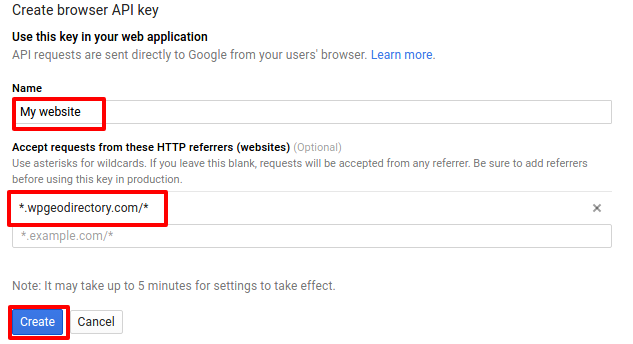
June 25, 2016 at 8:22 am in reply to: This page didn't load Google Maps correctly. See the JavaScript console for tech #215699Please be sure you have your site url entered correctly in the Google API settings, it should be something like *.YOUR_SITE.com/* if you don’t have the *’s it wont work.
https://wpgeodirectory.com/docs/add-google-api-key/
Stiofan
In your api settings you should have *.veterinaire.top/*
Do you have the correct site url in your Google api settings? What do you have there?
Stiofan
Hello,
Please update your GeoDirectory, see here: https://wpgeodirectory.com/release-of-1-6-4/
Thanks,
Stiofan
Leonardo is correct, updated to 1.6.4 and the settings are there 🙂
Stiofan
June 24, 2016 at 8:30 pm in reply to: This page didn't load Google Maps correctly. See the JavaScript console for tech #215440🙂
June 24, 2016 at 7:47 pm in reply to: Oops! Something went wrong. This page didn't load Google Maps correctly. See the #215432We have just released GeoDirectory 1.6.4 to resolve this please update and follow the instructions here: https://wpgeodirectory.com/docs/add-google-api-key/
Thanks,
Stiofan
We have just released GeoDirectory 1.6.4 to resolve this please update and follow the instructions here: https://wpgeodirectory.com/docs/add-google-api-key/
Thanks,
Stiofan
June 24, 2016 at 7:46 pm in reply to: This page didn't load Google Maps correctly. See the JavaScript console for tech #215430We have just released GeoDirectory 1.6.4 to resolve this please update and follow the instructions here: https://wpgeodirectory.com/docs/add-google-api-key/
Thanks,
Stiofan
We have just released GeoDirectory 1.6.4 to resolve this please update and follow the instructions here: https://wpgeodirectory.com/docs/add-google-api-key/
Thanks,
Stiofan
Hi Leonardo,
It looks like Google has mad this a requirement i your country, if you can provide me FTP i will try to upload a fix.
Thanks,
Stiofan
Hi Frank,
I checked and you are right, i have added a task to resolve this, i assume just adding the column “claimed” and entering 1 or 0 will set this when importing for now.
Thanks,
Stiofan
-
AuthorPosts