
Introduction
Keep your database clean and free from duplicate or degraded entries with the Ajax Duplicate Alert add-on.
With the add-on activated, GeoDirectory will check new entry titles in real time against those already among the titles in the database. If it finds a match, it will warn the user that they are about to add a duplicate. The user will be prompted to check the existing entry before going ahead with their new entry.
It is easy to set parameters for the add-on to check. For each custom post type (CPT) you can specify whether the add-on should check against: Listing Title; Address; Phone or E-mail.
Installation
- Visit wpgeodirectory.com ( Buy a subscription if Required )
- Navigate to My Account > Downloads ( Login if Required )
- Download Geodir Ajax Duplicate Alert zip file.
- Go to your WordPress site dashboard, Navigate to Plugins > Add New > Upload Plugin
- Browse and Upload the zip file you downloaded from wpgeodirectory.com
- Activate the plugin.
Configuration
You will be automatically redirected to Duplicate Alert setting page, after plugin activation.
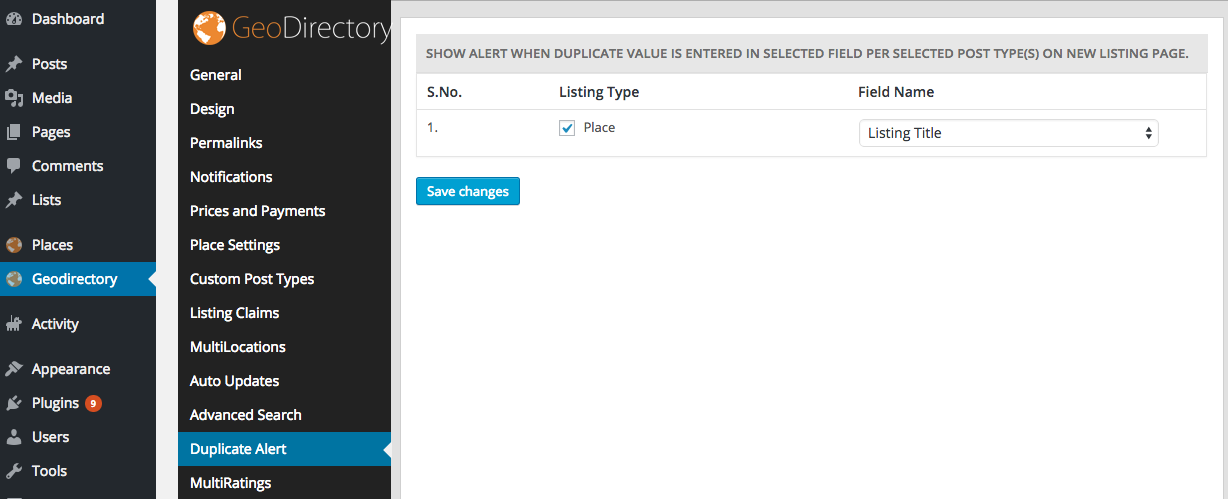
To Enable Ajax Duplicate Alert for a Post Type
To Enable Ajax Duplicate Alert for a Post Type, please make sure you checked the checkbox right next to the Post Type name.
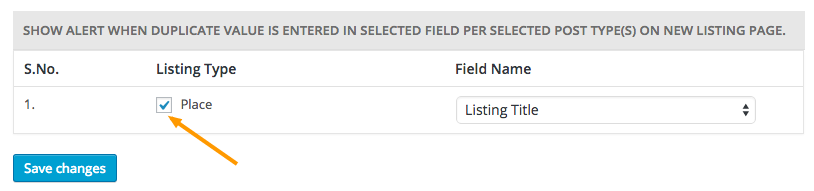
Available Field Names
- Listing Title
- When selected
- When selected
- Address
- When selected
- When selected
- Zip/Post Code
- When selected
- When selected
- Time
- When selected
- When selected
- Phone
- When selected
- When selected
- Email
- When selected
- When selected





