Creating different Event types

On this page:

IntroductionScenarioPreparationUser experience

Introduction

  1. You can create different Custom Post Types, but you can only have one Event Custom Post Type.
  2. This article explains how you can create different Event types, with the use of the Payments Manager.
  3. The options and idea explained below can also be used for other Custom Post Types.

Scenario

  1. We want our users to add Festivals and Markets, and Festival submissions can include the name of artists, and Market submissions can include details of the organisers.
  2. But we want to make it easy, so when they choose to add a Festival, they are not shown any Market specific fields.

Preparation

Categories

  1. Go to Events > Event Categories and add your categories:
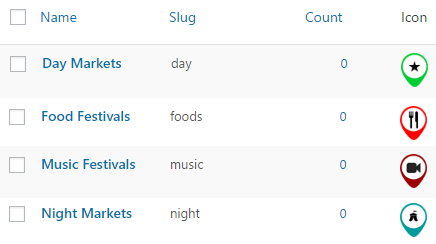
Price packages

  1. Go to GD > Prices and Payments and create or edit Event price packages.
  2. We will create a Festivals and a Markets package:

  3. After creating the Festivals package, save it first.
  4. Then choose to edit again, and now you will be able to exclude all the Event categories that are not Festival categories:
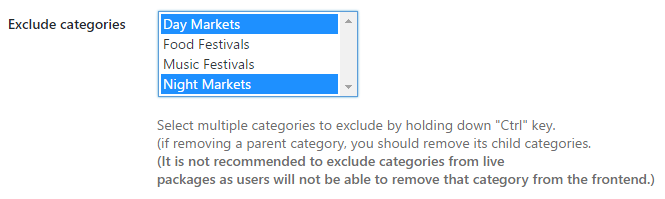
  5. Repeat for the Markets package.

Custom fields

  1. Go to GD > Event Settings and create an Artists custom field.
  2. Make sure to restrict the custom field to the Festival package only:
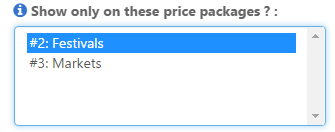
  3. Repeat for the Markets only custom field.

User experience

  1. Now you can link direct to the packages like this if you like:
    1. Festivals: yoursite.com/add-listing/?listing_type=gd_event&package_id=2
    2. Markets: yoursite.com/add-listing/?listing_type=gd_event&package_id=3
  2. And your users can also select from the Add Listing page:
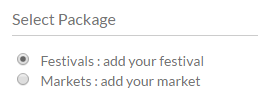
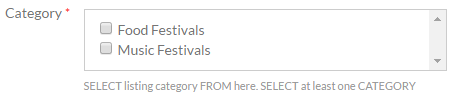
  3. If they choose the Festival package, then the festival categories will be the only ones available for selection:
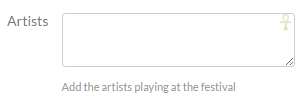
  4. Only the Festival specific custom fields will be available too:
Linking events to places

On this page:

Introduction Preparation Usage Options

Introduction

Events can be linked to other listings owned by the same user (or optionally from any other user), with the following result:

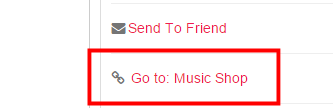
  • The event detail page will have a link to the place listing in the sidebar
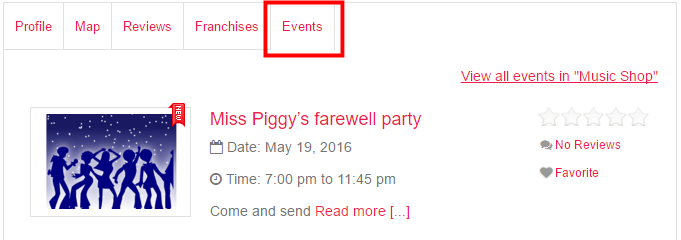
  • The event will be added to a tab of the place listing

Preparation

You will need:

  1. The Event Manager activated with at least one category.
    1. By default, users can only link events to their own listings in the selected CPT. If you want any other user to link an event to a listing of another user, go to GD > Event Settings > Any linking Author and tick Allow linking to any post not just users own posts?
  2. The Pricing Manager activated.
    1. Create or edit a price package (can be free) and activate the event linking:

Usage

When a user adds an event, they will have the option to connect the event with another non-event listing.

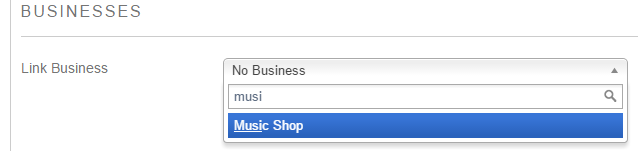
  1. The Add Listing form for the event will have a search option to find the listing:
  2. Start typing at least the first three letters of the listing you want to connect.
  3. When the system finds the listing, you have two options:
    1. Select it: This will connect the event with the listing.
    2. Select it and click Fill in business details: This will pre-fill the main fields and address of the new event with the same data as the business listing. You can then change title, description etc as required.

Options

You can change how many events are shown in the listing’s Events tab at GD > Design > Detail > Linked events settings.

Events Addon – Widgets

This page is a work in progress, please visit the forum if you need extra help in the meantime.

Introduction GD > Are you interested GD > Related Events Listing

Introduction>

When you install the Events Addon, you’ll find a number of new GD widgets in the appearance section of your WP admin area.

Widget name Can be used on these pages:
Home Listings Search Detail Author Non-GD pages
GD > Are you interested yes yes yes yes yes yes
GD > Related Events Listing yes yes yes yes yes yes

GD > Are you interested

  1. This widget can only be used on the detail pages of your listings, and will show only on events detail pages.
  2. The widget will only show to logged in users.
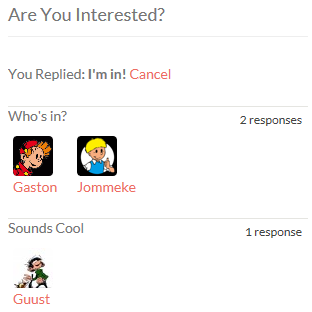
  3. Logged in users will be able to confirm they are attending the event or they maybe will be attending.
  4. Once an event has passed, the buttons to attend will disappear, but the information will stay visible.
  5. Here is an example:

GD > Related Events Listing

Settings

This Events widget is specifically for the detail pages of your listings, and will show the events that have been submitted for a particular place.

The widget will only work on the default custom post type Places; it will not show on any other custom post type detail pages.

Most of the settings are self-explaining, and are the same as some of the settings of the Popular Post View widget, with one main difference:

Enable Location Filter: You can show events at a listing automatically on the detail page of that listing if you have both the Prices and Payment Addon and Events Addon enabled. Just follow these steps:

  1. In the Prices and Payment settings, set Link business to Yes in the Events pricing.
  2. Add the Related Events Listing widget to the detail page, and enable the Location Filter
  3. Now if the same user adds an event and chooses one of the listings from the Fill in Business Details menu, that event will automatically be listed on the detail page for the listing.

Event Manager Shortcodes

On this page:

Event ListingsEvent CalendarRelated Events

Event Listings

Shortcode: [gd_event_listing]

Parameters:

  • category – ID number of the category to show (default = 0 for all)
  • post_number – Number of posts to show (default = 5)
  • layout – Number of columns to show (default = 2)
  • add_location_filter – True or False (default = false)
  • listing_width – A percent between 20 and 100 (default = ‘’)
  • list_sort – One of az, upcoming, latest, featured, high_review, high_rating, random (default = latest)
  • list_filter – One of all, today, upcoming, past (default = all)
  • character_count – Number of characters to show from the Excerpt (Min/default = 20)
  • title – title

This example shows a widget with 5 listings in a row of 5 (5 grid), showing upcoming events ordered by earliest first, and the widget will have a tile Featured Events:

[gd_event_listing layout=5 post_number=5 list_sort=upcoming list_filter=upcoming title=”Featured Events”]

Event Calendar

Shortcode: [gd_event_calendar]

Parameters:
  • title – title
  • day – One of sunday or monday

Related Events

Shortcode: [gd_related_events]

Parameters:

  • post_number – Number of posts to show (default = 5)
  • layout – Number of columns to show (default = 2)
  • event_type – One of all, today, upcoming, past (default = all)
  • add_location_filter – True or False (default = false)
  • listing_width – A percent between 20 and 100 (default = ‘’)
  • list_sort – One of az, latest, featured, high_review, high_rating, random (default = latest)
  • character_count – Number of characters to show from the Excerpt (Min/default = 20)

Events Addon – Overview

Introduction Visit the demo events page
Installation
Events settings User navigationGeneral settings
Custom fields
Sorting options
Linked events settings

Introduction

The GeoDirectory Events Addon is a custom post type specifically designed for the way events usually are prioritized by dates.

With this plugin you can let users add their events to your site. Events are ordered by upcoming date by default. Users can enter recurring dates for their events instead of having to create lots of separate events. As this is also a custom post type you have the usual ability to add custom fields and sort options.

Events perfectly integrates with all other GeoDirectory addons:

Visit the demo events page

Installation

After uploading and activating the Addon, you will be taken to the Settings page:

WordPress Admin > GeoDirectory > Event Settings.

Events Settings

User navigation

Once activated, you will need to visit the Navigation page to enable your users to add their events to your site:

WordPress Admin > GeoDirectory > Design > Navigation

All other settings are accessed at WordPress Admin > GeoDirectory > Event Settings

General settings

Default event filter

  • Your visitors can filter the events to show only upcoming events (today + future), today’s events (today only), past events (yesterday and before), or all events together.
  • The Default event filter settings will set the initial choose on the events page.
Disable Recurring Feature

  • When your users add an event, they will be able to add
    • A one-off event, either a full day event, or start and finish can be nominated.
    • Recurring events: dayly, weekly, monthly, yearly or custom (pick all applicable dates), either as full day events, or start and finish can be nominated.
  • The Disable Recurring Feature setting will restrict event submissions to one-off events only.

Custom fields

Sorting options

  • When your visitors visit your events page, they will be presented with a drop down menu that allows them to filter the events.
  • You can change how they can filter the events by organizing the sorting options in this tab.
  • Visit this page to learn more about sorting options.

Linked events settings

  • When you activate the Events addon, a new option will be added for the detail page.
  • To change these settings, in your admin area, go to GeoDirectory > Design > Detail > Linked events settings.
  • The settings there should be self-explanatory.