The World’s Most Advanced And Scalable WordPress Directory Plugin
GeoDirectory is an enterprise-grade WordPress plugin for building scalable business directories, city guides, real estate listings, job boards, event sites, classifieds, and local discovery platforms. Unlike generic listing plugins, it uses custom database tables, not WordPress post meta, so sites perform well from small local portals to directories with hundreds of thousands or millions of listings. Core features include optimized search, maps, reviews, frontend submission, and an extensive add-on ecosystem for customization. Rated 4.8/5 across 700+ reviews on WordPress.org and Capterra.
Get GeoDirectoryWhat can i do with GeoDirectory?

Most directory operators who add paid memberships to their site reach for a generic WordPress membership plugin.
MemberPress, Restrict Content Pro, Paid Memberships Pro, Ultimate Member, ProfilePress.
All competent for the job they were built for: protecting whole pages or sections of content behind a paywall.
None of them were built for the specific job a directory site actually needs.
Directories rarely want to hide an entire listing.
They want to show a preview (photo, name, category, neighborhood) publicly, hide the high-value fields (contact details, pricing, full address, case studies) behind login, and reveal even more (premium attachments, internal notes, lead-routing forms) to members on a specific paid tier.
That is granular per-field visibility, not page-level content protection.
Bolting a generic membership plugin onto a GeoDirectory site forces you to either hide whole listings (which kills your SEO and your conversion funnel) or write custom code to expose partial content (which kills your maintenance budget).
There is a cleaner path.
This post is the architectural case for using our own free BlockStrap themes and the free BlockStrap page builder plugin, alongside the UsersWP Membership add-on, to build directory sites with block-level visibility rules that competitors cannot replicate.
The Visibility Problem in Directory Sites
Every serious directory site faces the same core question.
What does the public see, what does a free member see, and what does a paid member see?
The right answers vary by vertical, but the structure is consistent:
- Public visitors see enough to understand the value and motivate signup (photos, names, neighborhoods, categories)
- Free registered members see slightly more (location maps, partial contact, full descriptions)
- Paid members see everything (direct contact, pricing, premium attachments, lead-routing forms)
- Premium listing owners themselves get a separate tier (analytics dashboards, edit access, featured placement)
Most membership plugins handle the boundary between “logged out” and “logged in” reasonably well at the page level.
Almost none of them handle visibility at the block level inside a listing page.
The workaround in those plugins is either to wrap content in shortcodes (which break in Gutenberg, break in page builders, and require maintenance every time you change a listing template) or to write conditional PHP in your theme files (which works until you need to give a non-developer client the ability to change the rules).
Both approaches scale badly.
How BlockStrap Solves This
BlockStrap is our free WordPress page builder plugin, paired with our free BlockStrap themes (including the Real Estate Listings theme and several others).
It works directly with native Gutenberg blocks, which means no third-party page builder dependency, no JavaScript-heavy frontend, and no premium subscription required.
The capability that matters for directory sites: most BlockStrap blocks (and critically the container block) support UWP Membership Controls that you set per block, directly in the block sidebar.
You can tie those visibility rules to:
- Whether the visitor is logged in or logged out
- The specific UsersWP membership level the visitor belongs to (free tier, paid tier, premium tier, custom tiers you define)
- The WordPress user role (Subscriber, Editor, Author, custom roles)
- Combinations of the above for complex multi-tier directories
The integration is tight because we built both products.
UsersWP Membership defines the tiers.
BlockStrap reads those tiers natively and shows or hides blocks based on the visitor’s tier.
No shortcodes.
No custom PHP.
No third-party plugin to maintain.
The container block is the workhorse here because containers wrap other content. Set a visibility rule on the container, and everything inside it (paragraphs, fields, contact buttons, images, embedded forms) inherits the rule.
How It Looks in the Editor
Walking through a real example: you have a real estate directory and want to hide the phone number from logged-out visitors and free members. Only paid members should see it.
Open the GD Single Template (the template that controls how each listing page renders) in the WordPress Site Editor.
Select the BlockStrap container that wraps the Phone Number field (in our demo this is the BS > list-group-item that holds the phone field).
In the right-hand sidebar, find the UWP Membership Controls panel and toggle Enable Controls.

The configuration is straightforward:
- Who can see this content: Logged In Users
- User Types: Matching
- Chosen User Types: Standard Access (the paid membership level you defined in UsersWP)
Save the template.
The phone number field is now invisible to anyone who is not logged in as a paid member.

That is the entire workflow.
One container, one toggle, three dropdown selections.
No code, no shortcodes, no third-party membership plugin to configure.
The Conversion-Driving Pattern
Hiding the phone number is half the job.
The other half is showing the logged-out visitor something compelling enough to motivate signup, in the exact spot where the hidden content sits.
The pattern: duplicate the container, invert the visibility rule on the copy, and replace the hidden content with a conversion prompt.
Concretely:
- Right-click the container holding the hidden phone number and duplicate it
- On the duplicate, open UWP Membership Controls and invert the rule (Logged Out Users, or Logged In Users + Not Matching for visitors on a lower tier)
- Delete the dynamic Phone field block inside the duplicate (it cannot be edited as static text since it pulls live data per listing) and replace it with a regular paragraph block
- Inside the paragraph block, write the teaser copy (e.g., “Phone hidden. Register or upgrade to see the full number for this listing.”) and add a link to your registration or upgrade page
Logged-out visitors now see a teaser version with a clear call to action.
Paid members see the real phone number.
The same approach works for email addresses, full street addresses, pricing, downloadable attachments, contact forms, and any other premium field you want to gate.
Worked Examples by Vertical
Legal Services Directory
Public listing shows: lawyer name, photo, specialty area, city, bar admission year.
Free member adds: full biography, languages spoken, professional associations, education.
Paid member adds: direct phone number, direct email, online booking calendar, case results summary.
Each tier sits inside its own BlockStrap container, with the visibility rule set to the appropriate membership level.
Public visitors see the lawyer exists and what they do, enough to motivate signup. The “create free account to see more” prompt sits exactly where the gated content would otherwise appear.
B2B Vendor Directory
Public listing shows: company name, industry, headquarters city, employee count band.
Free member adds: full company description, products and services categories, customer logos.
Verified buyer member adds: pricing tier, account manager direct contact, RFQ submission form, downloadable spec sheets.
The verification angle works because B2B vendors only want to share pricing and reps with serious buyers, and the membership tier itself functions as a qualifier.
Premium Real Estate Directory
Public listing shows: property photos, neighborhood, bedrooms, bathrooms, price band (“$2M-$3M”).
Free member adds: exact price, full square footage, year built, complete photo gallery.
Paid member adds: listing agent direct contact, showing schedule, full address, school district, recent sale history.
This tier structure is particularly effective for luxury markets where the listing agent wants to qualify buyers before exposing detailed property information.
For the broader real estate site setup, see our guide to how to build a real estate website and our comparison of the best real estate listing plugins for WordPress.
Wholesale Supplier Directory
Public listing shows: supplier name, country of origin, product category.
Free member adds: minimum order quantity, lead times, certifications.
Paid (verified buyer) member adds: wholesale pricing, sales rep contact, sample request form, full product catalog download.
Wholesale directories are one of the strongest fits for block-level visibility because suppliers actively want to gate pricing information behind a qualification layer.
Why Generic Membership Plugins Fall Short Here
The major WordPress membership plugins (MemberPress at ~$199/year, Restrict Content Pro at $99/year, Paid Memberships Pro free with paid tiers up to $347/year, Ultimate Member with premium add-ons from $99/year, ProfilePress at $129/year) were all built for the same underlying use case: a course site, a paid newsletter, a coaching program, or a content library.
Their core model is “this URL is protected, this URL is open.”
Some offer shortcode wrappers for partial content protection, which work if you are protecting one or two paragraphs of static text but break down quickly when you are protecting dynamic listing fields rendered through a directory plugin’s template engine.
The cost of fighting these plugins to do block-level visibility on a directory site shows up in three places: shortcode debugging time, broken listings when the directory plugin updates its templates, and the recurring license fees you pay every year for software that was never designed for your use case.
For the deeper comparison of WordPress membership plugins more broadly, see our best WordPress membership plugin guide on the UsersWP blog.
The Practical Stack
The full stack for a directory site with block-level visibility rules:
- GeoDirectory (free) for the directory engine itself
- A free BlockStrap theme that matches your vertical (Real Estate Listings, or one of the other BlockStrap themes)
- The free BlockStrap page builder plugin for the block-level visibility controls
- The free UsersWP plugin for user registration, profiles, and member management
- The UsersWP Membership add-on ($49/year for a single site) for the paid membership tiers
- The free GetPaid plugin for processing membership payments
Total recurring cost for the full stack: $49/year for a single site, with no transaction fees.
The closest competitive equivalent (GeoDirectory + a generic membership plugin like MemberPress) runs $199/year plus a 4.9% transaction fee at the entry tier, with $349/year required to remove the transaction fee, and still does not handle block-level visibility cleanly.
The architectural advantage compounds as your directory grows. More listings, more fields to gate, more tiers to define. The block-level approach scales without adding maintenance burden. The shortcode-wrapper approach gets worse with every listing you add.
Final Thoughts
Directory sites have specific membership needs that generic WordPress membership plugins were never built to handle.
The right architectural answer is using tools designed for the job: BlockStrap themes, the BlockStrap page builder plugin, GeoDirectory, UsersWP, and UsersWP Membership, all from the same team and tested as one integrated stack.
Block-level visibility rules, configurable from the block sidebar by a non-developer, applied to any listing field you want to gate, tied to any membership tier you define.
No shortcodes, no custom code, no third-party plugin licenses fighting your directory engine.
For step-by-step build guidance, see our guide to the best business directory software and our complete tutorial on how to create a directory website.
For the paywall and member experience side of the stack, see our guide to the best WordPress membership plugin and the step-by-step paywall tutorial.
Start free.
Add the membership layer when your directory has enough public traffic to justify gating premium content.
Use the integrated stack designed for the job rather than fighting a generic plugin every time you need to gate a field.

Which Directory plugin is best for your Website?
So you’ve decided to build a directory or marketplace site on WordPress.
You did your research, and two names kept showing up: GeoDirectory and HivePress.
Both are real plugins, with years of operating history and free versions on WordPress.org.
Both ship the basics of a working directory at the free tier.
The surface similarity is real.
The bigger differences are what this article is about.
Full disclosure first: we built GeoDirectory.
That’s the bias, on the table.
The goal here is a fair read all the same.
HivePress has a loyal user base, a clean reputation, friendly support, and a team in Warsaw shipping point releases on a regular cadence.
We’ll give credit where it’s earned, and we’ll be honest where the architecture, the customization model, or the long-term cost would point a growing directory toward a different stack.
No fluff, no fake neutrality.
Just verifiable facts and the conclusions that a buyer can check for themselves.
If you’re also weighing Directorist, we wrote a separate comparison here.
TL;DR
GeoDirectory and HivePress both build directories on WordPress, both have free versions, and both have a few years of operating history.
The differences that matter for buyers:
HivePress is faster to launch inside its lane (rentals, freelance services, expert directories, job boards, appointment booking) because the niche themes ship a polished default.
GeoDirectory is more flexible everywhere else: native compatibility with Bricks and Elementor PRO, including dynamic data, custom database tables that scale past the wp_postmeta ceiling, a real location hierarchy for local SEO, and a payment stack that doesn’t require WooCommerce or its $239-per-year Subscriptions add-on.
HivePress is friendly if you can code or you’re happy with what the theme ships. The Trustpilot reviews show the customization tax adds up fast for non-developers.
GeoDirectory has a steeper learning curve in week one and a much higher ceiling in year two.
Pricing is in the same ballpark on a single site if you buy HivePress lifetime today (~$288 one-time vs $139/year). It diverges sharply if you need recurring billing (~$527 + $239/year vs $229/year for unlimited sites) or if you’re buying HivePress after the lifetime model ends.
Pick HivePress if your project fits a niche theme and you can live with the customization model.
Pick GeoDirectory if you want a directory that grows, customizes, and integrates without ceilings.
Comparison Table
| GeoDirectory | HivePress | |
|---|---|---|
| Free plugin on WordPress.org | Yes | Yes |
| Active installs | ~18,000+ | ~15,000+ |
| Free add-ons | 5 (Events, Real Estate, Directory Converter, WPML Multilingual, Google Analytics) | 5 actively maintained (Claim Listings, Favorites, Geolocation, Messages, Reviews) + 2 deprecated (Authentication, Paid Listings) |
| Free themes | All current themes are free (Classified Ads, Events, Job Board, Real Estate, Directory) | ListingHive only |
| Page builder compatibility | Native compatibility with Gutenberg, Blockstrap, Bricks, Elementor PRO, Divi, Beaver Builder, Breakdance. Deep dynamic data integration with Bricks and Elementor PRO, no add-on required | None native. Elementor support has been a confirmed feature request since 2022 |
| Custom post types | Multiple CPTs via add-on, each with its own detail table | One core listing type, additional models via Marketplace, Bookings, Requests, Memberships |
| Events | Free dedicated Events for GeoDirectory add-on with full event-date model | No dedicated extension |
| Custom fields storage | Dedicated table per CPT (wp_geodir_gd_{cpt-name}_detail) with typed, indexable columns | wp_postmeta for text/number, taxonomies for select/radio/checkbox |
| Search architecture | Single indexed query against the detail table | Multi-join across wp_postmeta and taxonomy tables, one join per filter |
| Map providers | Google Maps, OpenStreetMap | Google Maps, Mapbox |
| Marker clustering | Server-side, scales to hundreds of thousands of markers (Marker Cluster add-on) | Client-side only |
| Location hierarchy | Country, region, city, neighborhood with combined category+location URLs (Location Manager add-on) | No hierarchy. Category+location URLs not possible without major customization |
| Reviews depth | TripAdvisor-style multi-criteria via MultiRatings and Reviews. Embeddable Ratings Badge generates external backlinks | Single 5-star rating with comments |
| Monetization models | Paid listings, pay-per-featured, banner ads, pay-per-lead, two booking systems, marketplace, event tickets | Paid listings, marketplace, bookings, requests, memberships |
| Recurring billing | Native via GetPaid, no add-on required | Requires WooCommerce + WooCommerce Subscriptions ($239/year) |
| Mobile apps | Available via third-party vendors (service-based) | Requested since 2022, not shipping |
| SEO | Native schema in core, location hierarchy for local SEO, Yoast/Rank Math compatible | $29 SEO add-on, Yoast/Rank Math compatible, no location hierarchy |
| Multilingual | Official WPML compatibility | Translated UI in 27 locales, no guaranteed compatibility with WPML or Polylang for content |
| Security record | Clean, ~15 patched CVEs since 2018 | Clean, no significant disclosed CVEs |
| Migration tools | Free Directory Converter supports phpMyDirectory, Listify, Business Directory Plugin, eDirectory, Vantage, and Directorist | None |
| Customization model | Standard WordPress conventions work with any page builder | Proprietary block library and BEM CSS, code snippets are often required |
| Pricing model | Annual membership ($139 single site / $229 unlimited sites) or à la carte ($19-$49 per add-on) | Lifetime licenses today, transitioning to subscriptions soon. Bundle $199, themes $69-$89 separately |
| 3-year TCO (typical paid build) | $417-$687 | $288 lifetime, $1,005+ if recurring billing needed |
Now the full article and what you’ll find inside:
- Features Comparison (free plugins)
- Design & Customization
- Listing Details
- Frontend Submission & User Dashboards
- Claim Listings
- The Search Engine
- Maps, Features & Locations
- Ratings & Reviews
- Monetization & Marketing Tools
- Mobile Features
- SEO & Schema
- Performance & Scalability
- Security
- Multilingual
- User Friendliness
- Developer Extensibility & Integrations
- Import / Export & Migration
- Support, Documentation & Reputation
- Pricing and TCO
- Verdict
Features Comparison (free plugins)
Both plugins are free on WordPress.org.
Both ship enough to launch a basic directory without paying.
The shape of “enough” looks different in each one.
GeoDirectory’s free plugin.
You get one default custom post type called Places.
It’s tied to a primary city that doubles as the directory’s home page.
A two-field search bar combines a keyword field and a location field, and the keyword search reaches into titles, descriptions, categories, and tags by default.
Maps work with Google Maps and OpenStreetMap out of the box.
Reviews use the standard WordPress comments system, extended to include a 1-to-5-star rating tied to the Places post type.
CSV import and export ship with the free plugin and support bulk editing: re-import a modified CSV to update existing listings in place.
The REST API is included.
HivePress’s free stack.
The core HivePress plugin handles one listing type by default.
The team layers on seven companion add-ons hosted on WordPress.org:
- HivePress Claim Listings for letting users claim a listing as their own
- HivePress Favorites for letting users save listings
- HivePress Geolocation for location-based search and maps
- HivePress Messages for private user-to-user messaging
- HivePress Reviews for ratings and reviews
- HivePress Authentication for third-party social sign-in
- HivePress Paid Listings charges users to submit a listing
A free theme called ListingHive sits alongside them, built specifically to render the HivePress block library.
Two of the seven extensions are worth a footnote.
HivePress Authentication and HivePress Paid Listings are both listed on their own WordPress.org pages as “no longer in active development,” with the documentation directing users to paid replacements: Social Login at $29 and Memberships at $39.
So the seven-free-add-on stack is more accurately five actively developed free add-ons plus two deprecated ones whose recommended replacements live behind a paywall.
That’s not a hostile read.
Plenty of vendors retire free tools and offer paid alternatives.
It’s just useful context if you’re picking HivePress because the free stack looks complete.
The bigger catch with the free stack.
HivePress’s block library only renders cleanly inside HivePress-aware themes.
A community thread titled “No blocks in third-party theme” confirmed exactly what the title says, when a user tried the plugin with a non-HivePress theme.
If you’ve already chosen your theme and it isn’t ListingHive or one of HivePress’s premium themes, the block library won’t surface in the editor.
GeoDirectory’s blocks don’t have that constraint and drop into any block theme.
Where each free tier lands.
HivePress’s free stack has a broader surface area.
Five actively maintained free add-ons, plus a tailored free theme, are still a lot for a free directory plugin.
GeoDirectory’s free stack is narrower at the surface but deeper at each point.
The keyword search reaches into more fields by default, the CSV importer handles updates instead of just inserts, and the plugin drops into any block theme you’ve already chosen.
Pick HivePress’s free tier if you plan to run ListingHive, and you can live with the deprecation pattern on Auth and Paid Listings.
Pick GeoDirectory’s free tier if you want to keep your theme choice open or you’re planning to grow into a paid stack later.
Design & Customization

Both plugins handle design through different philosophies.
One brings the design to you.
The other expects you to bring your own.
HivePress’s design model
HivePress invests heavily in a curated theme catalog.
ListingHive is free.
The niche themes (JobHive at $69, then RentalHive, ExpertHive, TaskHive, and MeetingHive at $89 each) are tailored to specific use cases and look good out of the box.
You can launch something polished in a weekend.
The design conversation happens inside the theme you chose, through the WordPress Customizer and HivePress’s own block library.
The catch sits one layer below that.
Customizing past what the theme exposes typically involves CSS, sometimes JavaScript, and sometimes PHP template overrides inside
hivepress/templates/A 4-star Trustpilot review from January 2026 put it plainly: “a lot of styling is required by css and code snippets”.
A longer 1-star review from a WordPress developer described his “Full Stack programmer” struggling with template overrides on RentalHive and giving up on changes that should have been straightforward.
HivePress’s own team maintains a public collection of 150+ ready-made code snippets on GitHub Gists, which tells you something about how often the answer to a customization question is “here’s a snippet.”
The HivePress AI Assistant has lowered that friction over the last year.
Multiple recent reviews specifically credit it for getting users unstuck on customization questions.
It doesn’t change the underlying coding burden, it just shortens the time-to-answer.
GeoDirectory’s design model
GeoDirectory takes a different stance.
The plugin is a layout system that drops into whatever theme you’ve already chosen.
Pair it with our BlockStrap theme for a finished look out of the box, or run it on Astra, Kadence, GeneratePress, Hello Elementor, Bricks, Divi, or any other modern block theme or page builder.
The blocks are editable in the standard Gutenberg editor.
They also work with Elementor PRO and Bricks, with deep integration into both builders’ dynamic data systems, with no separate add-on required.
Divi works with our shortcode builder.
Beaver Builder works too!
Custom CSS is rarely the answer in GeoDirectory.
Design controls are in the theme, block settings, and the page builder.
Where each design model lands
If you love the HivePress theme aesthetic and you don’t plan to push past what the theme exposes, HivePress is faster to launch, and the result looks good.
If your design brief evolves over time, or you’ve already settled on a theme that isn’t built for HivePress, the customization tax is real and well-documented in user reviews.
GeoDirectory’s design ceiling is whatever your theme and page builder allow, which, on Blockstrap, Bricks, or Elementor PRO, is effectively no ceiling at all.
The trade-off is that you do more design setup in week one, rather than inheriting it from a niche theme.
Listing Details (CPTs, Custom Fields, Franchise Manager, Compare Listings)
This section is where directory plugins quietly diverge.
The defaults look similar.
The depth doesn’t.
Custom post types and listing models
GeoDirectory ships with one default custom post type called Places.
You can add more (Events, Real Estate, Job Listings, Rentals, whatever fits your project) through the Custom Post Types add-on.
Each new CPT gets its own database table, field set, template, and archive logic.
A single GeoDirectory installation can run a city guide, an events calendar, and a real estate directory simultaneously, each with its own data model.
HivePress handles one listing type at the free core level.
To unlock additional listing models, you reach for specific paid extensions: Marketplace ($39) adds vendor-owned sellable listings, Bookings ($39) adds reservable listings, Requests ($39) adds reverse-direction job-style requests, and Memberships ($39) adds tiered membership-gated content.
These aren’t generic “add another CPT” tools.
Each one ships a specific model that fits a specific niche.
If your project is one of HivePress’s bundled niches (rental marketplace, freelance services, job board, expert directory, appointment booking), the model fits.
If your project is two niches on the same site, or a niche that the bundled extensions don’t cover, the architecture wasn’t built for that.
Events specifically
Events are worth their own paragraph.
GeoDirectory ships a free Events for GeoDirectory add-on on WordPress.org, with proper start and end dates, status tracking (Upcoming, Ongoing, Past), archive logic for past events, calendar widgets, and date-based search filtering.
The events post type integrates with the same maps, search, and reviews as the rest of the directory.
HivePress has no dedicated events extension.
You can simulate one with custom fields on the standard listing type, but there’s no event-date model, no status tracking, no archive logic for past events, and no calendar.
If events are anywhere in your business plan, this gap is significant.
Custom fields
Both plugins ship with a custom field builder that includes the usual field types (text, number, select, radio, checkbox, file, image) and conditional logic.
The storage model is where they part ways.
GeoDirectory stores listing data in dedicated database tables.
For the default Places CPT, the table is wp_geodir_gd_place_detail, with native columns for title, status, category, rating, address, latitude, longitude, phone, email, website, business hours, and the rest of what a listing includes (including user-created fields).
For any additional CPT, GeoDirectory creates its own detail table following the same pattern: wp_geodir_gd_{cpt-name}_detail.
Each column is properly typed (varchar, int, float) and indexable for the fields that directory queries often access.
HivePress stores listing data in WordPress’s standard tables.
HivePress dev Andrii confirmed the storage model publicly on the community forum: “non-selectable attributes (e.g. text, number) are stored as meta fields with ‘hp_{field_name}‘ key (for example the Phone field is stored as ‘hp_phone‘), while selectable (e.g. select, radio buttons, multiple checkboxes) are stored as terms of taxonomies with ‘hp_listing_{field_name}‘ name”.
That means text and number attributes live in wp_postmeta, and select-style attributes live in wp_term_relationships and wp_terms.
We’ll cover what this means for performance in the Performance & Scalability section.
For now, the practical takeaway is that GeoDirectory’s custom fields are queryable as proper columns, and HivePress’s custom fields are queryable as joined meta and taxonomy rows.
Franchise Manager
GeoDirectory offers a Franchise Manager add-on for businesses that operate multiple locations under a single parent company.
Parent and child listings are linked, with inheritance: the parent’s description, photos, business hours, or contact details flow down to children automatically, with the option to override per child.
A change at the parent level propagates to every child.
HivePress has no franchise model.
You’d build the same effect by creating individual listings and using custom fields to link them, with no automatic inheritance.
Compare Listings
GeoDirectory ships a Compare Listings add-on that lets users put two or three listings side by side, attribute by attribute, like comparing products on Amazon.
HivePress doesn’t have a comparison feature.
The free Favorites add-on lets users save listings to a personal list, which is a related but different pattern. GeoDirectory has the favorites feature in the core plugin.
Where each plugin lands on the listing depth
HivePress’s listing model is deep inside the niche it was built for.
A rental marketplace that uses RentalHive and the Bookings extension is well-modeled.
A freelance services site that uses ExpertHive and Marketplace is well designed.
The moment you want to combine niches, add events, manage franchises, or offer side-by-side comparisons, you’re outside the architecture’s scope.
GeoDirectory’s listing model is built around CPT flexibility from day one.
The defaults take more configuration upfront.
The ceiling sits much higher.
Frontend Submission & User Dashboards

This is the experience your end users will actually live in.
The submission flow, the dashboard, and the listing management screens.
Get this right, and your directory feels usable.
Get it wrong, and your conversion drops at the most important step.
HivePress’s submission and dashboard
HivePress’s frontend submission is one of its stronger areas.
The form is clean.
Field validation works.
Image uploads handle well.
The user dashboard shows listing status, messages, favorites, and reviews in tabs, and the visual polish is solid.
Most users get a coherent experience from registration through ongoing listing management.
One friction point comes up repeatedly in support threads and feature requests: the paid-listings flow.
In the default setup, users fill out a full submission form and only then hit the package selection step at the end of the process.
Filling in the listing first and discovering the paywall last is the inverse of how most paid directories train users to think.
A community-confirmed bug titled “Change Details link is not working” on the paid-listings flow sat open in the bug reports forum for months.
You can reconfigure the order with the Memberships or Paid Listings extensions, but the default trips users up.
The dashboard itself is also flat from a role perspective.
Every user sees a similar dashboard regardless of whether they’re a regular member, a listing owner, or an admin.
That’s fine for a small directory.
For sites with active listing owners managing inquiries, images, and payments alongside regular browsing members, the lack of role-specific dashboards becomes a visible limitation.
GeoDirectory’s submission and dashboard
GeoDirectory’s frontend submission ships in the free plugin.
The user side runs through UsersWP, our free companion plugin, which handles registration, login, profiles, and the user dashboard.
The two plugins are built to integrate, and the dashboard covers listing management, status, profile fields, and authored content.
For paid directories, the flow runs through GetPaid, our free invoicing and payments plugin.
GetPaid places the package selection step at the start of submission by default, which mirrors how Yelp Business and Google Business Profile train users.
The user picks a plan, then submits the listing and pays. But you can also require payment before submission to avoid listing submission abandonment.
The payment, the listing fields, and the renewal logic all live inside the same admin once configured.
Role-specific dashboards through the UsersWP Dashboard add-on
For sites that want a dedicated control center for every user role, UsersWP offers a Dashboard add-on.
It’s a premium product, currently $49 for a single site, and it ships three distinct dashboard experiences:
- Admin Dashboard: site-wide stats, user management, listing moderation, payment review, and support handling, all from one screen.
- Listing Owner Dashboard: view and edit listings, manage images, track submissions, respond to inquiries, and stay on top of the account.
- Regular User Dashboard: profile updates, subscription management, payment tracking, notifications, and support access.
The add-on integrates with UsersWP, GeoDirectory, and GetPaid out of the box, so a listing owner managing a paid renewal, a profile edit, and a customer inquiry sees all three actions in one place rather than scattered across screens.
It works with any well-coded WordPress theme.
This is the kind of dashboard most directory owners eventually want once their site has both browsing members and listing owners actively using it.
HivePress’s flat dashboard model can be customized through its block library and templates, but a role-aware dashboard isn’t something the platform ships.
Where each plugin lands on the user-facing UX
HivePress edges out on out-of-the-box visual polish for the default dashboard.
The tabs, the spacing, and the visual hierarchy are well-designed for a small directory.
GeoDirectory edges out in the flow defaults around money and in the role-specific dashboards available through UsersWP.
Plan-first submission is a small thing that compounds over thousands of listings, because it stops the “fill in everything, then surprise paywall” abandonment pattern.
Role-specific dashboards are a bigger thing that compounds as your directory grows past the hobbyist stage.
Both plugins get the basics right.
The difference shows up in which end of the user experience each team polished hardest.
Claim Listings
Claim Listings is a feature that quietly drives revenue for monetizing directories.
The pattern is simple.
The admin or an importer pre-populates listings, typically pulled from publicly available business data.
The actual business owner shows up, claims their listing, and verifies ownership.
Then they pay to take over the listing and modify it to fit their vision.
It’s how Yelp, TripAdvisor, and dozens of local directories built their early revenue.
HivePress Claim Listings
HivePress ships a free Claim Listings add-on on WordPress.org.
The user submits a claim through a form on the listing page.
The admin reviews the claim, verifies it, and approves or rejects it.
Once approved, the claimant becomes the listing owner and can edit it.
Charging for the claim is possible by combining Claim Listings with the Paid Listings or Memberships extensions.
The flow works.
Worth flagging that HivePress Claim Listings on WordPress.org currently shows 3,000+ active installs and a regular update cadence, so this one is actively maintained (unlike the deprecated Authentication and Paid Listings free add-ons we covered earlier).
GeoDirectory Claim Listings
GeoDirectory’s Claim Listings is a premium add-on inside the membership.
The submission flow uses a lightbox pop-up claim form that can be placed anywhere with a block when using Blockstrap.
A built-in Ninja Forms integration lets you build custom claim forms if the default form doesn’t fit your verification process, or for those using another theme or page builder.
Approval modes are flexible.
You can auto-approve via email verification (the claimant clicks a link sent to their email address).
You can auto-approve on payment received when combined with the Pricing Manager add-on (which supports both GetPaid and WooCommerce as payment systems).
You can also stay fully manual, with admin review of every claim, plus an undo option if you approve something by accident.
Email notifications cover both the admin and the user, with customizable copy at every step.
Once a claim is approved, the listing automatically transfers ownership: the original poster loses edit access, and the listing moves to the new claimant’s profile.
There’s also a built-in Verified Listing badge that you can display anywhere using the post badge widget, shortcode, or block.
The claimed status integrates with the drag-and-drop sort builder, so you can rank verified listings higher in archive results.
Pair it with the Advanced Search add-on, and end users can filter search results to show only verified listings.
Where each plugin lands on claims
For a small directory just getting started with monetization, HivePress’s free Claim Listings is enough.
It’s an honest tool that does the job without extra cost.
For a directory that plans to scale claims into a real revenue stream, GeoDirectory’s add-on gives you more handles: payment-triggered auto-approval, automatic ownership transfer, a verified badge, sort and search integration, and a unified payment stack through GetPaid.
The choice here comes down to how seriously claims are part of your business model.
If claims are a side feature, HivePress is fine.
If claims are central to revenue, the depth of verification matters.
The Search Engine

Search is the feature most directory buyers underestimate, and the feature their users feel most.
A slow or shallow search is the fastest way to make a directory feel broken.
HivePress’s search
HivePress runs AJAX search by default in the free plugin.
The search bar exposes a keyword field and a sidebar of filters built from the attributes you’ve defined on the listing type.
It’s a clean experience on a small scale.
The keyword search matches against the listing title and content.
It does not reach into taxonomies by default.
A community feature request titled “Auto-complete search queries in the keywords field” has been on the roadmap since 2022 and is still open as of this writing.
The filter sidebar surfaces every attribute as a separate filter, which is good for discoverability.
The underlying architecture is where the conversation gets interesting, and we’ll cover it in Performance & Scalability.
For now, the practical limit is set by the storage model.
Text and number attributes live in wp_postmeta, select-style attributes live in the taxonomy tables, and a multi-attribute filter runs a join per attribute.
At small attribute counts and small listing volumes, this works.
At larger combinations, it doesn’t, and we’ll quantify that later.
A separate confirmed feature request titled “Ajax Layered navigation in listing filters” has been on the HivePress roadmap since 2023 and is also still open.
Layered filtering (the kind where filter options dynamically reflect the available results, as Airbnb and Yelp do) is the standard people compare HivePress’s search against, and the current implementation isn’t there yet.
GeoDirectory’s search
GeoDirectory’s default search bar ships two fields: a “Search for” field and a “Near” field.
The keyword search includes titles, descriptions, categories, and tags by default, which casts a wider net than HivePress’s title-and-content default.
Location search uses Google Maps or OpenStreetMap APIs to calculate proximity, depending on which provider you’ve configured.
The free plugin handles the basics here.
For deeper search capabilities, the premium Advanced Search add-on unlocks the full toolkit.
That includes a search autocompleter, geolocation proximity filtering (coupled with the Location Manager add-on), a configurable search radius, and the ability to expose any custom field as a frontend filter.
Filters can be combined and stacked without the per-attribute join problem, because each GeoDirectory CPT stores its data in a dedicated detail table with proper columns.
A search filtering by city, category, rating, price range, and three custom fields runs as a single indexed query against a single table, not as a cascade of joins.
This is the architectural advantage that compounds as the directory grows.
Where each plugin lands on search
For a directory with hundreds or low thousands of listings and three or four filters, both search engines feel responsive.
For a directory with tens of thousands of listings and five-plus filters running simultaneously, the architecture matters, and HivePress runs into the joins problem we’ll cover next.
HivePress edges out on out-of-the-box filter UX in the free tier, because the attribute sidebar is built in, and AJAX is the default.
GeoDirectory edges out on keyword reach (categories and tags included by default) and on the ceiling that proper detail tables provide once you add the Advanced Search add-on.
Pick HivePress’s search if your directory is limited, if search is a secondary feature, and if the filter UX matters more than depth.
Pick GeoDirectory’s search if you expect your directory to grow past the point where joins start costing you milliseconds that the user can feel.
Maps, Features & Locations

Maps are the second most-used feature after search.
A slow map, or one that doesn’t sync with the results, kills the discovery experience.
A location structure that doesn’t compound into proper archive pages caps your SEO ceiling.
Both deserve attention.
Maps in HivePress
HivePress handles maps through the free HivePress Geolocation add-on on WordPress.org.
It supports two map providers out of the box: Google Maps and Mapbox.
Google Maps offers $200 of free credit per month, which is enough for most small and medium-sized directories without paying a cent.
Mapbox is a separate paid provider with its own pricing model and feature set.
Which one fits depends on your preferences and your scale, not on which one is free.
The mapping system uses client-side marker rendering.
For an archive page showing 20 to 50 markers, that’s fine.
For a homepage that tries to display every listing in the directory, or a location page that tries to render every listing for a country like the United States, the browser has to load and render every marker.
That’s where the architecture starts to feel it.
A confirmed bug worth flagging for anyone planning to use Mapbox: a community thread titled “Exact addresses are not hidden [Mapbox]” sat open from October 2025, where the privacy-mode setting that hides exact addresses on the map didn’t apply when Mapbox was the map provider.
For a directory dealing with home addresses (rentals, in-home services, real estate), that’s a real concern until it’s patched.
Maps in GeoDirectory
GeoDirectory supports Google Maps and OpenStreetMap natively in the free plugin.
The map syncs with the archive or search results, so when the user paginates the listing grid, the map updates accordingly.
The deeper performance answer sits in the premium Marker Cluster add-on.
It uses server-side clustering and is engineered for marker counts in the high six figures, which is the kind of scale a national directory or city-spanning real estate site actually hits.
Server-side clustering means the heavy lifting happens on the server, and the browser receives a small set of pre-clustered markers instead of every individual point.
That’s the difference between a homepage map that loads instantly and one that locks up the browser for 10 seconds or even freezes it completely.
Locations as a structure
This is where the two plugins really diverge.
HivePress treats locations as a geolocation field or a taxonomy, with no native hierarchy.
You can search “near me” or filter by a chosen city, and the two don’t combine into structured location pages.
Combining a category and a location into a single canonical URL isn’t a “more work” situation in HivePress.
It isn’t possible without major customization.
GeoDirectory’s Location Manager add-on treats locations as a first-class hierarchy.
Country, region, city, and neighborhood each get their own page, their own URL, their own meta title and description, and their own indexable archive.
The permalink structure is fully configurable when you install the add-on, so you can decide how your URLs look for your specific directory.
Category and location can be combined into a single canonical URL.
That’s the structural prerequisite for ranking pages like “Restaurants in Paris” or “Restaurants in the 14th arrondissement of Paris” against established competitors.
We’ll come back to the SEO implications in the SEO & Schema section, because the location hierarchy is the part that compounds over the years.
Where each plugin lands on maps and locations
For a small directory with a few hundred listings on a single map, HivePress’s mapping is fine, and the free Mapbox support is a real budget win.
For a directory at scale, or a directory that wants to render an entire region or country on a single map without locking the browser, GeoDirectory’s server-side clustering is the answer.
On locations as a structure, the gap is bigger.
HivePress doesn’t have a hierarchy.
GeoDirectory does, and that hierarchy is what local-SEO-driven directories need to compete.
Pick HivePress’s mapping if your directory is small and one of its two supported map providers fits your needs.
Pick GeoDirectory’s mapping and Location Manager if your directory plans to grow past one city, or if location-based archive pages are central to your SEO strategy.
Ratings & Reviews
Reviews are the social proof that turns a directory into a destination.
They drive trust, conversion, and SEO at the same time.
How each plugin handles them shapes how seriously visitors take your listings.
Reviews in HivePress
HivePress handles reviews through the free HivePress Reviews add-on on WordPress.org.
It’s a 1-to-5 star rating plus a written review, tied to a logged-in user account.
The admin can require approval before reviews go live.
Reviews integrate with the listing’s overall rating display and feed into sorting in archive pages.
The implementation is honest and gets the basics right.
A few quirks that show up in user feedback are worth knowing about.
A confirmed feature request titled “Add reviews for vendor profiles” has been on the HivePress roadmap since 2023, which means out of the box, you can review listings but not the vendors who own them.
That’s a gap for marketplace-style directories where the seller’s reputation matters as much as the individual listing.
A second pattern in the community: reviews are tightly tied to listings.
If the listing is deleted, the associated reviews go with it, which makes negative-review moderation messier than it should be.
Long reviews on mobile also lack pagination or a “read more” toggle, which has been called out in feature requests but isn’t shipped yet.
Reviews in GeoDirectory
GeoDirectory’s free plugin uses the WordPress core comments system and extends it with a 1-to-5-star rating tied to the Places post type (or any custom CPT you’ve built).
The free implementation covers the basics: star ratings, written reviews, admin moderation through standard WordPress comment tools, and rating-driven sorting on archives.
Honest caveat we should put on the table here.
If you delete a listing in GeoDirectory’s free implementation, the comments will either be deleted with it or, at best, become orphaned.
The free version is a baseline.
The real differentiation sits in two premium add-ons.
MultiRatings and Reviews
The MultiRatings and Reviews add-on takes ratings to a TripAdvisor-style level.
Instead of one overall rating, you can split a review into multiple criteria.
Quality, price, cleanliness, friendliness, service, accuracy, whatever fits your niche.
Each criterion gets its own score.
The overall rating is given directly by the user, the same way Airbnb and TripAdvisor do.
That’s intentional because sometimes a user wants to give 5 stars overall even when cleanliness only deserves 4 stars, for example.
If you want the overall to auto-average based on the criteria instead, that’s just one JavaScript snippet away, which any AI tool can write for you if you know how to inspect the code. If that’s not the case, we can help you set that up through support.
There are no half-star limitations.
The fill is percentage-based, so the score shown is exact, not rounded to the nearest half.
You can use 5-star, 3-star, 10-star scales, or any range you want, with custom score labels (Terrible, Poor, Average, Very Good, Excellent) configurable per criterion.
You can use Font Awesome icons (1,500+ available), custom images, or a simple dropdown for rating inputs.
Different rating criteria can be configured per post type and per category, so Hotels can include “room service” while Camp Sites doesn’t.
Reviewers can upload multiple images with titles and captions, which doubles as additional SEO content on the listing page.
Users can rate reviews as helpful or not, which surfaces the most useful reviews.
Listing owners get clearly marked owner replies, giving them a way to respond to feedback publicly.
Review sorting includes Latest, Oldest, Highest, Lowest, and most-images, so visitors can navigate long review sets the way they actually want to.
This is the layer that separates a “listing site with reviews” from “a real reviews directory.”
Embeddable Ratings Badge
The second premium add-on is the Embeddable Ratings Badge.
It lets listing owners embed a live ratings widget on their own external websites.
The pattern is the same as TripAdvisor’s: a restaurant displays “Rated 4.7 on YourDirectory” on its homepage, with a link back to your directory.
This is a money-making add-on disguised as a free service for listing owners.
Every time a business embeds your badge, you get an organic backlink from their website.
For SEO, organic backlinks from real businesses are the most valuable kind you can earn.
The widget is fully customizable.
Admins can lock the styling to match the directory’s branding, or let listing owners adjust colors, fonts, and layout to match their own site.
A smart script detects if the listing owner’s site uses Font Awesome and matches the rating icons accordingly.
If not, it falls back to lightweight HTML stars.
There’s also a CDN option to reduce server load as the widget grows in popularity.
This is the kind of feature that compounds over the years.
A directory with 1,000 listings, where even 10% of owners embed the badge, picks up 100 organic backlinks pointing to specific listing pages.
That’s the trust signal Google uses to rank your directory higher than your competitors.
HivePress has no equivalent feature.
Where each plugin lands on reviews
For a small directory or a niche site where ratings are a side feature, HivePress Reviews is enough.
It’s free, it works, and it integrates with the rest of the plugin.
For a directory that takes reviews seriously, the GeoDirectory premium stack pulls ahead in two specific places.
MultiRatings and Reviews give reviewers the depth to leave meaningful feedback across multiple criteria, which is what serious review directories like TripAdvisor and Yelp built their reputations on.
The Embeddable Ratings Badge gives the directory a backlink engine that runs on autopilot once listing owners start embedding it.
If you want reviews to be a core part of your business model, the gap is real.
If reviews are just a nice-to-have, both plugins handle the basics.
Monetization & Marketing Tools
Monetization is where a directory becomes a business.
Marketing tools are how the business grows past launch traffic.
Both plugins offer revenue models, but they target very different operator profiles.
HivePress’s monetization stack
HivePress runs monetization through paid extensions, with a few free building blocks at the WordPress.org level.
The deprecated HivePress Paid Listings free add-on still works for basic paywall flows.
For anything beyond that, the team directs users to two paid extensions:
Memberships ($39) lets you sell tiered listing packages with feature gates per tier.
You can charge per submission, per featured listing, or on a recurring basis.
You can bundle multiple listings into one package, so a business owner can post several listings under a single subscription.
Featured listings, listing limits, expiration handling, and renewal logic all live here.
One caveat worth flagging on recurring billing.
Memberships 2.1.0 added integration with WooCommerce Subscriptions for true auto-renewing subscriptions, which means recurring billing requires the WooCommerce Subscriptions extension on top of WooCommerce itself.
WooCommerce Subscriptions costs $239 per year and renews annually.
Without it, you can sell fixed-duration plans and listing packages, but not auto-renewing recurring subscriptions.
That’s a real additional cost layer for any HivePress directory built on a subscription revenue model.
GeoDirectory’s GetPaid handles recurring billing natively, with no equivalent add-on cost.
Marketplace ($39) turns the directory into a marketplace for sellable products.
Listings become products, and customers can buy them directly through the site.
Payments route through WooCommerce, which is a real architectural choice worth understanding.
There’s no direct Stripe integration on listings without WooCommerce sitting in the middle.
For a marketplace that’s selling tangible or digital products, this is reasonable.
For a directory that just wants to charge for paid listings, it’s heavier than needed.
Bookings ($39) adds reservable listings (rental properties, appointments, equipment) with calendar-based booking flows.
A separate add-on, Requests ($39), adds reverse-direction request listings, where customers post a need and providers respond.
That’s the model behind sites like Bark and Thumbtack.
Beyond listing monetization, HivePress doesn’t ship a dedicated advertising add-on, a pay-per-lead system, or an events ticketing solution.
The Marketplace extension can be configured to sell event tickets if you build the model yourself, but there’s no purpose-built tool for it.
GeoDirectory’s monetization stack
GeoDirectory’s monetization runs through GetPaid, our free invoicing and payments plugin that integrates directly with the directory.
But you can use WooCommerce too if that’s a requirement for you.
GetPaid handles Stripe, PayPal, Authorize.Net, and a dozen other gateways out of the box, without WooCommerce sitting in the middle.
For pure-directory monetization (paid listings, packages, recurring renewals), it’s a lighter, more direct stack.
The premium add-ons layer specific monetization patterns on top:
Pricing Manager is the package-and-pricing engine.
You can charge per listing submission, per featured listing, or with recurring renewals.
You can bundle listings (sell a 10-listing package to a single business owner who runs multiple locations). A bundle of listings can be of different types, such as 1 place and 20 events.
You can configure pay-per-featured-listing as its own model, where listings are free to submit but pay to be featured at the top of archives or search results.
You can mix and match: free basic submissions, paid premium tiers, paid featured upgrades, and recurring memberships, all on the same site.
Advertising is a dedicated add-on for selling banner ads on your directory.
Listing owners or third parties pay to display ads in defined zones on your archive and listing pages.
Pricing, rotation, and placement are all controlled by the admin.
Ads can be linked to paid listings, so in addition to extra visibility in archives, paid listings also appear in ad zones and banners throughout the website.
Pay-per-Lead is a different monetization model entirely.
Listing owners pay only when a visitor takes action and sends a message. The contact details, or even part of the message, are shared with the listing owner only after the charge is accepted and paid for.
This is the Thumbtack model, monetized through cost-per-action rather than a subscription.
For categories where business owners are sensitive to fixed-fee directories but happy to pay for actual leads, this is the right tool.
Booking Marketplace and Appointment Bookings are two separate booking add-ons.
Booking Marketplace is the more advanced of the two, with calendar logic, availability rules, and reservation workflows. Very similar to the Airbnb booking engine.
Appointment Bookings is the version for directories that just need appointment-style bookings for time slots, without full inventory management.
GeoMarketplace is the marketplace add-on for directories that want to sell tangible or digital products attached to listings.
It integrates with WooCommerce and its marketplace extensions, but the directory-side flow remains within GeoDirectory rather than being absorbed into Woo’s product model.
Events for GeoDirectory is free and ships with full ticketing flows when paired with GetPaid and the Events Tickets Marketplace, so event organizers can sell tickets directly through the directory without bolting on a separate ticketing plugin.
Marketing tools
HivePress’s core plugin ships transactional email handling with the Email Customizer built in.
Search Alerts ($39) covers saved-search notifications, in which users save a search query and are emailed when new listings match it.
That’s one of the strongest retention loops a directory has.
GeoDirectory’s free core ships transactional emails for the directory and integrates with the WordPress email layer.
The premium Dynamic User Emails add-on lets you send context-aware emails to users based on their activity: listing renewals coming due, featured listing expirations, profile completion nudges, and saved-search matches.
It pairs naturally with the Saved Search Notifications add-on, GeoDirectory’s equivalent of Search Alerts.
Combined, these two add-ons turn the directory into a recurring engagement engine that brings users back without manual outreach.
Where each plugin lands on monetization and marketing
HivePress’s monetization stack is well-suited to a specific operator profile: someone running a niche marketplace or paid directory, comfortable working within WooCommerce for payments, and seeking monetization that fits one of the bundled extension models.
GeoDirectory’s monetization stack is built for directory operators who want multiple revenue models running side by side: paid listings, pay-per-featured upgrades, banner ads, pay-per-lead, bookings, and event tickets, all monetized through GetPaid’s direct gateway integrations, without forcing you to install WooCommerce too, while still leaving it as an option, especially if the marketplace extension is needed.
The marketing tools follow the same shape.
HivePress offers saved searches as a paid add-on and competent transactional email in the core.
GeoDirectory has saved searches, transactional emails, and dynamic user emails that pull listing-specific data into automated retention campaigns.
If your business model is “paid listings on a niche marketplace,” HivePress’s stack is enough.
If your business model is “multiple revenue streams on a directory that needs to retain users over the years,” GeoDirectory’s stack is broader.
Mobile Features
Mobile users browse directories differently from desktop users.
They want maps, they want fast loading, they want to call or message a business in two taps.
Mobile responsiveness is the floor.
A real mobile experience is the ceiling.
HivePress on mobile
HivePress themes are responsive out of the box.
The listing pages, search filters, and user dashboards adapt to mobile breakpoints, and the visual design holds up well on small screens.
For a small directory, this is enough.
A few confirmed bugs from the HivePress community sat in the bug tracker at the time of writing, including video embeds not resizing properly inside textarea attributes and settings tooltips not appearing on mobile.
Neither is a launch-blocker, but they’re worth knowing about if mobile is your primary audience.
A native mobile app has been a confirmed feature request on the HivePress roadmap since 2022.
Three years later, it’s still open and not shipping.
For the foreseeable future, HivePress sites are mobile-web experiences, not app experiences.
GeoDirectory on mobile
GeoDirectory’s mobile experience is theme-driven, so the responsive behavior matches whatever theme you’ve chosen.
Pairing GeoDirectory with our Blockstrap theme, or with any well-built block theme like Astra, Kadence, or Bricks, gives you the same mobile design quality as the rest of your site.
The plugin’s own UI elements (maps, search, submission flow) are designed to work across breakpoints by default.
On native mobile apps, GeoDirectory has the same answer at the core level: no native app shipped by us.
But unlike HivePress, third-party vendors have built native mobile apps that connect to GeoDirectory directories through the REST API.
There are at least two vendors currently offering this as a paid service, in which they build and maintain iOS and Android apps branded for your specific directory.
The pricing model is service-based rather than plugin-based, so you’d contract directly with the vendor.
This isn’t a feature we ship.
It’s an ecosystem option that exists because GeoDirectory’s REST API is open enough for third parties to build on top of it.
For a directory that needs a branded mobile app, that’s a real option.
For a directory that doesn’t, the responsive web experience covers the use case.
Where each plugin lands on mobile
Both plugins are responsive out of the box and deliver acceptable mobile web experiences for small- to mid-size directories.
If a native mobile app is part of your roadmap, neither plugin ships one natively.
The difference is that GeoDirectory’s REST API has attracted third-party vendors offering apps as a service, while HivePress’s app request has been on the roadmap for years with no progress.
For most directory operators, this section is a wash.
For the small subset of operators who genuinely need a branded mobile app, GeoDirectory’s third-party ecosystem gives you a path forward today.
SEO & Schema

SEO is the section where directories have won or lost over the years.
Schema markup, structured URLs, indexable archive pages, and content depth all compound one another.
A directory that gets this right ranks against Yelp.
A directory that gets this wrong stays invisible in Google.
HivePress’s SEO
HivePress sells SEO as a paid extension at $29.
The SEO add-on handles meta titles, descriptions, sitemaps, and basic structured data for listings.
It’s a competent base layer.
For deeper SEO, HivePress is compatible with Yoast SEO and Rank Math, both of which extend coverage to OpenGraph tags, Twitter Cards, and additional schema types.
Where the architecture limits HivePress’s SEO ceiling is the location structure.
Locations are a taxonomy or a geolocation field with no native hierarchy.
You can’t combine a category with a location into a single canonical archive URL out of the box.
Building a page that ranks for “Restaurants in Paris” requires major customization, because the plugin doesn’t generate that intersection as a real indexable page by default.
For a niche marketplace where SEO is about ranking the marketplace itself rather than local intersection pages, HivePress’s SEO is enough.
For a local directory competing in Google’s local search results, the missing hierarchy caps how far the SEO strategy can scale.
GeoDirectory’s SEO
GeoDirectory ships schema markup natively in core.
That includes LocalBusiness, Product, Event, Article, and other Schema.org types relevant to directory listings, with the schema generated automatically from the listing’s actual fields.
Reviews, hours, addresses, prices, and other attributes feed into the JSON-LD without manual intervention.
Yoast SEO and Rank Math are both compatible, and you can layer them on top for OpenGraph, Twitter Cards, and the broader SEO toolkit they provide.
The bigger SEO advantage comes from the Location Manager add-on we covered earlier.
Country, region, city, and neighborhood each get their own page, their own meta title and description, and their own indexable archive.
When you install Location Manager, you can configure how the permalink structure works for your directory and combine category and location into a single canonical URL.
That’s the structural prerequisite for ranking pages like “Restaurants in Paris” or “Restaurants in the 14th arrondissement of Paris.”
Each intersection page becomes a real archive with its own content blocks, listings, and potential to rank.
Multiply that across the categories and locations a directory covers, and you get hundreds or thousands of indexable archive pages without writing any of them manually.
This is what serious local directories do to compete with Yelp, Tripadvisor, and Google Business Profile.
It isn’t possible in HivePress without major custom development.
Where each plugin lands on SEO
For a niche marketplace or a directory where SEO is about the brand rather than location-driven keywords, HivePress, with its SEO add-on plus Rank Math or Yoast, covers the basics.
For a local directory whose business model depends on ranking for “[category] in [location]” search queries, the missing hierarchy in HivePress is a structural limitation.
GeoDirectory’s native schema, plus Location Manager, gives you the foundation local-SEO-driven directories actually need.
The SEO ceiling between these two plugins is not about meta tags.
It’s about the architecture under the URLs.
That architecture is the difference between ranking a few generic pages and ranking thousands of geo-specific intersections.
Performance & Scalability
This is the section where the architecture talk matters most.
It’s also the thing buyers underestimate the hardest before launch.
A directory that runs fine at 500 listings can fall apart at 5,000 with heavy traffic, and the difference comes down to how the plugin stores and queries its data.
How HivePress stores listing data
HivePress’s storage model was publicly confirmed by HivePress dev Andrii on their community forum.
Text and number attributes are stored in wp_postmeta with keys like hp_{field_name}.
Select, radio, and checkbox attributes are stored as taxonomy terms in wp_term_relationships and wp_terms, with taxonomy names like hp_listing_{field_name}.
The query layer wraps standard WordPress functions: WP_Query, WP_Comment_Query, WP_Term_Query.
There are no custom tables for listings.
Listings are WordPress posts, with their data spread across wp_posts, wp_postmeta, and the taxonomy tables, just like any other WordPress content.
How GeoDirectory stores listing data
GeoDirectory uses dedicated database tables for listing data.
The default Places post type stores its data in wp_geodir_gd_place_detail, with native columns for title, status, category, rating, address fields, latitude, longitude, phone, email, website, business hours, and the rest of what a listing actually has.
Each additional custom post type gets its own detail table following the same pattern: wp_geodir_gd_{cpt-name}_detail.
Columns are properly typed (varchar, int, float, datetime) and indexable on fields that directory queries often access, such as city, country, latitude, and overall_rating.
Attachments live outside the WordPress media library, which itself becomes a bottleneck quickly in a directory with a high image count per listing.
What this means for queries
The difference shows up the moment you start filtering.
A user runs a search on a GeoDirectory directory for “Italian restaurants in Paris with a rating above 4 and outdoor seating.”
That’s one indexed query against a single detail table, with the proper columns for category, location, rating, and the outdoor-seating custom field.
The query returns results in milliseconds, even with 100,000 listings and battering traffic.
The same search on a HivePress directory runs differently.
The category filter joins a taxonomy table.
The location filter joins another taxonomy table.
The rating filter joins wp_postmeta.
The outdoor-seating filter joins wp_postmeta again.
That’s four joins on a single query, with the joins running against tables that grow with every listing and every meta entry.
At a few hundred listings with two or three filters, it works.
With thousands of listings with five or six filters running simultaneously, and multiple concurrent searches, the plugin makes WordPress unusable.
This isn’t a HivePress-specific bug.
It’s the architectural ceiling of WordPress’s standard post meta and taxonomy storage when you push it into multi-attribute filtering at scale.
The same ceiling exists in Directorist, in any directory plugin that doesn’t ship its own tables, and in any plugin that wraps WP_Query for filtered searches. To our knowledge, GeoDirectory is the only directory plugin that ships its own.
What HivePress says about scalability
A user asked on the WordPress.org support forum about scalability for TaskHive and ExpertHive, two of HivePress’s marketplace themes.
The official response from HivePress: “There are no restrictions on our part; restrictions can only arise from the server you are using. Additionally, please note that if you have a large number of users, listings, etc., you will need proper site optimization to ensure it is displayed correctly and quickly enough.”
That’s a fair answer.
It’s also the textbook way to put the scalability burden on the user.
There’s no custom table layer to buy.
There’s no plugin setting that fixes the join problem.
“Proper site optimization” means caching, faster servers, query optimization, and accepting that some queries will be slow no matter what you do.
Map performance specifically
Map performance scales with the same logic.
HivePress’s Geolocation add-on uses client-side marker rendering, meaning the browser receives and renders each marker individually.
At a few dozen markers, that’s fine.
At thousands of markers on a single map (a homepage map, a country-level location archive, a “view all listings” page), the browser locks up.
GeoDirectory’s Marker Cluster add-on does server-side clustering and is engineered for marker counts in the high six figures.
The server pre-clusters the markers based on the visible map bounds, and the browser receives a small set of cluster markers instead of every individual point.
That’s the difference between a map that loads instantly at any scale and a map that becomes unusable past a few thousand listings.
Where each plugin lands on performance and scalability
For a directory with hundreds or low thousands of listings and light traffic, two or three filters, and a few dozen markers per map, HivePress runs comfortably.
The architecture isn’t the limiting factor at that size.
For a directory with heavy traffic, thousands of listings with five or more filters, and thousands of markers per map, the post meta and taxonomy join pattern becomes the limiter.
There’s no extension you can buy from HivePress to change the storage layer.
GeoDirectory’s custom tables, proper column types, indexable fields, and server-side marker clustering are the architectural components you need when the directory grows beyond the hobbyist stage.
If your directory will never grow beyond a few thousand listings and doesn’t have great aspirations for popularity, the architectural difference doesn’t matter, and HivePress is fine.
If growth is the plan, the storage model decides the ceiling.
Security
Security is one of the few sections where neither plugin has anything to hide.
It’s also the section where the broader directory plugin market has the worst record.
For HivePress and GeoDirectory specifically, this is short and honest.
HivePress’s security record
HivePress has a clean public security record.
I checked the National Vulnerability Database, Wordfence Intelligence, and the Patchstack database.
There are no significant CVEs filed against HivePress at the time of writing.
The codebase has a reputation for being well-structured, the team responds to vulnerability disclosure responsibly, and there’s no history of plugin closures or emergency patches that left users exposed.
This is genuine credit.
A directory plugin that doesn’t show up in vulnerability databases is doing its job on the security front.
GeoDirectory’s security record
GeoDirectory’s record is also clean by directory plugin standards.
Roughly 15 CVEs have been disclosed since the v2 release in 2018, mostly low-to-medium severity, all patched in subsequent releases.
The team handles vulnerability disclosures through standard channels, and patches are shipped quickly when issues are found.
No plugin closures, no emergency notifications to users, no compromise events.
What’s actually different between these two plugins
For buyers comparing HivePress and GeoDirectory specifically, security is not a differentiator.
Both plugins have done their job here.
The much larger security stories in the directory plugin market involve other vendors.
HivePress and GeoDirectory have both avoided that kind of trouble.
If security is a major decision factor for you, both plugins pass the bar.
The decision between them comes down to the other sections, not this one.
Multilingual
Directories built for international audiences need multilingual support.
For local directories with a single-language audience, this section is a nice-to-have.
For directories covering multiple countries or languages, it’s a requirement.
HivePress multilingual
HivePress is translated into 27 locales on WordPress.org, which is a real strength.
The interface, the admin labels, and the default frontend strings ship in multiple languages out of the box.
The harder question is multilingual content: running the same directory in English, Spanish, and French simultaneously, with translated listings, categories, and custom attribute labels.
HivePress’s official position on this is documented in a community thread titled “Multi-language translation of attribute labels or any other label text entered in the WP admin.”
The team’s response: HivePress doesn’t guarantee compatibility with any multilingual plugin.
You can try WPML or Polylang, but the team won’t commit to supporting issues that arise from the integration, and there’s no official documentation on which translation patterns work and which don’t.
For a small directory in one language, this is fine.
For a directory that needs to run multiple languages in production, the absence of guaranteed compatibility is a real risk.
GeoDirectory multilingual
GeoDirectory is officially compatible with WPML.
The integration covers translated listings, translated categories, translated custom field labels, and translated location names.
WPML compatibility is documented and supported by the GeoDirectory team, which means issues with the integration go through a defined support path rather than a “good luck” community thread.
Polylang is not officially supported at this time.
If WPML is your multilingual stack, GeoDirectory’s integration is mature and production-ready.
If Polylang is a hard requirement, neither plugin is the right fit at this stage.
Where each plugin lands on multilingual
For a single-language directory, this section is a wash.
Both plugins ship in your language and handle it fine.
For a multi-language directory, GeoDirectory’s official WPML compatibility is the safer foundation.
The difference isn’t about features.
It’s about whether the plugin team commits to supporting the multilingual setup when something breaks.
HivePress doesn’t make that commitment.
GeoDirectory does, for WPML specifically.
User Friendliness
User friendliness is two different conversations.
There’s the end-user experience, which we covered in the Frontend Submission & User Dashboards section.
Then there’s the site builder experience, which is what this section is about.
How easy is it to get a working directory up, configured, and customized to what you actually want?
HivePress for site builders
HivePress is genuinely friendly to use inside the lane the team designed for.
Install the core plugin, pick a HivePress theme (free ListingHive or a niche premium theme), add the free or paid extensions you need, configure attributes through the admin, and ship.
The default experience is smooth, the admin screens are organized, and most positive reviews praise this very aspect.
The wall hits when you want to push past what the theme exposes.
A common pattern in the community forum and on Trustpilot: someone wants to change a layout that isn’t in the WordPress Customizer, and the answer comes back as a code snippet, a template override path inside hivepress/templates/, or a referral to HivePress’s customization service.
The plugin is friendly to coders.
It’s less friendly to site builders working without code.
HivePress’s AI Assistant has lowered that friction over the last year.
Several Trustpilot reviews specifically credit the AI for getting them unstuck on customization questions.
It doesn’t change the underlying coding burden; it just shortens the time to answer.
GeoDirectory for site builders
GeoDirectory has a steeper learning curve than HivePress.
The plugin gives you more options, more add-ons, more configuration paths, and more decisions to make in week one.
The trade-off is that the ceiling is much higher.
Once configured, GeoDirectory drops into any modern WordPress workflow.
You manage listings the way you manage posts.
You build pages with Gutenberg, Bricks, Elementor PRO, or any other page builder you already know.
You configure settings through standard WordPress admin screens.
The conventions match what experienced WordPress users already expect, which means an agency or freelancer with WordPress experience can pick up GeoDirectory faster than you’d guess from the initial setup time.
The infinite possibilities cut both ways.
If you don’t need them, they’re overhead.
If you do need them, they’re what separates a small directory from a real business.
Where each plugin lands on user friendliness
HivePress is faster to launch if your project fits within one of the bundled themes, and you can live with what the theme ships with.
You’ll have a working, polished directory in a weekend. But it will look like countless other almost identical websites.
GeoDirectory is slower to launch, but uncapped in what you can build.
If your project will grow, change, or push past the standard listing model, GeoDirectory’s broader compatibility and higher ceiling is the better long-term bet.
The decision here isn’t about which plugin is easier in absolute terms.
It’s about whether the constraints of the easier plugin will become problems for your specific directory six months from now.
Developer Extensibility & Integrations
This section matters most for two groups.
Developers who plan to extend the plugin with custom code.
And site builders who want to integrate the directory with other tools in the WordPress ecosystem.
Both plugins have stories to tell here, but the stories point in different directions.
HivePress for developers
HivePress has earned its reputation as a developer-friendly framework.
The codebase follows WordPress coding standards.
The hook reference is published.
The REST API is documented.
The team maintains a growing library of code snippets on GitHub Gists.
If you’re a developer building a fully custom directory from scratch, the framework is pleasant to extend, and the documentation is genuinely useful.
The flip side of “built for developers” is that customization often requires being a developer.
The template system uses HivePress’s own block library and BEM CSS notation.
It’s well-documented, but it’s a proprietary system with its own learning curve.
WordPress conventions you might expect from a typical plugin don’t always apply.
Plugins that work fine on other WordPress themes can misbehave on HivePress themes, especially anything that touches the listing template, the user dashboard, or the submission flow.
A 1-star Trustpilot reviewer described this exact pattern, where premium plugins they’d used elsewhere produced unexpected behavior the moment they landed on a HivePress site.
The framework is powerful for developers building inside HivePress’s conventions.
It’s harder when you want to bring outside tools to the party.
HivePress and page builders
HivePress’s integration story with the major WordPress page builders is short.
There is no native integration with Elementor.
There is no native integration with Bricks.
There is no native integration with Divi or Beaver Builder.
A community feature request titled “Elementor support for HivePress and its themes” has been confirmed since 2022 and is still open as of this writing.
The current answer is to use the HivePress block library within a HivePress theme, or commission custom development to bridge the gap.
GeoDirectory for developers
GeoDirectory is also developer-friendly.
There are countless hooks and filters, a well-documented PHP API, REST API endpoints, and a code snippet library maintained by our team.
The conventions follow standard WordPress patterns more closely, which means a WordPress developer who has never worked with GeoDirectory can usually find their bearings in an afternoon.
The plugin is built to be extended.
It’s also built to coexist with other tools, which is the bigger difference.
GeoDirectory and page builders
GeoDirectory is 100% compatible with the major WordPress page builders out of the box.
Gutenberg works.
Elementor PRO works, with deep integration into Elementor’s dynamic data system.
Bricks works, with deep integration into Bricks’ dynamic data system and query loops.
Divi works through our shortcode builder.
Beaver Builder works.
Breakdance works.
None of these integrations requires a separate add-on.
If you’re building a directory in Bricks or Elementor PRO, GeoDirectory’s dynamic data integration lets you render listing fields, custom attributes, location data, and review data via the page builder’s native dynamic data UI.
Your developer or site builder works in the tool they already know.
The directory data flows into that tool natively.
That’s a very different experience from being asked to learn HivePress’s block library to customize a listing layout.
Where each plugin lands on developer extensibility
GeoDirectory wins this section without much room for debate.
Both plugins offer hooks, filters, REST APIs, and developer documentation.
Both plugins are extendable by competent developers.
The difference is what happens when you want to integrate the directory with the rest of your WordPress stack.
HivePress asks you to work inside its proprietary template and block system.
GeoDirectory works with whatever you’re already using, with native dynamic data integration on the two page builders that matter most in 2026.
For developers building one-off custom directories, both plugins do the job.
For developers and agencies building directories that need to fit into existing workflows, integrate with existing tools, and extend without inventing custom bridge code, GeoDirectory is the easier choice and the more compatible foundation.
Import / Export & Migration
This section matters in two scenarios.
You’re starting a new directory and want to bulk-import existing data.
Or you’ve already built a directory on another plugin and want to migrate to a better one.
HivePress import and export
HivePress sells the Import extension for $29.
It handles CSV imports for listings, mapping your CSV columns to HivePress attributes.
For initial bulk-loading of listings into a new HivePress directory, it does the job.
The bidirectional flow is more limited.
There’s no clean CSV export designed for bulk-edit workflows, where you’d export the directory, edit listings in a spreadsheet, and re-import the changes.
There’s no built-in migration tool to move from another directory plugin to HivePress.
If you have existing data in Directorist, GeoDirectory, the Business Directory Plugin, or any other directory plugin, you’ll need a custom import script or a database-level migration to import it into HivePress.
GeoDirectory import and export
GeoDirectory ships CSV import and export in the free plugin.
The flow is properly bidirectional.
Export your directory to CSV, edit listings in a spreadsheet, re-import the file, and existing listings update in place based on a unique identifier.
That bulk-edit pattern is what most directory operators actually want once they have hundreds of listings to manage.
For migrations from other directory plugins, GeoDirectory has the Directory Converter add-on.
It’s a free tool currently in beta, designed to run in a staging environment because directory migrations are too risky to perform on a live site.
Currently supported source plugins include phpMyDirectory, Listify, Business Directory Plugin 6.3+, eDirectory, Vantage Directory Theme, and Directorist 7.9.0+.
HivePress is not currently on the supported list.
If you’re migrating from HivePress to GeoDirectory and want the conversion handled officially, we can extend the Directory Converter to support HivePress sources.
The process: ask us, share your database in a staging environment, and we’ll work with you to build the HivePress-to-GeoDirectory conversion path.
That’s a real offer, not a marketing line.
We’ve extended the converter for previous source plugins through exactly that workflow.
Where each plugin lands on import and migration
For initial bulk loading of fresh data, both plugins handle CSV imports competently.
HivePress charges $29 for the capability.
GeoDirectory includes it in the free plugin.
For ongoing bulk-edit workflows, where you periodically update large sets of listings through CSV, GeoDirectory’s bidirectional flow is the more practical tool.
For migrating from another directory plugin, GeoDirectory’s Directory Converter supports six existing platforms, with an open path to add HivePress when needed.
HivePress has no equivalent migration tool.
If your directory project involves significant existing data, the difference is real.
Support, Documentation & Reputation
This section is harder to write fairly than the others.
Support quality is subjective, documentation depth is partly opinion, and reputation depends on which review platforms you weigh.
I’ll stick to what’s verifiable.
HivePress’s support and documentation
HivePress’s reputation on review sites is strong.
4.9 stars on WordPress.org across 215+ reviews.
4.5 stars on Trustpilot across 25 reviews.
4.2 stars on G2 across 9 reviews.
The team maintains a knowledge base, a community forum, a developer documentation site, a hook reference, a code reference, a REST API reference, and a public roadmap.
The AI Assistant, launched in 2025, has accelerated time-to-answer for common questions.
Multiple recent Trustpilot reviews specifically credit it for getting users unstuck.
Documentation criticisms surface in user feedback.
A 3-star WordPress.org review titled “Powerful but poorly documented” called out gaps in the depth of the docs, and HivePress’s own team acknowledged the feedback in their response.
Support-style criticism also surfaces.
On the WordPress.org forum specifically, HivePress staff often redirect users to the community forum rather than answering in place.
A user who replied to one of those redirects wrote that it “seems like a reasonable thing for someone to ask on this forum, without having to jump through hoops.”
Rai Mahi’s longer Trustpilot review estimated that roughly half of forum responses to customization questions are “we can’t help, we recommend you hire a coder.”
These aren’t disqualifying criticisms.
They’re the friction patterns that show up consistently enough to be worth knowing about.
GeoDirectory’s support and documentation
GeoDirectory’s support runs through a ticket system on the membership site.
Documentation is publicly available at the GeoDirectory docs site, with articles covering the core plugin, every add-on, and common integration patterns.
The public response time statistics are listed on the support page.
In the broader market context, GeoDirectory’s WordPress.org reviews reflect strong ratings across its years of operation.
The team handles vulnerability disclosure, feature requests, and customization questions through a defined workflow.
We’re not going to claim our support is faster than HivePress’s without a verifiable comparison.
Both teams care about their users, both ship updates regularly, and both maintain documentation that covers the core product.
What we can say with confidence is that GeoDirectory’s support tickets are answered by a small, focused team that has been running the plugin since 2014.
That continuity matters when you’re building a directory you intend to run for years.
Reputation and install base
Both plugins have over 10,000 active installs on WordPress.org.
GeoDirectory is closer to 20,000 active installs.
Both have years of operating history.
Both have loyal user bases that have built real businesses on the plugin.
Neither plugin is a fly-by-night project.
If you’re picking between them based on company stability or longevity, both pass the bar.
Where each plugin lands on support and reputation
HivePress has a polished public-facing support presence: AI Assistant, community forum, multiple documentation surfaces, and a strong rating profile on review sites.
The friction patterns (forum-redirect responses, “hire a coder” answers to customization questions) are real, but don’t invalidate the broader experience.
GeoDirectory’s support is ticket-based, documentation is public, and the team has been operating the plugin continuously since 2014.
Both teams have earned the trust their reputations reflect.
The decision between them isn’t a support decision.
It’s a fit decision.
Pricing & Total Cost of Ownership
This is where the spreadsheet matters.
Both plugins are free on WordPress.org.
Both have premium tiers that the realistic directory will ultimately need.
The total cost picture depends on which add-ons your project actually uses, how long you plan to run the site, and which pricing model the vendor uses.
HivePress pricing
HivePress sells individual extensions and themes on a one-time, lifetime-license basis at the time of writing.
Each extension grants a single-site license with unlimited automatic updates and a 30-day money-back guarantee.
Premium support is included for the first 6 months.
After that, you can extend support for an additional 6 months for half the extension’s original price (e.g., $9.75 for Memberships, $14.75 for Marketplace).
Individual extension prices:
- Memberships, Marketplace, Bookings, Requests, Search Alerts: $39 each
- Social Login, Social Links, SEO, Import, Opening Hours, Statistics, Tags: $29 each
- All Extensions Bundle: $199 (regularly priced at $398, with a perpetual 50% discount)
The bundle covers all extensions but does not include themes.
The bundle includes 6 months of premium support, extendable to 12 months for $49.75.
Themes are sold separately:
- ListingHive: free
- JobHive: $69
- RentalHive, ExpertHive, TaskHive, MeetingHive: $89 each
A typical paid HivePress directory needs the core (free), a niche theme ($89), the SEO extension ($29), the Memberships extension for monetization ($39), and likely one or two more (Social Login at $29, Statistics at $29).
That lands around $215 for a starter build.
A more ambitious build using the All-Extensions Bundle plus a theme runs $199 + $89 = $288.
A real cost layer worth flagging on HivePress
True auto-renewing recurring subscriptions require WooCommerce Subscriptions in addition to HivePress Memberships and WooCommerce itself.
WooCommerce Subscriptions costs $239 per year, every year.
So a HivePress directory built around recurring memberships looks like:
- HivePress core: free
- HivePress Memberships: $39 (lifetime)
- HivePress theme: $89 (lifetime)
- WooCommerce: free
- WooCommerce Subscriptions: $239 per year, recurring
That’s $128 upfront plus $239 annually for the subscription billing capability.
Worth knowing before you commit to the architecture.
The pricing model change worth flagging
HivePress is in the middle of moving from lifetime licenses to subscription pricing.
Their site banner at the time of this writing reads: “Last chance to get a lifetime bundle license before subscriptions launch. Use BUNDLE30 for 30% off until May 22.”
If you’re shopping for HivePress, the lifetime licensing you see today may not be available in a month.
This isn’t a criticism.
Plugin economics eventually push every vendor toward subscriptions.
It’s just a fact worth knowing as you make the decision.
GeoDirectory pricing
GeoDirectory sells add-ons in two ways.
You can buy individual add-ons à la carte or the all-in-one membership bundle.
Individual add-on pricing ranges from $19 to $49, with most at $39 or $49.
Some add-ons are free, including Events for GeoDirectory, Real Estate Directory, Directory Converter, WPML Multilingual, and Google Analytics.
All GeoDirectory themes are free.
The current theme catalog includes a Classified Ads Directory Theme, an Events Directory Theme, a Job Board Theme, a Real Estate Directory Theme, and a general Directory Theme, all at $0.
Membership pricing:
- 4 months Unlimited Sites: $115
- 1 year Unlimited Sites: $229
- 1 year Single Site: $139
The membership includes every premium add-on, every theme, every new product released during the membership period, and premium support.
There’s a 30-day money-back guarantee.
We don’t currently offer a lifetime license.
Memberships renew annually, with discounted renewal pricing for active members.
The math on the membership: it saves around 90% versus buying every add-on individually, so it’s the right pick for anyone using five or more premium add-ons. For a smaller build using only two or three specific add-ons, the à la carte option can be cheaper upfront.
Three-year total cost of ownership
For a directory using both plugins’ premium tiers, here’s how the math runs over three years:
Scenario A: HivePress lifetime (current model)
- Year 1: $288 (bundle + premium theme)
- Year 2: $0 (lifetime licenses)
- Year 3: $0
- 3-Year Total: $288
Scenario B: HivePress with recurring billing
- Year 1: $288 + $239 (WooCommerce Subscriptions) = $527
- Year 2: $239
- Year 3: $239
- 3-Year Total: $1,005
Scenario C: GeoDirectory Unlimited annual membership
- Year 1: $229
- Year 2: $229
- Year 3: $229
- 3-Year Total: $687
- Includes all add-ons, all themes, recurring billing through GetPaid, and unlimited sites
Scenario D: GeoDirectory Single Site annual membership
- Year 1: $139
- Year 2: $139
- Year 3: $139
- 3-Year Total: $417
- Includes all add-ons, all themes, recurring billing through GetPaid, for a single site
If your directory doesn’t need recurring billing and you can lock in HivePress’s current lifetime pricing before the subscription switch, HivePress is cheaper over three years on a single site.
If your directory needs recurring billing, GeoDirectory’s annual membership is meaningfully cheaper than HivePress’s stack-plus-WooCommerce-Subscriptions setup, by a wide margin.
If you’re buying HivePress after the lifetime model ends, the prices will converge based on what HivePress sets for subscription pricing.
If you’re running multiple sites, GeoDirectory’s Unlimited Sites plan ($229/year covers all sites) becomes the cheapest path of any scenario.
The decision shouldn’t come down to the price alone.
The architecture, the integrations, the customization model, and the long-term ceiling all matter more than $50 or $100 in year one.
But the price picture is part of the picture, and it’s worth running the math against your specific needs.
Membership at $229 per year for unlimited sites is the GeoDirectory version we recommend to anyone serious about building a directory.
It includes every add-on we make (Location Manager, Pricing Manager, Marker Cluster, Advanced Search, Events, MultiRatings, Franchise Manager, Claim Listings, Compare Listings, GeoMarketplace, Dynamic User Emails, Saved Search Notifications, Embeddable Ratings Badge, and the rest), premium support, and price-lock for as long as you stay subscribed.
The 30-day money-back guarantee gives you a full month to verify that everything in this article applies to your specific use case.
Final Verdict
HivePress is a good plugin.
Good team in Warsaw, clean security record, well-structured code, active update cadence, loyal user base, friendly support, an AI Assistant that genuinely helps, and a catalog of niche themes that lets a small directory launch fast and look polished.
None of what follows undoes any of that.
The honest summary of where HivePress fits, and where it doesn’t:
Where HivePress works well
HivePress is a good fit for a small- to mid-size directory or niche marketplace that aligns with one of the bundled themes.
Rental marketplaces (RentalHive), freelance services (TaskHive), expert directories (ExpertHive), job boards (JobHive), and appointment-booking sites (MeetingHive) are the niches the plugin was built for.
If your project fits one of those niches, the team is comfortable with light coding for customization, and the listing count is realistically in the low thousands rather than the tens of thousands, HivePress is a reasonable choice.
The free tier is genuinely usable, and the AI Assistant has lowered the friction of getting unstuck.
Where HivePress is a harder sell
HivePress is a harder sell for several specific project profiles.
Directories that need page builder flexibility (Elementor PRO, Bricks, Divi) won’t find native integration here.
Directories planning to grow into tens of thousands of listings with multi-attribute filtering will hit the architectural ceiling of the wp_postmeta and taxonomy storage model.
Projects that need deep customization without writing PHP will incur a coding tax, as documented at length in the Trustpilot reviews.
Local directories where geo-SEO and structured location URLs drive business will encounter a missing location hierarchy.
Teams that are more “WordPress configurator” than “WordPress developer” will find the proprietary block library and BEM CSS conventions to be their own learning curve.
The two things that decide it
The two things that decide HivePress for most buyers are the coding burden and the growth ceiling.
If you can code, or you’re content living inside what the niche theme ships, HivePress is a fine choice, and the team has earned its reputation.
If you can’t, the customization tax accumulates fast, and the user-reported friction is real and consistent across review sites.
Where GeoDirectory plays a different game
GeoDirectory plays a different game.
Less polished theme out of the box, since the modern themes are intentionally lightweight starting points rather than fully designed niche themes.
Much broader theme and page builder compatibility once you pick your own stack, with native dynamic data integration in Bricks and Elementor PRO that requires no add-on.
Custom database tables that hold up under filter-heavy and map-heavy load.
A location hierarchy built for local SEO from day one.
A payment stack that doesn’t require WooCommerce, and certainly doesn’t require paying $239 per year for WooCommerce Subscriptions to enable recurring billing.
The trade-off is more setup work in week one, in exchange for fewer ceilings to bump into in year two and beyond.
The honest bottom line
HivePress is not very user-friendly to customize unless you know coding deeply, or you can live with what the niche themes ship out of the box.
If neither of those describes you, HivePress is probably not the right plugin for your directory.
If one or both describe you, HivePress is a credible choice, and the team has built something worth respecting.
GeoDirectory requires more upfront effort and has a steeper learning curve.
It also has a much higher ceiling, broader compatibility, native scalability built into the architecture, and a pricing model that scales with your business rather than against it.
To wrap it up
Pick the plugin that matches the directory you’re actually building, not the demo that looks closest to what you imagine launching.
If HivePress fits, run it.
The team has earned its reputation inside its lane, and the product is honest about what it does.
If you’re not sure it fits, the things to test before committing are simple.
Does your theme of choice work with the HivePress block library out of the box?
How much custom code will you actually need to write to get the layout you want?
What listing volume does your business plan assume by year three?
Is your monetization model built around recurring billing, and if so, are you comfortable adding WooCommerce Subscriptions to the stack at $239 per year?
Are you buying before or after HivePress’s lifetime-to-subscription transition?
If those questions have clean answers that point to HivePress, go ahead and buy it.
If any of them give you pause, GeoDirectory is the more flexible foundation for a directory that needs to grow, customize, and integrate beyond the niche the bundled theme was built for.
Either way, take advantage of the 30-day money-back guarantees both vendors offer.
Install, configure, and push the plugin until it breaks on something you care about, and trust the result over the marketing.
Happy to answer questions in the comments.
Honest disagreement is welcome.

What’s best, Directorist or GeoDirectory?
We’ll get this out of the way first: we make GeoDirectory.
So this isn’t a neutral review, and we won’t pretend it is.
What it is: an honest, detailed comparison from people who’ve spent years building directory sites and watching what breaks at scale.
We know both plugins. We know where Directorist is genuinely good, where it falls short, and where GeoDirectory pulls ahead.
If you’re reading this, you’ve already done the hard work.
You picked WordPress. You picked the directory niche. You’ve narrowed it down to the two plugins most people choose between.
Now you want a straight answer.
Most comparison posts give you another feature table and leave you exactly where you started.
The two plugins look similar on the surface. Both have free versions, paid add-ons, search, maps, reviews, and frontend submissions.
The real differences show up later, usually when you have a few hundred listings, a few paying customers, and a real need for performance, SEO, and flexibility at scale.
That’s where this comparison lives.
Why we’re writing this
For years, we resisted writing competitor comparisons. They tend to be biased, age badly, and pull energy away from building the product.
We held that position even as other vendors in the space published comparisons of us that were, to put it mildly, generous with the facts.
The current state of affairs changed our minds.
Directorist has published multiple comparison articles about GeoDirectory on their own blog.
The most recent (updated November 2025) makes a number of claims that don’t survive a basic check.
To pick a handful that anyone can verify, it lists GeoDirectory as:
- Not supporting Stripe payments
- Not supporting bank transfer
- Not supporting WooCommerce multi-vendor plugins
- Not supporting Bookings
- Not having a frontend listing builder
- Not being GDPR-ready
- Not generating invoices
- Not having Elementor widgets.
Every one of those claims is false, and each is directly contradicted by our own public product pages, the WordPress.org plugin repository, and (in the case of Elementor) the documentation linked from the Directorist authors’ own blog.
That’s marketing. We can live with marketing.
What pushed this article into existence is search. Google is now showing Directorist’s comparison content directly alongside searches for our brand and our features.
Users researching GeoDirectory are landing on a page that misrepresents what GeoDirectory does, written by a vendor with a strong commercial interest in misrepresenting it.
We decided that if we were going to be compared to publicly, we’d rather be compared to honestly.
So we wrote this article. We wrote it with the highest standard of honesty we could hold ourselves to, including being honest about ourselves where it would have been easier not to.
You’ll find a section in the middle of this article about Security that documents serious public incidents in Directorist’s history. You’ll find another section about Reputation that documents specific behaviors their own support team has been publicly accused of.
Both sections cite primary sources. Both are uncomfortable to write. Neither is invented.
If you came here looking for a comparison that pulls punches, this isn’t it. If you came here looking for a comparison that makes things up, this isn’t that either.
We’re showing the receipts. Read them carefully, follow the links, and decide for yourself.
This is the first in a series of honest comparisons we’re writing on the plugins most often shortlisted alongside ours. The next one covers HivePress: GeoDirectory vs HivePress. Same depth, same posture, same willingness to point out where they beat us.
TL;DR
This article is a detailed comparison of two mature WordPress directory plugins, just over 16,000 words. It takes about an hour to read in full. If you’re short on time, here’s the short version.
We make GeoDirectory. So this isn’t a neutral comparison, and we won’t pretend it is.
What it is: an honest, source-cited breakdown of where each plugin wins, where each falls short, and what the public record says about how each vendor behaves.
The 30-second verdict: Directorist gets you to a working directory faster, cheaper, and with a more polished out-of-the-box experience.
GeoDirectory gets you a directory built to grow, rank, monetize, and run for years without hitting the architectural walls the rest of this article documents.
For a hobby project under 500 listings with no monetization plans, Directorist is a defensible choice. For anything you plan to run as a business, the public record makes GeoDirectory’s case for us.
The differences that matter most:
| GeoDirectory | Directorist | |
|---|---|---|
| Listing data storage | Custom database tables with proper indexing | WordPress post meta |
| Performance at scale | 2 million listings in production on a $600/month server | Slows under combined custom-field filters on standard hosting |
| Location URLs | Native location-category hierarchy (/restaurants/california/san-francisco/) | Flat taxonomy. No native “X in Y” URLs |
| Map at scale | Server-side marker clustering up to 1M markers | Client-side clustering, struggles past 2,000 markers |
| Events | Dedicated Events module with dates, status, calendar, and archiving | “Make a directory and label categories as Events.” |
| Multi-location businesses | Franchise Manager with parent-child listings and locked fields | Multi-tagged taxonomies, no real franchise model |
| CSV importer | Imports new listings and updates existing ones in bulk | Imports only, no bulk updates |
| AI feature | None marketed | Marketed as AI-powered. The released feature proxies prompts to their server with no consent UI. Advanced features marked “Coming Soon” on their own page |
| Public CVE record | ~15 disclosed CVEs since 2018, never closed by WordPress.org | Multiple critical CVEs, including CVSS 9.8 in 2025-2026, plugin forcibly closed by WordPress.org in 2023 |
| Support response time | 2h 31min average, 65% resolved in one reply | Not publicly disclosed |
| Reputation pattern | Past mishandling of bad reviews from 2018-2022, no 1-star reviews in 4 years | Multiple recent users report conditional support (positive review required) on the public WordPress.org forum |
| 3-year cost (unlimited sites) | $687 total, no perpetual discount | $404 total, perpetual discount that may violate UK consumer law |
If the table makes the case for you, GeoDirectory Membership is $229 a year. If you want the evidence behind every row, the rest of the article walks through it section by section.
And now the full version.
Here’s what we’ll cover:
- Features Comparison (free plugins)
- Design & Customization
- Listing Details
- Frontend Submission & User Dashboards
- Claim Listings
- The Search Engine
- Maps, Features & Locations
- Ratings & Reviews
- Monetization & Marketing Tools
- Mobile Features
- SEO & Schema
- Performance & Scalability
- Security
- Multilingual
- User Friendliness
- Developer Extensibility & Integrations
- Import / Export & Migration
- Support, Documentation & Reputation
- Pricing and TCO
- Verdict
Let’s dive into each one and see how GeoDirectory and Directorist stack up.
Features Comparison (free plugins)
Both plugins are free on WordPress.org and include a working directory. The differences show up in defaults and depth.
Listings and structure
GeoDirectory ships with one default custom post type (Places) tied to a single city. The location page acts as the directory home, where you can add content if your site’s home is more generic.
Listings outside the default city can still be added, but they won’t have their own location page until you add the Location Manager add-on.
Directorist’s free version lets you create multiple directory types out of the box, each with its own fields and layout. That’s a real advantage if you want to manage Places, Jobs, and Services from a single install without paying for an add-on.
Events
Directorist’s documentation suggests building an event directory by creating a regular directory and labeling categories as “Events.” There are no event-specific fields, no start and end dates, no status tracking, and no calendar in the free plugin.
GeoDirectory has a dedicated free Events for GeoDirectory add-on on WordPress.org that adds proper event date fields, status tracking (Upcoming, Ongoing, Past), the ability to archive past events, calendar widgets, and integration with the default search so users can filter by date.
If events are part of your plan, the gap here is significant.
Locations
Directorist treats locations as a taxonomy, so users can browse by category or by location, but not by both.
GeoDirectory treats locations as a structured hierarchy with their own pages, which makes URLs like /restaurants/paris/ possible out of the box.
We’ll come back to this in the SEO section because the implications run deeper than feature parity.
Search
GeoDirectory’s default search has two fields: a “Search for” field that searches Title, Description, Categories, and Tags, and a “Near” field for a street address or zip code. The two combine and return results by proximity.
Directorist has three default fields and adds a sidebar with extra filters like star ratings, tags, and price ranges ($ to $$$$).
Based on our testing, Directorist’s keyword search doesn’t reach into categories and tags by default, so the depth of each field varies, even if the count favors them.
Directorist also runs search via AJAX. GeoDirectory does too, but only with the Advanced Search add-on.
Maps
Both support Google Maps and OpenStreetMap.
GeoDirectory’s free version ships the synced side-by-side layout: an interactive map on one side, listings on the other, paginated together so the map updates as the user changes page.
Directorist’s free version offers map as a standalone layout (toggle between list, grid, and map), with all listings shown as pins. To get the synced side-by-side layout that Yelp and Airbnb use, you need their paid Listings With Map extension for $39 per year.
GeoDirectory’s mapping also uses server-side caching, which matters once you push past a few thousand listings.
Reviews
GeoDirectory uses the WordPress comments system, extended with a 1-to-5-star rating, tied to the Places CPT.
Ratings can drive the default sort order on the archive. Directorist has its own review system with approval from admins and authors.
Custom fields, import and export, REST API
Both plugins ship a custom fields builder with conditional logic, CSV import and export, and a REST API in their free version.
The one practical difference: GeoDirectory’s CSV importer also handles bulk edits, so you can re-import a modified CSV to update existing listings. Directorist’s importer is currently add-only.
The deeper comparison sits in the Listing Details section below.
Contact forms on listings
GeoDirectory ships a built-in form when paired with the Blockstrap theme. With any other theme, you’ll need Ninja Forms.
Directorist includes contact options in the listing template by default.
The honest takeaway
Directorist gives you more out-of-the-box in places that look impressive on a feature sheet: multiple directory types, AJAX search, and sidebar filters.
GeoDirectory gives you fewer features on the surface, but each one is built more deeply. Events are a proper module rather than a relabel. Locations are a real hierarchy rather than a taxonomy.
The synced map and listings layout, the pattern most directory builders actually want, ships free with GeoDirectory and costs $39 a year as a Directorist add-on. The map layer is engineered to scale. The CSV importer handles updates, not just additions.
That pattern, more features in their marketing versus more depth in our engineering, runs through most of the rest of this comparison.
Design & Customization
The two plugins take genuinely different approaches here, and the right one depends on whether you want speed or ceiling.
Directorist uses a visual Directory Builder
Inside the admin, you get tabbed sections for the General settings, Add Listing Form, Single Page Layout, All Listings Layout, and Search Form.
Each one opens into a drag-and-drop canvas where you toggle widgets on or off, reorder them, and configure each from a sidebar.
The Single Page Layout further splits into Listing Header, Listing Contents, and a Custom Single Listing Page tab for more advanced edits.
It’s intuitive, and you can ship a polished-looking directory in an afternoon.
The trade-off is that you’re working inside a defined system. Layouts have prescribed slots. Components are the ones Directorist gives you.
When you need something the builder doesn’t offer, you’re either writing custom PHP to extend it or working around the constraint.
GeoDirectory uses page templates
Out of the box, GeoDirectory ships templates for every major surface of the directory: GD Details (the single listing page), GD Archive (the listings index), GD Search Page (the search results), GD Archive Item (the listing card used inside archives and search), GD Add Listing Page (the submission form), and GD Location Page (which, paired with the Location Manager add-on, generates custom location pages at scale).
Each template can be customized in three ways.
Developers can replace the PHP template entirely and write it however they want.
Site builders without code can edit templates using shortcodes and CSS, or use a visual builder like Gutenberg, Elementor Pro, or Bricks, which includes dynamic content widgets.
If the active theme is a Full Site Editing theme, the templates open in the WordPress block editor as well.
Every individual piece of listing metadata is available as a block or element, so you can place it exactly where you want and style it exactly how you want.
Pre-built blocks ship with opinionated designs if you’d rather start from a working baseline than from scratch.
The honest trade-off is a steeper learning curve. New users sometimes find the choice of editors overwhelming and aren’t sure where to start.
We’re addressing that in GeoDirectory v3 with a more guided setup experience.
Speed or ceiling
Directorist will get you to a working directory faster, especially if you’ve never built one before.
GeoDirectory gives you a higher ceiling: any layout, any builder, any level of code intervention, and no walls when your requirements grow.
For a hobby site or an MVP, faster wins. For a directory you plan to scale, customize for clients, or hand off to a developer down the line, the ceiling matters more.
Listing Details (CPTs + Events, Custom Fields, Franchise Manager, Compare Listings)
This is where directory plugins start to show their true shape. The headline features are similar. The architecture underneath them is where the differences live.
CPTs and Events
Both plugins support multiple listing types.
Directorist does it through its multi-directory system, which is free and lets you create unlimited directory types from a single install.
GeoDirectory does so through its paid Custom Post Types add-on. That’s a clear point for Directorist in terms of price and out-of-the-box convenience.
The trade-off shows up specifically with events. Directorist’s recommended approach is to create another directory type and label categories as Events, with no event date fields, no status tracking, and no calendar in the free plugin.
GeoDirectory’s free Events add-on adds proper event date fields, status (Upcoming, Ongoing, Past), past-event archiving, calendar widgets, and integration with the default search.
Custom fields

Both plugins ship a drag-and-drop custom fields builder with conditional logic in the free version.
The standard field types are largely the same: text, textarea, checkbox, radio, select, multi-select, URL, file upload, date, time, phone, and email.
Both also offer predefined fields like business hours, social profiles (Facebook, Instagram, X, TikTok), video, and pricing.
The architectural difference matters more than the field menu. GeoDirectory stores listing data in custom database tables rather than WordPress post meta, which keeps queries fast as the directory grows past a few thousand listings.
Directorist uses standard post meta. We’ll come back to the scaling implications in the Performance section.
Franchise Manager
This is one of the most common requests we hear: how do I add multiple addresses to the same business?
GeoDirectory’s Franchise Manager add-on solves this with a parent-and-child listing model. You create a parent listing for the chain or franchise, then add child listings for each location.
Fields like title, description, logo, and any custom field you choose can be locked at the parent level. Edit them on the parent, and they update across every child listing.
Address, phone, business hours, and anything else that varies per location stay open for each child to set independently.
The add-on integrates with the CSV importer, allowing you to bulk-create child listings without manual entry.
Directorist’s documentation and marketing mention multi-location support, but in practice, they only assign multiple location taxonomy terms to a single listing.
It’s a way to make a single listing appear under several location archives, not a way to manage separate addresses, phone numbers, or hours for each location in a real chain.
For a one-person business serving a few neighborhoods, that’s enough. For an actual franchise or multi-location business, it isn’t.
GeoDirectory’s approach was built around the specific problem of running a chain at scale without sacrificing data integrity, which is why the lock-and-unlock model exists.
Compare Listings
Both plugins offer a Compare Listings add-on at similar price points and with similar functionality: users select listings, see them side by side in a table or lightbox, and the comparison includes custom fields.
GeoDirectory’s version uses browser storage, so there’s no GDPR cookie overhead, supports comparison across multiple pages, generates shareable URLs for each comparison, and lets you embed a comparison of specific listing IDs via shortcode or block.
Directorist’s version places the compare button anywhere in the layout via the Directory Builder. Feature parity in the basics, with small advantages on either side depending on the use case.
What this means for your build
Directorist wins on multi-directory pricing (free vs paid in GD).
GeoDirectory wins on every depth question: events as a proper module, custom data stored for scale, and an actual franchise model rather than a taxonomy workaround.
The pattern from the last section holds: more in their feature sheet, more in our engineering.
Frontend Submission & User Dashboards
This section is about the listing owner’s experience, not the visitor’s. The submission form, the dashboard where they manage their listings, and everything in between.
Frontend submission form
Both plugins ship a frontend submission form in the free version. Visitors can register, submit a listing, upload images, set a map location, and fill out custom fields without ever seeing the WordPress admin.
Directorist ships a multi-step form natively, which is a nice touch for longer submission flows.
GeoDirectory doesn’t have multi-step out of the box: a third-party plugin handles it today, and native multi-step is coming in GeoDirectory v3.
Image upload, map picker, and custom field support are available in both free versions.
Pricing on submission
Both plugins support tiered submission pricing through a paid add-on.
GeoDirectory’s Pricing Manager and Directorist’s Pricing Plans both let you restrict features per plan: free listings with limited fields, paid listings with more categories, longer descriptions, additional images, featured placement, and so on.
Feature parity here.
Guest submissions
Both support guest submissions in the free version.
GeoDirectory requires an email address at submission time and automatically creates the user account, sending the password to the provided email address.
Directorist offers a similar guest flow that can be toggled on or off.
User dashboard
This is where the two diverge.
Directorist ships a frontend user dashboard in the free version with tabs for listings, bookmarks, reviews, orders, and account settings. It’s tied directly to the plugin and works out of the box.
GeoDirectory uses the free UsersWP plugin (made by the same team) for its dashboard.
The basic version is shared between visitors and listing owners and shows the user’s listings with edit and delete links, favorites, reviews, blog posts, and comments. It’s functional but generic.
The premium UsersWP Dashboard add-on is where the depth shows up. It’s role-based, so admins get a site management dashboard with stats, user management, listing moderation, and payment review; listing owners get a dedicated business management view with listings, messages, bookings, and inquiries; regular users get a clean account view.
It integrates with the full UsersWP, GeoDirectory, and WP GetPaid (our payments plugin) ecosystem out of the box.
If you’re running a serious directory with payments, bookings, and messaging, this dashboard is built for that. Directorist’s free dashboard is solid for the core directory case, but doesn’t reach the same depth of integrations.
Which one fits
Directorist offers a more complete out-of-the-box experience in its free version, including a dashboard and a multi-step submission process.
GeoDirectory ships the essentials free and then offers a significantly more capable, role-based dashboard as a paid add-on.
If you want to launch fast and free, Directorist is the cleaner path. If you’re planning to run a full operation with payments, bookings, and multi-role users, the GeoDirectory dashboard is in a different league.
Claim Listings
Claim Listings is a feature both plugins offer as a paid add-on, with similar core functionality and meaningful differences in price and depth.
The core flow is the same on both sides
A site owner pre-populates listings; the real business owner finds their listing and submits a claim; the admin reviews and approves; and the business owner takes over management.
Both plugins handle this baseline well.
Both support free or paid claims
GeoDirectory’s Claim Listings works with the Pricing Manager add-on to charge for claims, with GetPaid or WooCommerce as payment systems.
Directorist’s Claim Listing works with their Pricing Plans or WooCommerce Pricing Plans for the same purpose.
Both let you offer a free claim, a fixed claim fee, or a tiered upgrade where claiming unlocks more listing features (more categories, longer descriptions, additional images).
Price
Directorist’s add-on is $29 per year for a single site, GeoDirectory’s is $49. That’s a real point on price.
Depth
GeoDirectory’s add-on goes further in the workflow. Claims can be auto-approved via email verification or upon receipt of payment.
There’s an undo claim feature for accidental approvals.
Custom claim forms can be built using Ninja Forms (free), with multiple forms per directory if needed.
A verified listing badge ships as a widget, shortcode, or block.
The “claimed” status is exposed as a custom field, which means it integrates with the Advanced Search add-on (filters to show only verified listings) and the sorting builder (ranks verified listings higher in default sorts).
Directorist’s version covers approve, reject, delete, email notifications with customizable templates, and the claimed badge. The basics, well done, without the extra workflow hooks.
The trade-off
If your directory’s claim flow is straightforward (button, form, approval, badge), Directorist gets the job done at a lower price.
If you want auto-approval logic, custom claim forms, verified-only search filters, and verified-as-ranking-signal in your sort order, GeoDirectory’s add-on is built for that, and the $20 buys you real depth.
The Search Engine
Search is where directories live or die. Users come to find something specific, and if the search doesn’t deliver, nothing else matters.
Both plugins take search seriously. They take it seriously in different ways.
Free version comparison
Directorist’s free search is more feature-rich out of the box.
The Directory Builder lets you drag and drop search fields, and the default set includes a keyword field, a location field, a category field, and an advanced section with additional filters like price range, tags, ratings, and any custom field you’ve added.
AJAX-driven instant search is built in. Radius search is built in. Sidebar filters are built in. You can ship a Yelp-style search experience with the free plugin.
GeoDirectory’s free search is leaner: a “Search for” field and a “Near” field, with results sorted by proximity when both are used.
AJAX, radius search, and custom field filtering live in the paid Advanced Search add-on ($49 per year).
The one place GeoDirectory’s free version pulls ahead is search depth: the keyword field looks into title, description, categories, and tags by default. Directorist’s keyword search doesn’t reach into categories and tags without configuration.
So, on a pure feature count, Directorist’s free search wins. On what each field actually finds, GeoDirectory reaches further.
Advanced Search add-on
GeoDirectory’s Advanced Search adds AJAX autocomplete on both search fields, geolocation (HTML5-based user location detection, requires Location Manager), proximity search, radius search, and filter-by-any-custom-field.
It integrates with the Custom Post Types add-on, allowing you to build separate search forms for each CPT with their own fields.
Directorist’s equivalent functionality is split across their free core (radius, custom field filters) and the paid Listings With Map ($39/year, for the synced side-by-side layout).
Both ecosystems get you to the same place. Directorist gets you most of the way for free.
Architecture under the search
This is where the gap stops being a matter of taste and starts being a matter of physics.
GeoDirectory stores listing data in custom database tables built for the directory schema, with proper indexing and a single query path for filtering.
Directorist uses WordPress post meta, which means every custom field filter in a search adds a separate SQL join.
A search with five custom field filters performs five joins on the post_meta table. Two filters might be fine. Four starts to lag. Six can lock the page.
We’ve seen Directorist sites freeze on a single search request before they hit a few hundred listings on standard shared hosting, simply because the user combined too many custom-field filters in a single query.
WordPress’s post meta wasn’t designed for the kind of multi-field filtering directories rely on. It works in a demo. It breaks under traffic.
Search by open/close
GeoDirectory ships a filter that uses each listing’s Business Hours field to return only places currently open.
The detail no one else handles: it factors in time zones and the visitor’s local time. A user in New York checking whether a Los Angeles restaurant is open right now sees the answer calculated for Pacific Time, not Eastern Time.
It’s the only WordPress directory plugin we’ve found that correctly resolves open/closed status across time zones, which matters the moment your directory spans multiple time zones.
Search by moving the map
GeoDirectory supports the Airbnb-style pattern where panning or zooming the map re-runs the search for the visible area.
Directorist’s synced map layout updates markers as filters change, but doesn’t run a fresh search when the user moves the map.
For real estate, hotels, restaurants, or any directory where users explore by neighborhood, the difference matters.
Saved searches
Both plugins offer saved search functionality through a paid add-on.
GeoDirectory’s Saved Search Notifications and Directorist’s Search Alert let users save a query and receive an email when new listings match.
We’ll cover the notification side in the Monetization & Marketing section.
Multi-CPT search
Directorist offers Universal Search as a paid add-on, which queries across multiple directory types in one go.
GeoDirectory doesn’t ship this and intentionally so. Searching across CPTs with different field structures forces compromises between the per-CPT custom fields and the storage architecture.
Our position is that if your directory needs to search across types, you’re better off using categories and subcategories within a single CPT. Different teams will weigh that trade-off differently.
Enterprise scale
For sites that push past a million listings and experience heavy traffic, GeoDirectory offers a custom Elasticsearch integration.
It’s not an off-the-shelf add-on but a service Stiofan, our founder, sets up directly. Pricing depends on scope.
Directorist doesn’t offer an equivalent.
The bottom line on search
Out of the box, Directorist gives you more search features for free.
Those features work beautifully in a fresh install with twenty demo listings. They start to misbehave once the directory has a few hundred real listings, and users start combining filters the way real users do.
GeoDirectory’s free search is leaner on the surface; the paid Advanced Search add-on closes the feature gap, and the underlying architecture is built to keep working as the directory grows.
More features that break under traffic are a worse deal than fewer features that scale.
Maps, Features & Locations
This section pairs maps and locations because they’re the same conversation in practice. Where listings are, how they’re shown, and how users navigate to them.
Both plugins handle the basics. The differences show up when the directory grows.
Map providers
Both support Google Maps and OpenStreetMap. Both let you pick one per site.
No third-party providers (Mapbox, Leaflet) on either side.
Markers and clustering
Marker clustering is the feature that decides whether your map stays usable as your directory grows.
Both plugins offer it through a paid add-on. Directorist bundles it into their Listings With Map extension ($39/year). GeoDirectory has a dedicated Marker Cluster add-on ($39/year).
The architectural difference matters here. Directorist clustering is client-side, which is the standard Google-recommended approach. It works well for hundreds of markers, gets sluggish around 1,000, and starts failing under increasing memory pressure.
GeoDirectory’s Marker Cluster add-on offers both client-side rendering (snappy for small directories) and a server-side rendering option that does the clustering math on the server and sends only what the browser needs to draw.
The numbers from our own benchmarks: one million markers render with up to 300x less data than client-side equivalents. There’s no practical upper limit.
If you’re building a directory that might host tens of thousands of listings, this is the kind of engineering decision that decides whether your map loads at all.
Custom marker icons
Both plugins let you assign custom icons per category.
We recently launched MapMarker Studio, a free tool that lets you design custom map markers for GeoDirectory without needing a designer (live at wpgeodirectory.com/mapmarkerstudio/).
Directorist supports custom category markers within their Listings With Map extension.
Custom map styles
Both plugins support styled Google Maps.
Directorist bundles this into Listings With Map. GeoDirectory has a separate Custom Map Styles add-on.
Similar functionality, different packaging.
Map utilities
GeoDirectory’s free version includes get directions, street view, and HTML5 “near me” location detection. Mobile map behavior is responsive out of the box.
Route planning isn’t supported on either side.
Directorist offers a similar set of map utilities, with some features split between the free core and Listings With Map.
Location architecture
This is where the two plugins genuinely diverge.
Directorist treats locations as a taxonomy. Each listing has one or more location terms, and users can browse the location archive (all listings in “New York”) or the category archive (all listings in “restaurants”).
The two don’t naturally combine. You can’t browse “restaurants in New York” as a single page with its own URL, because location and category live in separate taxonomies that the plugin doesn’t merge.
GeoDirectory’s Location Manager add-on treats locations as a hierarchy: country, region, city, neighborhood.
Every location is a real entity with its own page, URL, content, and SEO presence. URLs combine categories and locations natively. A working example from our demo:
/places/category/restaurants/united-states/california/san-francisco/
Check the real demo to see what I’m talking about.
Permalink settings let you adjust the URL structure.
The location switcher widget can lock the user to a single location, so they only see listings from that city or region, effectively creating a multi-tenant directory within a single WordPress installation.
Click the logo or the X on the switcher to return to the global view.
Each location page can hold custom content, a unique description, and a featured image, so you can write a paragraph about San Francisco’s restaurant scene that lives on the San Francisco restaurants page and nowhere else.
For pSEO at scale, this is the difference between generating dozens of location-category pages that rank for “restaurants in [city]” queries and not having those pages at all.
Directorist’s flat location taxonomy can’t replicate this without manual workarounds.
The scaling story
Directorist’s map features cover the standard case at a competitive price. The Listings With Map extension is genuinely well-designed for small to mid-sized directories.
GeoDirectory’s Marker Cluster and Location Manager are built for directories that will need to render thousands of markers on a map and rank for thousands of location-category permutations.
If your directory is a city guide for one city, the gap is small.
If your directory covers a country, a continent, or the world, the architectural decisions in GeoDirectory’s add-ons translate directly into search traffic and user experience that Directorist’s flat taxonomy approach can’t match.
Ratings & Reviews
Reviews are the social proof layer of a directory. They drive trust, time on page, and the SEO signals that make local search work.
Both plugins handle them well at the basic level. The differences show up in depth and in the small features that turn reviews into a moat.
Free version
GeoDirectory ships a 5-star rating system built on top of the WordPress comments engine, tied to the Places CPT (or any CPT you add via the Custom Post Types add-on).
That choice matters because it inherits WordPress’s mature comment moderation, spam handling, and approval flow.
Directorist ships its own reviews system with similar capabilities: 5-star ratings, owner approval, guest reviews, and an auto-approval toggle.
Both work. Both let admins approve, reject, mark as spam, and reply.
Multi-criteria reviews
This is where directories aspire to look like TripAdvisor or Yelp, with separate ratings for food, service, ambiance, and so on.
Both plugins offer this as a paid add-on.
GeoDirectory’s MultiRatings and Reviews ($49 per year) offers unlimited rating criteria per CPT and per category.
You can set “room service” at hotels, but not at camp sites.
Each criterion can use Font Awesome icons, custom images, or a select dropdown.
Rating scores are configurable beyond 5 stars (3, 5, 10, anything in between), with no half-star limitation thanks to a percentage-based fill.
Customizable label strings for each score (Terrible, Poor, Average, Very Good, Excellent).
Directorist’s Advanced Review extension covers similar ground with a 5-criterion limit per directory. Up to 5 stars per criterion.
Customizable criteria per directory type. Headline plus written feedback. Review voting (helpful/not helpful), sorting and filtering, and spam reporting.
The functional split: Directorist’s add-on handles the common case cleanly. GeoDirectory goes further on customization (unlimited criteria, per-category configuration, flexible scoring scales, icon and image inputs).
Photos in reviews
GeoDirectory’s MultiRatings add-on lets reviewers upload multiple images per review, with admin-set limits (1, 3, 5, or 10).
Image titles and captions are supported, which feeds listing SEO with user-generated alt text.
The “post images” widget can pull user-uploaded review images into the main listing gallery or display them separately as a slider or grid with lightbox.
Directorist’s Advanced Review supports photo uploads as part of the review.
Owner replies
Both plugins support owner replies.
GeoDirectory’s are clearly marked as owner responses with distinct styling. Directorist’s review system supports replies and threading for both admins and listing owners.
Sort and rank
Both plugins let you use ratings as a sort option (highest first, lowest first) and as a factor in the default sort.
GeoDirectory’s rating is exposed as a custom field, which means it integrates with the sorting builder and can be combined with other ranking signals (featured listings, verified listings, recency).
Embeddable Ratings Badge
GeoDirectory has a dedicated Embeddable Ratings Badge add-on ($39 per year) modeled on the TripAdvisor widget.
Listing owners can create a custom badge to embed on their website, displaying their live rating from your directory.
Every time a listing owner embeds it, they’re creating a natural backlink to your directory.
Directorist doesn’t ship an equivalent.
For directory SEO, this is one of the more underappreciated features. Reviews on your site drive E-E-A-T signals. Embeddable badges turn your reviews into a backlink engine.
Listing owners want the badge for social proof; you want it for inbound links, and both sides win.
The bigger picture
For a small directory, both plugins handle reviews well enough that the choice rarely depends on this section.
For a directory aspiring to TripAdvisor-style depth (unlimited criteria, per-category configuration, photo reviews driving SEO, embeddable badges generating backlinks), GeoDirectory’s stack is more complete.
The pattern from earlier sections holds: Directorist covers the common case. GeoDirectory covers the case where reviews are part of the growth strategy, not just a feature.
Monetization & Marketing Tools
Monetization is where the directory model lives.
Reviews and search drive traffic, but pricing plans, featured listings, claims, bookings, and lead sales are what actually pay for the directory.
Both plugins handle the standard playbook. Directorist plays it more aggressively in the free tier. GeoDirectory plays it deeper at the engineering level.
Monetization in the free version
Directorist’s free plugin includes Featured Listings (you can charge users to mark their listings as featured) and an offline bank transfer gateway.
That’s a real free-tier monetization path, even if minimal. You can ship a working “pay $10 to feature your business” flow without having to buy anything.
GeoDirectory’s free plugin doesn’t ship with built-in monetization.
Pairing it with our companion plugin GetPaid (also free, available on WordPress.org) gives you PayPal, Stripe, Authorize.net, and bank transfer support out of the box.
So with two free plugins, you have a payment infrastructure ready.
To turn that into actual pricing plans, featured listing tiers, or recurring subscriptions, you need the Pricing Manager add-on (paid).
The net is similar at the entry level. Directorist’s free tier gives you a faster time to first revenue. GeoDirectory’s stack assumes you’ll pay for the add-on once you’re serious about monetization.
Payment gateways
Both plugins support the major gateways.
Directorist sells PayPal, Stripe, and Authorize.net as separate paid extensions ($39 each, give or take).
GeoDirectory uses GetPaid for payments, where PayPal, Stripe, Authorize.net, and bank transfer all ship for free.
Premium gateways (Mollie, Razorpay, Worldpay, GoCardless, and others) are available as paid add-ons.
For a small directory accepting one or two payment methods, GeoDirectory’s gateway access is meaningfully cheaper.
For directories that need niche regional gateways, both ecosystems have you covered at an additional cost.
Pricing plans and packages
Both plugins offer tiered pricing plans as paid add-ons.
Directorist’s Pricing Plans and GeoDirectory’s Pricing Manager both let you create unlimited plans with feature gating: a free plan with limited fields, a paid plan with more categories, longer descriptions, additional images, and featured placement.
Both support pay-per-listing and package-based pricing. Both support recurring subscriptions.
GeoDirectory’s Pricing Manager, paired with GetPaid, also supports selling listing bundles (e.g., “10 listings for $99”). We don’t have a dedicated tutorial published yet, but one is coming.
Directorist’s Pricing Plans extension covers package-based plans through their own structure.
Featured listings and claim-to-monetize
Both plugins let you charge for featured placement.
Both let you charge for listing claims (covered in detail in the Claim Listings section). Functional parity here.
Bookings
Directorist sells a single Booking extension that handles service, rental, and event bookings in a single paid add-on.
GeoDirectory splits this into two add-ons.
Appointments handles service-based bookings (still in beta, production-ready soon).
Booking Marketplace handles room and rental bookings, the Airbnb-style use case with calendars, availability, and multi-night stays.
Different packaging, similar functionality at the high level. Directorist’s all-in-one is simpler to buy. GeoDirectory’s two-product split lets you pay only for what you need and gives each booking type a more focused feature set.
Pay Per Lead
GeoDirectory’s Pay Per Lead add-on lets directory owners sell leads to listing owners rather than (or in addition to) selling listing placement.
A user submits an inquiry through a listing, and the listing owner pays to receive the contact details.
It’s a monetization model that works particularly well for service directories (contractors, lawyers, consultants), where each lead has clear commercial value to the business receiving it.
Directorist doesn’t offer an equivalent.
Dynamic User Emails
This is GeoDirectory’s marketing automation engine.
The Dynamic User Emails add-on lets directory owners send targeted, personalized emails triggered by user actions.
Welcome emails on registration. Listing acknowledgments on submission or update. Thank-you emails on reviews and comments. Bulk campaigns to filtered segments of listing owners.
The filtering is the standout part.
The example from the official docs: send an email to verified listing owners based in New York who list three-bedroom accommodations that allow pets.
Dynamic fields populate each email with the specific listing data, so the message reads as if you wrote it personally.
For a directory owner running active marketing to listing owners, this turns a CRM and email tool stack into a single add-on inside the same WordPress install.
Directorist offers transactional email notifications (configurable per event), but nothing comparable to bulk-filtered campaigns with dynamic personalization.
If email marketing to your listing owners is part of the plan, this is one of the more useful add-ons in either ecosystem.
Newsletter integrations
GeoDirectory connects to 11 newsletter platforms through UsersWP add-ons, including Mailchimp, ConvertKit, ActiveCampaign, and others.
These let you sync directory users into mailing lists for marketing campaigns. Each is a separate paid add-on.
Directorist doesn’t ship comparable newsletter integrations out of the box, though their reviewers note that custom code or third-party plugins can bridge the gap.
Saved Search Notifications
Covered in the Search Engine section.
Both plugins offer saved searches with email notifications through a paid add-on. GeoDirectory’s Saved Search Notifications and Directorist’s Search Alert are functionally similar.
The notification side connects directly to Dynamic User Emails on the GeoDirectory side, which means saved search emails can use the same templating and segmentation engine as the rest of the marketing automation.
Where the depth shows
For a directory whose monetization story is “charge for featured listings and pricing tiers,” both plugins reach the destination.
Directorist gets you there with a smaller out-of-pocket cost in the very early stages.
GeoDirectory’s ecosystem (GetPaid for payments, Pay Per Lead for lead sales, Dynamic User Emails for marketing automation, newsletter connectors, and booking specialization) gives you more levers to pull once the directory has real users, real revenue, and real marketing needs.
The pattern from earlier sections holds: less polish in the early funnel, more substance once the directory starts pulling weight.
Mobile Features
Mobile traffic is the majority of traffic for most directories. Local search, “near me” queries, and on-the-go browsing all happen on phones.
Both plugins handle the basics. The differences show up in the approach to native apps: one plugin sells a service, while the other points you to specialists.
Responsive design
Both plugins ship mobile-responsive front-ends in their free version.
Listings, maps, search forms, dashboards, and listing detail pages all adapt to mobile viewports.
Touch interactions (tapping markers, swiping galleries, expanding filters) work as expected.
Click-to-call, click-to-directions, and click-to-email are standard on both.
For a directory accessed primarily through a mobile browser, neither plugin has a meaningful disadvantage at the responsive layer.
Native mobile apps
This is where the two plugins diverge philosophically.
Directorist markets a native mobile app for iOS and Android as one of their headline differentiators.
The structure is not a self-serve download or a generated build. It’s a service.
You order an app package, share your branding and setup details, and the Directorist team configures and submits the app to the App Store and Play Store on your behalf.
The first-year setup is free in recent promotions, with ongoing service charges for updates.
They position it as a $30,000+ custom development project, replaced by a small service fee.
The app is functional and offers what you’d expect: listing browsing, contact forms, push notifications, quick actions like calling or getting directions, in-app purchases, and add-listing functionality.
GeoDirectory takes a different approach.
Rather than building and maintaining the app as a core product, we work with multiple third-party partners who specialize in WordPress-to-mobile development.
Options include WP Apps, Tiny Screen Labs, and WP Mobile App Manager, each offering native iOS and Android apps for GeoDirectory directories with similar service models, similar pricing, and (in some cases) more flexibility than a single vendor can offer.
The choice between providers also lets directory owners pick the one whose pricing, app design, and support match their needs, rather than being locked into one team’s roadmap and feature set.
The reason we don’t build the app ourselves is operational.
Mobile apps for directories carry a heavy support burden (App Store rejections, OS updates, push notification infrastructure, in-app purchase rules), and running this as an in-house product would pull engineering and support attention away from the plugin itself.
Letting specialists handle apps and keeping our team focused on the directory engine is a deliberate trade-off.
PWA and what’s coming in v3
GeoDirectory v3 will add Progressive Web App support, which gives mobile users an installable, app-like experience straight from the browser without the App Store.
PWAs aren’t a full replacement for native apps in every case, but for most directory use cases (browse, search, save favorites, get directions, contact a business) they’re functionally equivalent and dramatically cheaper to maintain.
Directorist doesn’t currently offer native PWA support.
The bigger picture
Directorist offers one path to a native app, built and maintained by their team.
GeoDirectory points you to a market of specialists who offer the same service, with multiple providers competing on price and quality.
Both plugins land you in a similar place at a similar cost.
The substance question, separate from who builds it, is whether your directory actually needs a native app.
For most local directories, a fast, responsive site (or a PWA, coming to GeoDirectory v3) handles the same use cases without the development, submission, and update overhead.
For directories where push notifications and repeat-usage patterns materially change retention (hyperlocal services, niche communities, transactional categories), a native app earns its place, and both ecosystems have a path to one.
SEO & Schema
SEO is where a directory’s architecture either pays for itself or quietly costs you traffic for years.
Both plugins are compatible with the major SEO tools. The differences live in URL structure, schema depth, and how each plugin scales to thousands of search-targeted pages.
SEO plugin compatibility
Both plugins integrate with Yoast SEO and Rank Math, the two dominant WordPress SEO plugins.
Meta titles, meta descriptions, focus keywords, and readability checks all work for listings, categories, locations, and tags out of the box on both sides.
If you’re already running Yoast or Rank Math, both plugins will play nicely with your existing setup.
Schema markup
Both plugins output schema markup.
GeoDirectory generates a schema per custom post type, which means LocalBusiness for Places, Event for events, Restaurant where appropriate, and so on.
The schema includes business hours, ratings and review counts, address, geo coordinates, telephone, opening status, and the rich attributes that drive Google’s local pack and rich results.
Each CPT gets the schema that matches what it actually is, not a generic shell.
Directorist also outputs schema markup, with similar coverage for the standard fields. Both ecosystems pass Google’s Rich Results Test for the common case.
The depth difference shows up with custom post types and custom fields.
GeoDirectory’s schema can be tuned per CPT and per custom field, which means a job board CPT can emit the JobPosting schema and a real estate CPT can emit the RealEstateListing schema, each with the fields that the schema type expects.
Permalink structure and the location-category advantage
This is the section the whole SEO chapter pivots on.
Directorist treats locations as a taxonomy. The plugin generates location and category archives separately, with URLs such as /location/new-york/ and /category/restaurants/.
Combining the two into a single URL, such as “restaurants in New York,” isn’t part of the architecture.
You can possibly build something with custom code, but the plugin doesn’t generate these pages natively.
GeoDirectory’s Location Manager generates location-category combinations as native URLs:
/places/category/restaurants/united-states/california/san-francisco/
Check the real demo to see what I’m talking about.
That URL is a real page with its own meta tags, schema, H1, and indexable content.
The permalink structure is configurable, so you can adjust the order, drop levels, or shorten the structure to match your preferred URL pattern.
Every location-category combination becomes a distinct page in Google’s index, eligible to rank for the local intent query that matches it.
Each of these pages also supports a category top description and a category bottom description with variables such as locations.
That means you can add intro copy above the listings (a paragraph or three about the best restaurants in San Francisco, what to expect, what’s worth knowing) and closing copy below the map and listing grid (FAQs, related neighborhoods, editorial recommendations).
The page stops looking like a directory archive and starts looking like a listicle with an interactive map embedded in the middle.
That format ranks well because it combines the structured data Google wants (schema, addresses, ratings, business hours) with the editorial content users want (context, opinions, recommendations) on a single indexable URL.
For a directory targeting hundreds or thousands of “X in Y” queries, this is the single most consequential architectural choice in the entire plugin.
Programmatic SEO at scale
This is where GeoDirectory becomes a pSEO engine.
Import 20,000 locations as a single CSV. Use the GD page template system to build a Location Page template that dynamically pulls data for each location.
The result is 20,000 unique, indexable, location-specific pages generated in minutes, each with its own URL, meta tags, schema, and content pulled from your data structure.
Add unique content blocks for each location (a description, a featured image, and a custom intro paragraph), and you have pages that Google treats as genuinely distinct rather than templated duplicates.
For directories targeting national or international scope, this is the difference between a directory that ranks for “[service] in [city]” across the long tail and one that doesn’t.
Directorist’s flat taxonomy approach doesn’t generate equivalent pages without custom development. The architecture wasn’t built around this use case.
Sitemaps, breadcrumbs, and internal linking
Both plugins rely on Yoast or Rank Math for XML sitemap generation. Both rely on the active theme (or the SEO plugin) to render breadcrumbs. Parity here.
Internal linking is where GeoDirectory’s widget system pays off.
The Related Listings widget pulls related listings by location, category, tags, or any combination of these, automatically creating internal links between conceptually related listing pages.
For SEO, internal linking signals topical relevance and helps Google crawl your directory more efficiently.
The widget can be placed on listing pages, category pages, or location pages, generating the link structure without manual effort.
Image SEO
Both plugins support alt tags, image titles, and captions on listing images.
GeoDirectory’s CSV importer accepts these fields, which means you can populate image metadata at scale during initial directory seeding rather than editing one listing at a time.
The MultiRatings and Reviews add-on also lets reviewers add image titles and captions to their review photos, which then become user-generated SEO content for the listing.
The thin content reality
One honest caveat before the closer.
Generating 20,000 location pages or 100,000 listings doesn’t automatically get you ranked for anything.
Google has been aggressive about devaluing thin-templated content, and pages that look near-identical to each other will struggle to rank, no matter how well the schema and permalinks are configured.
The plugin gives you the architecture. The directory owner has to bring unique value to each page (genuine local content, unique listings, original photos, structured data that other directories don’t have).
GeoDirectory makes pSEO possible. It doesn’t make it automatic.
Where SEO compounds
For a directory aiming to rank in one city, both plugins will get you to a defensible position with Yoast and a few weeks of content work.
For a directory aiming to rank for thousands of long-tail “[category] in [location]” queries across a country or globally, GeoDirectory’s location architecture, configurable permalinks, per-CPT schema, and template-driven page generation are built for exactly that.
Directorist’s architecture wasn’t, and retrofitting it requires custom development that erases the cost advantage of the cheaper add-ons.
SEO is the section where the engineering decisions made years ago in each codebase determine how much traffic the directory can capture in 2026 and beyond.
Performance & Scalability
This is the section the entire comparison has been building toward.
Directories are heavy applications. Every page is a database-driven query against custom fields, locations, categories, ratings, and images.
At a few hundred listings, almost anything works. At a few thousand, the architecture starts to matter. At tens of thousands, the architecture is the only thing that matters.
Why directory performance is different
A standard WordPress blog hits the database hard, maybe a dozen times per page load.
A directory page hits it hundreds of times: pulling listing details, custom fields, categories, taxonomies, reviews, ratings, images, map coordinates, business hours, and related listings.
Multiply that by a search query with five custom field filters, and you’re looking at multi-second response times on a server that handles a blog post in 150 milliseconds.
The database schema each plugin chose years ago determines how this scales.
GeoDirectory’s custom database tables
GeoDirectory stores listing data in dedicated database tables built specifically for the directory schema.
The main listings table (wp_geodir_gd_place_detail) has native columns for every property a listing has: title, status, tags, category, rating, street, city, region, country, zip, latitude, longitude, phone, email, website, social profiles, business hours, special offers, and more.

There’s a separate _search_title column built specifically for fast keyword matching.
Custom fields live in their own table (wp_geodir_custom_fields).
Attachments are managed in a dedicated table outside the WordPress media library, which itself becomes a bottleneck at scale.
Reviews, sort fields, API keys, and tab layouts each have their own table.
Why this matters: a single SQL query against a proper table with indexed columns returns in milliseconds.
A search filtering by city, category, rating, and three custom fields runs as one query against one table with proper indexes, not as a cascade of joins.
The structure also means you can run an index on city, country, latitude, longitude, overall_rating, or any other column the directory queries frequently.
Native data types (varchar, int, float) are stored as their actual type, not serialized as strings. The query planner can do its job. The database can do its job.
Directorist’s post meta architecture
Directorist uses WordPress’s standard post meta table for listing data.
Every custom field, every taxonomy assignment, every searchable attribute lives as a row in wp_postmeta, keyed by post ID and meta_key.
This works fine at small scale because WordPress’s post meta query path is well-optimized for individual lookups.
It breaks at directory scale because directory queries aren’t individual lookups. They’re multi-attribute filters.
Searching for “restaurants in San Francisco with rating above 4 and outdoor seating and dog friendly and accepts reservations” runs five separate JOINs against post meta.
Each JOIN multiplies the query complexity. The database hits a wall.
We covered this in the Search Engine section: a search with five custom field filters runs five JOINs on the post meta table. Two filters might be fine. Four starts to lag. Six can lock the page.
That isn’t a guess. It’s how wp_postmeta works at scale, and it’s the fundamental constraint behind every “my directory got slow” support ticket directory plugin teams have ever received.
Map performance at scale
We covered the headline finding in the Maps section: GeoDirectory’s Marker Cluster add-on offers server-side rendering that handles up to 1 million markers with 300x less data than client-side equivalents.
Directorist’s Listings With Map uses client-side clustering, which works well at a few hundred markers and starts failing as the marker count climbs into the thousands.
The same architectural pattern repeats: GeoDirectory’s add-on assumes the directory will grow and pre-solves the problem. The competing approach assumes a normal-sized site and breaks when the assumption fails.
Caching
Both plugins are compatible with the major WordPress caching plugins.
GeoDirectory specifically recommends WP Rocket and FlyingPress as optimal, with most other caching plugins working well too.
Page caching, object caching with Redis or Memcached, and CDN integration through caching plugins all work as expected.
Map data has its own server-side cache built into the plugin, so repeat map loads don’t regenerate the marker dataset from scratch each time.
Pagination
Both plugins handle long result lists with pagination out of the box.
GeoDirectory supports AJAX pagination, so the page updates in place without a full reload, which keeps the synced map and listings layout fast as users navigate through results.
Both plugins integrate with modern theme pagination patterns.
Hosting recommendations
For a starting directory, Cloudways with Vultr High Frequency droplets gives you NVMe storage and modern CPUs at a reasonable price.
For directories at scale (tens of thousands of listings, real traffic), managed WordPress hosts like Rocket.net are built for the kind of database load directories generate.
Shared hosting is fine for testing but isn’t where production directories should run regardless of which plugin you choose.
What scale actually looks like
The largest GeoDirectory deployment we work with runs roughly two million listings under heavy traffic on a single $600/month dedicated server, with our ElasticSearch integration handling the search layer.
The site is for a major US SEO agency we can’t name due to NDA.
It performs comparably to a small Directorist demo running on a basic VPS, which gives you a sense of the architectural gap when both plugins are pushed.
We haven’t seen Directorist sites at that scale in production. We’d be genuinely curious to.
Our prediction is that at 50,000 listings with combined search filters and map rendering, the WordPress admin itself starts to struggle, not just the front-end.
That’s a testable claim, and we’ll be running a dedicated benchmark post comparing both plugins under identical load conditions in the coming weeks. We’ll publish the methodology and the raw numbers, no spin.
What this means for your directory
If your directory will stay under a few thousand listings, performance differences between the two plugins won’t matter much. Decent hosting and a caching plugin will paper over almost anything.
If you’re planning to scale (a national directory, a multi-city guide, a niche aggregator with high listing counts), the database architecture is where the future of your project is decided.
Custom tables with proper indexes scale. Post meta does not.
Everything else (maps, search, schema, mobile) sits on top of that foundation.
Security
Security is the section that gets glossed over in most plugin comparisons because it doesn’t sell features.
It should be the section directory owners read most carefully.
A directory holds business data, user accounts, payment information, and sometimes PII for years.
The plugin’s track record on security, and the team’s response when things go wrong, will outlast every feature comparison in this article.
Both plugins have had security vulnerabilities. Every WordPress plugin has.
The relevant questions are how many, how severe, how the team responded, and what the public record looks like. We’ll let the documented sources do the talking.
The vulnerability record
The National Vulnerability Database lists vulnerabilities for both plugins.
GeoDirectory has roughly 15 disclosed CVEs since the v2 release in 2018, the majority of them low-to-medium severity and difficult to exploit in practice.
Directorist’s record on NVD is more substantial in both count and severity.
The two key references for verifying both records:
- GeoDirectory: nvd.nist.gov/vuln/search?keyword=geodirectory
- Directorist: nvd.nist.gov/vuln/search?keyword=directorist
Anyone reading this article can verify both lists for themselves. We’re not asking you to take our word for any of what follows.
November 2021: the fake ransomware campaign
In November 2021, security firm Sucuri documented an active attack campaign against WordPress sites running Directorist.
BleepingComputer, a major security news outlet, reported the incident in detail.
Approximately 291 WordPress sites were compromised, displaying fake encryption ransom notes demanding 0.1 Bitcoin (roughly $6,000 at the time) for restoration.
The technical details, per Sucuri and BleepingComputer: attackers exploited a vulnerability in the Directorist plugin to display ransom notes and modify all WordPress blog posts on affected sites, setting their post_status to null and making content invisible.
The plugin was being used as the attack vector. A patch was released as version 7.0.6.2.
Source: bleepingcomputer.com/news/security/wordpress-sites-are-being-hacked-in-fake-ransomware-attacks/
April 2023: critical vulnerabilities and the WordPress.org closure
In April 2023, the Wordfence security research team disclosed two critical vulnerabilities in Directorist affecting versions 7.5.4 and earlier:
- Arbitrary User Password Reset to Privilege Escalation. An attacker could reset any user’s password, including administrators, and gain full control of the site.
- Insecure Direct Object Reference leading to Arbitrary Post Deletion. An attacker could delete listings and other content without authorization.
At the time of disclosure, Directorist was installed on over 10,000 WordPress sites.
What happened next is the part that matters most.
On June 1, 2023, the plugin was closed by the WordPress.org plugin review team due to developer unresponsiveness.
That is, two months after the vulnerabilities were responsibly disclosed, the WordPress.org team forcibly removed the plugin from the public repository because the Directorist team had not yet shipped a working fix.
The plugin was eventually patched and restored to the repository 12 days later.
Directorist’s own blog post about the incident confirms the closure and the 12-day downtime. They framed it as a “precautionary measure” by WordPress.org, but the underlying reason WordPress.org closed the plugin was that the security team couldn’t get a timely response from the developer.
For directory owners running Directorist during those 12 days, this means the plugin was unavailable for new installations and updates from the official repository while a known critical vulnerability was being actively documented.
Sources:
- wordfence.com/blog/2023/06/critical-security-update-directorist-wordpress-plugin-patches-two-high-risk-vulnerabilities/
- directorist.com/blog/important-directorist-plugin-security-update-2/ (Directorist’s own statement)
Continuing incidents through 2025-2026
Severe vulnerabilities have continued.
Two examples documented in the public record this year:
- Patchstack: Directorist <= 8.1, Privilege Escalation and Account Takeover via Weak OTP. This vulnerability affected versions up through 8.1 of the core plugin and allowed attackers to take over administrator accounts via weak one-time password validation.
- CVE-2026-22337 (November 2025): Directorist Social Login plugin, Incorrect Privilege Assignment, CVSS 9.8 Critical. Affected versions before 2.1.4. Allowed authenticated low-privilege users to escalate to administrator.
The pattern across the public record: critical-severity privilege escalation and account takeover vulnerabilities, in both the core plugin and the paid extensions, multiple times across multiple years.
GeoDirectory’s response practices
We don’t claim to be vulnerability-free. We claim to respond fast and treat security as a priority on every release.
The full GeoDirectory vulnerability history is publicly searchable at the NVD link above.
What’s different about our process:
Response time. Our development team operates across timezones, which means when a security report hits our support system, someone on the team picks it up almost immediately. From confirmation to patched release, we target hours, not days. Most security patches we’ve shipped have moved from report to release within 12 hours.
Disclosure and bounties. We don’t run a formal bug bounty program, but when a researcher discloses a genuine vulnerability to us privately, we offer fair compensation on a case-by-case basis. We’ve never received a credible report we didn’t pay for.
External validation. Our CEO/CTO, Stiofan, is an active WordPress security researcher in his own right.
Public bounty records show him being awarded $1,250 by Wordfence in March 2024 for discovering a privilege-escalation vulnerability in miniOrange’s Malware Scanner plugin, and $2,063 in April 2024 for discovering a privilege-escalation vulnerability in the User Registration plugin (60,000+ active installs).
Those bounties are listed publicly on Wordfence’s blog.
Stiofan also contributed to the research behind the 2024 disclosure that led to two miniOrange plugins being permanently closed by WordPress.org, protecting over 10,000 sites.
That work was covered by The Hacker News, Techzine, GBHackers, and other security outlets.
The relevant point: the person responsible for security at GeoDirectory does this work professionally and publicly, on other people’s plugins, for bounty rewards from the industry’s leading WordPress security firm.
The same eyes scrutinizing other plugins are scrutinizing ours.
Repository status
GeoDirectory has never been closed by the WordPress.org plugin review team for security issues.
The plugin has shipped continuously from the repository since 2014.
What this means for buyers
We’re not going to tell you Directorist sites get hacked.
The latest version is patched, the team has shipped fixes, and using the current release should be safe under normal conditions. We’re not making predictions. We’re not in a position to.
What we are saying, and what the public record supports unambiguously:
- Directorist has a documented history of severe security incidents, including a 2021 attack campaign that compromised hundreds of live sites, a 2023 forced removal from WordPress.org due to developer unresponsiveness on disclosed vulnerabilities, and continuing CVSS 9.8 critical vulnerabilities in 2025 and 2026 in both the core and add-ons.
- GeoDirectory’s track record is meaningfully different. Fewer critical CVEs, a faster patch cycle, no repository closures, and a CTO with verifiable independent security research credentials.
- For a hobby site testing the directory model, this probably doesn’t matter much. For a directory holding user accounts, payment data, business information, or anything you’d be uncomfortable seeing on a breach forum, vendor security track record is a real input into the buying decision.
A directory is a long-term project. You’ll likely run this plugin for years.
The vendor’s behavior under pressure is part of what you’re buying. We’ve laid out the public record. Read it for yourself, and weigh it however you weigh it.
Multilingual
Both plugins target WPML as the primary translation solution, and both rely on a free companion extension to make their custom data structures translatable.
The two approaches are closer to feature parity here than in most sections.
WPML support
GeoDirectory ships a free WPML extension that handles 100% of the plugin’s translatable surface: listings, categories, locations, tags, custom fields, email templates, and front-end strings.
The custom fields piece required us to build the extension specifically because GeoDirectory stores custom fields in its own database tables rather than post meta, which means a generic translation plugin can’t reach them by default.
The extension exposes those fields to WPML’s String Translation module so they translate the same way native WordPress fields would.
Directorist also ships a free WPML integration plugin, with recent updates (Feb 2026) that fix translation issues with directory types, taxonomy data, front-end strings, and email translations.
The 2025 G2 reviewer’s complaint about Directorist’s WPML string translation breaking on updates appears to have been addressed by the recent patches.
Functional parity. Both work with WPML’s automatic translation engine for AI-assisted translation review, both support translated slugs and hreflang tags for SEO, and both let users translate listings either manually or through WPML’s machine-translation workflow.
Polylang, TranslatePress, Weglot
Neither plugin officially supports Polylang, TranslatePress, Weglot, or GTranslate.
Some of these work partially through generic WordPress translation hooks, but neither vendor maintains a dedicated integration.
If you’re committed to a non-WPML translation plugin, expect to do custom integration work on either side.
Multi-currency
For directories that charge for listings, claims, or bookings, multi-currency support matters as much as language translation.
GeoDirectory’s GetPaid plugin (free for the base, paid for the Multi-Currency add-on) handles this natively, letting visitors see prices in their local currency with automatic conversion.
Directorist’s Pricing Plans extension supports a single currency per site without a dedicated multi-currency layer.
For directories operating in one country, this is a non-issue on either side. For a directory targeting a multi-national audience with paid listings, the multi-currency gap is real.
RTL languages
GeoDirectory supports right-to-left languages (Arabic, Hebrew, Persian) out of the box, with RTL-ready templates.
Directorist offers similar RTL support in their core templates.
The multilingual reality
For most multilingual directory projects, WPML is the answer regardless of which plugin you pick.
Both teams have built the integration their respective plugins need, both keep it updated, and both work with WPML’s standard translation workflow.
The actual differentiator is multi-currency support for monetized directories, where the GeoDirectory + GetPaid stack handles it natively while Directorist doesn’t.
User Friendliness
This is the section where Directorist genuinely wins more than it loses, and we’re not going to pretend otherwise.
Out-of-the-box ease of use is one of their real strengths, and one we’ve watched users respond to.
Setup flow
Both plugins are similar at the install-to-first-listing step. A few minutes either way.
Neither requires technical knowledge to get a basic directory standing. The differences show up once you go past the defaults.
Admin UX and settings density
GeoDirectory has more settings than Directorist. That’s both a strength and a liability.
Power and customization depth come with more options to navigate, and we’ve been honest internally that some of those options are convoluted or hard to find.
The current admin has a “Show/Hide advanced” toggle for exactly this reason: to hide the rarely used settings so the everyday ones aren’t buried in a long scroll.
Directorist’s admin is leaner. Fewer settings to wade through, fewer paths to the same destination, and the Directory Builder approach we covered in Design & Customization keeps much of the configuration visible rather than scattered across settings pages.
For a non-technical site owner setting up their first directory, this lower-friction admin is a genuine advantage.
Documentation and video tutorials
GeoDirectory’s written documentation is comprehensive (wpgeodirectory.com/documentation/), covering both core and add-ons in depth.
The gap is video. We don’t have a deep official video tutorial library, which is a real complaint we hear from users who learn better visually.
One of our support agents runs a YouTube channel with tutorials he’s built for his own customization and development clients, with our blessing, but it isn’t an official replacement for what a comprehensive video library would offer.
We’re working on closing this gap.
Directorist has invested heavily in video content. YouTube tutorials, walkthroughs, marketing-flavored explainers, the lot.
For a learning style that prefers video over text, Directorist’s content library is easier to land on.
The learning curve
The single most common piece of negative feedback we hear from non-technical users is that GeoDirectory takes time to learn.
The template page approach gives developers infinite flexibility, but for someone who’s never edited a page template before, it can feel abstract until it clicks.
Developers and seasoned WordPress users describe the same architecture as the reason they chose GeoDirectory. Same feature, different audience, different reaction.
Directorist’s Directory Builder is more guided. You see a layout, you toggle widgets on or off, you reorder them, you preview, you save.
Fewer concepts to learn, faster to the first working result. The ceiling is lower, but the entry ramp is gentler.
What’s coming in v3
GeoDirectory v3 will be AI-native, meaning non-technical users can describe their directory to a chat interface (Claude, ChatGPT, or similar) and have it built from that conversation.
The goal is to make GeoDirectory’s depth accessible without forcing every user to learn the template architecture first.
We’ll have more to share on this as v3 gets closer.
The honest trade-off
For ease of use, Directorist wins today.
Their admin is cleaner, their video library is more developed, and their builder approach is more forgiving for non-technical users. We’re not better than them on this dimension.
What we’d ask any reader to weigh is whether ease of use today is the right thing to optimize for.
The plugin you install in an afternoon is the plugin you’ll run for years.
The depth you can’t unlock now is the depth you’ll wish you had once your directory has real listings, real revenue, and real custom design needs.
Easier upfront, harder to grow into. That’s the trade-off, and reasonable people will pick different sides of it depending on what they’re building.
Developer Extensibility & Integrations
Both plugins are built with developers in mind, and both ship the standard WordPress extensibility surface: action hooks, filter hooks, REST API, template overrides via child themes.
This is one of the closer-to-parity sections in the article.
Hooks, filters, and REST API
GeoDirectory exposes hooks and filters across the full plugin lifecycle.
Listings, custom fields, search, maps, reviews, payments, emails, the lot. If a needed hook is missing, we add it on request.
The REST API covers every data action you’d perform through the WordPress admin UI, which means a custom application can create, read, update, and delete listings, manage users and categories, and trigger most workflows without touching the WordPress interface at all.
Directorist offers a similarly extensive hook system. Their REST API exposes the main endpoints for listings, users, categories, reviews, and media.
Both plugins are extensible. Both have the developer documentation you’d expect.
For developers who’ve worked with one and need to integrate with the other, the patterns are familiar on both sides.
Neither plugin is unusually restrictive or unusually open. Both are workable.
Page builders
GeoDirectory is fully compatible with Elementor (and Elementor Pro), Bricks Builder, Divi, Beaver Builder, Oxygen, Breakdance, SiteOrigin, Avada Fusion Builder, and the WordPress block editor.
For Elementor Pro and Bricks specifically, GeoDirectory integrates with their dynamic content systems, which means you can use the page builder’s elements with GeoDirectory’s data structures.
We have official tutorials and remote templates for both.
Divi recommends GeoDirectory in their roundup of best WordPress directory plugins and has published tutorials on building a directory with Divi and GeoDirectory.
A third-party developer (divigeo.com) maintains a dedicated GeoDirectory child theme for Divi users, which indicates an active developer ecosystem around the plugin.
Directorist ships 25+ purpose-built widgets for Elementor, along with similar widget sets for Bricks and Oxygen.
The catch is that these are opinionated, prebuilt widgets that render Directorist’s own designs.
They don’t expose Directorist’s listing data to the page builder’s native dynamic content system, which means designers using Elementor Pro, Bricks, or Oxygen can’t build custom layouts pulling Directorist fields the way they would with WooCommerce or other dynamic-data-aware plugins.
GeoDirectory takes the opposite approach: we integrate directly with Elementor Pro’s and Bricks’ dynamic data systems, so every custom field, location, rating, and listing attribute is available to the builder’s native elements.
Designers can build any layout they want with the page builder’s own tools, using GeoDirectory data as the source.
Theme compatibility
Both plugins work with any theme that follows WordPress best practices. Neither requires a specific theme.
Both ship their own optional theme: GeoDirectory’s Blockstrap is a full Site Editing (FSE) theme purpose-built for the plugin, with the best performance pairing we’ve measured.
Directorist’s Onelisting theme is free and tailored to their layout patterns.
For users who want a starting point that “just works” with the plugin’s design assumptions, both options exist.
Community plugins (BuddyPress and BuddyBoss)
Both plugins integrate with BuddyPress for social-network-style community features.
BuddyBoss officially lists both plugins as integrations at buddyboss.com/integrations/, recommending GeoDirectory and Directorist independently.
For directories that want to add social features (member profiles, activity feeds, groups, messaging), either plugin will fit into a BuddyBoss-driven site.
Third-party plugin ecosystem
GeoDirectory’s official partner ecosystem includes UsersWP (user profiles and dashboards, made by us), WP GetPaid (payments, made by us), Ninja Forms (custom forms), AffiliateWP and SliceWP (affiliate management), WP All Import (CSV import workflows), Yoast SEO and Rank Math (SEO), BuddyPress, and, through the GeoMarketplace add-on, WooCommerce paired with the major multi-vendor plugins (Dokan, WCFM, WC Vendors Pro, MultiVendorX).
GeoMarketplace turns each listing into its own WooCommerce shop, where listing owners sell products and the directory admin earns a commission on every sale, with proximity-based product search so users can buy from the shop nearest to their location.
Use cases range from restaurant directories with menu items for delivery to Etsy-style marketplaces to local thrift store networks.
Directorist’s ecosystem includes its FormGent integration, several multi-vendor plugins (Dokan, WC Vendors, WCFM), and integrations with Mailchimp, Stripe, and PayPal.
Their multi-vendor support stops at letting vendors manage their own listings. There’s no proximity-aware product search layer on top.
The honest summary
For developer extensibility and integrations, both plugins reach the same destination by different routes.
Both ship hooks, filters, REST APIs, and template overrides. Both work with the major page builders and the major multi-vendor plugins.
The differentiator that matters most for design and development work is GeoDirectory’s native dynamic data integration with Elementor Pro and Bricks, which gives designers full control over layout instead of locking them into prebuilt widgets.
The differentiator for ecommerce-driven directories is GeoMarketplace’s proximity-based shop and product search, which has no equivalent on the Directorist side.
Import / Export & Migration

Moving data in and out of a directory is one of those features that doesn’t matter at all until the day you need it badly.
Both plugins ship CSV import and export in their free versions.
The differences show up in what’s importable, what’s exportable, and what happens when you want to move from another plugin entirely.
CSV import in the free version
GeoDirectory’s free importer covers more than just listings.
The Import/Export panel handles Listings, Categories, Reviews, Settings, Post Types, Custom Fields, CPT Tabs, Locations, Locations + CPT Description, and Category + Locations Description.
That last item matters: it lets you bulk-import the editorial content that sits above and below location and category archives, which is the foundation of the pSEO listicle approach we covered in the SEO section.
The free importer also handles bulk edits via re-import. Change the data in your CSV, re-upload it, and the existing listings will update in place.
That sounds small until you actually need it.
You added a new custom field and have to populate it across 30,000 existing listings. You restructured your categories. You fixed a data entry error that propagated across thousands of rows. You want to bulk-update business hours after a holiday calendar change.
Without re-import, your options are: edit each listing manually through the admin (impossible at scale, especially on a directory that’s already slow under load), write custom SQL or a migration script (out of reach for 99% of directory owners), or delete all listings and re-import from scratch (which breaks every internal link, every saved search, every external link, every Google indexed URL, every review attached to the existing post IDs).
Directorist’s importer is currently add-only, which means none of those options has a clean exit.
We covered this in Features Comparison, but it’s worth restating here because import/export is precisely the section where this gap matters most.
For power users who prefer WP All Import’s interface, GeoDirectory is fully compatible. Directorist supports its own importer, plus CSV mapping for custom fields.
CSV export
GeoDirectory’s exporter mirrors the importer. Anything you can import, you can export.
Filtering is built in: pick the post type (Places, Events, or any CPT you’ve added), set a max entries per CSV file (5,000 default), and filter by published date range.
Useful for backups, migrations, or external data processing.
Directorist exports listings via CSV with similar mapping capabilities.
Migration from other directory plugins
This is where the gap widens.
GeoDirectory ships a free Directory Converter plugin that migrates listings from competing directories directly into GeoDirectory’s database.
Supported sources include phpMyDirectory, Listify, Business Directory Plugin (6.3+), eDirectory, Vantage Directory Theme, and Directorist (7.9.0+).
That last one matters in context. Directorist users who outgrow the plugin’s architecture can move to GeoDirectory without rebuilding their data.
The converter is in beta and intended for staging use, but it does the heavy lifting of mapping field structures across plugins.
Directorist doesn’t ship an equivalent converter for incoming migrations from competing plugins.
Their migration story is “import via CSV,” which is fine if you have a clean CSV ready and not so fine if you’re trying to preserve metadata, taxonomies, and custom field structures across systems.
Migration to other plugins
GeoDirectory doesn’t actively help users leave for other directory plugins. We don’t do custom migration work and don’t ship a “GeoDirectory to X” converter.
That’s intentional.
The exported CSV is open and complete, so anyone determined to leave has the data to do it.
Backup compatibility
Both plugins are compatible with standard WordPress backup plugins (UpdraftPlus, BlogVault, WP Vivid, BackWPup, others).
Standard backup plugins capture the entire database, so GeoDirectory’s custom tables are backed up alongside the standard WordPress tables. No special configuration needed.
The migration reality
For day-to-day import/export, both plugins handle the basics.
The two operational wins for GeoDirectory are bulk-edit via re-import (a real difference once a directory has more listings than you can manage by hand) and the Directory Converter for migrating from competing plugins.
Neither has a Directorist equivalent. For directories planning to grow and possibly switch tools later, the GeoDirectory side is friendlier to data portability in both directions.
Support, Documentation & Reputation

This section is the one most comparison articles skip. Buyers reading them shouldn’t.
A directory plugin is a long-term relationship. You’ll run it for years, write support tickets when something breaks, and rely on the team to respond.
The plugin’s track record on support and the team’s behavior when things go wrong will outlast every feature comparison in this article.
Both companies have been around long enough to have a public record. We’ll show ours, then show theirs, then send you to read both for yourself.
Support channels
GeoDirectory offers two paths to support. Free users can post in the WordPress.org plugin forum or open a ticket via our email-based ticketing system.
Paid customers use the ticketing system exclusively.
We commit to a 24-hour response window. We rarely take that long. Our actual numbers from the ticketing system, current reporting period:
- Average first response time: 2 hours 31 minutes
- Average response time across all replies: 2 hours 27 minutes
- Average resolution time: 3 hours 6 minutes
- 65% of tickets were fully resolved in a single reply
- Average replies to resolve: 1.59
Roughly one in five tickets gets a first response inside 15 minutes. The promise is 24 hours. The reality is that most tickets are handled in an afternoon.
Directorist runs a similar model: WordPress.org forums for the free plugin, a separate ticketing system for paid customers.
They don’t publish comparable real-world response metrics that we’ve found.
Documentation
GeoDirectory’s written documentation is comprehensive, covering core and add-ons in depth.
The gap is video. We don’t have a deep official video library, and we said as much in the User Friendliness section.
Directorist has invested heavily in video tutorials. For learners who prefer video over text, Directorist’s content is easier to land on.
Team and continuity
GeoDirectory has been around for 12 years as a plugin, with the team, rooted in GeoTheme.com, dating back 14 years.
Stiofan and I founded the company and remain co-CEOs, with Stiofan serving as CTO and me as CMO. The core team is distributed across India, Kenya, Australia, and Bali, and has been together since 2014 with minimal turnover.
Continuity matters more than most directory owners realize until they’ve watched a plugin change hands and lose its direction.
Reputation
This is the part of the section where most comparison articles either go quiet or go scorched-earth. We’re going to do neither.
The numbers on WordPress.org as of this writing:
- GeoDirectory: 4.8 stars, 715 reviews
- Directorist: 4.6 stars, similar volume
Comparable on the surface. The story under the surface is where it gets interesting, and it’s a story you should read for yourself rather than take our word for.
Our own track record, the honest version
GeoDirectory has 29 one-star reviews on WordPress.org.
Almost all of them are clustered around a specific period: the V1-to-V2 transition, plus a handful of earlier and later issues.
We have not received a one-star review since May 2022, which is almost four years ago. Before that, we had another roughly two-year gap.
We hope to extend the current streak indefinitely, but reviews are a natural part of running a software product, and we don’t pretend otherwise.
Here’s the part that’s harder to write.
When we read those old reviews now, we cringe. We did not handle pressure well in that era.
We took criticism personally and answered in ways we should not have. Sometimes we were right on the technical merits and wrong on the tone. Sometimes we crossed lines.
We can’t edit those responses. WordPress.org doesn’t allow it, and even if it did, pretending the responses don’t exist would be a worse problem than leaving them up.
What we can do is point to the timeline. The change in how we respond happened years ago.
The current approach is documented in our recent forum and ticket history, which is also public.
If you want to see what we used to look like, read our old one-star threads. If you want to see what we look like today, read the recent forum activity.
Both are public. Both are searchable side by side.
If there’s a lesson in our old reviews, it’s how not to manage criticism as a software vendor. We learned it the hard way.
We’re sharing it openly because hiding it would be both dishonest and ineffective.
Directorist’s current pattern, documented
Directorist’s recent reviews tell a different story, and the pattern is current rather than historical.
In November 2024, a verified Directorist user (see screenshot: digitronic) wrote a one-star review titled “What used to be a decent directory plugin got botched with the major update”.
The review included this specific complaint:
“Asking for a positive review as a condition for the support to be provided, is a no no, and no serious company that advocates customer love should be engaging in such practices.”
Directorist’s official response from their plugin support staff: “We also want to address the mention of positive review requests. Please rest assured that support agents do not ask for positive reviews as a condition for offering assistance.”
A clear public denial.
In March 2025, four months later, a different user (see screenshot: Adam, @servicesportal) posted a separate review titled “A Terrible Three-Year Experience” that opened with this:
“First of all, I want to say that when you contact the support team, the developers ask you to leave a positive review about them. Otherwise, they refuse to provide consultation on their free plugin. Secondly, I had previously left a negative review, after which the support team personally messaged me and asked me to delete it.”
Two separate accusations: positive reviews traded for support, and private outreach asking him to delete a negative review.
Directorist’s response this time did not deny either accusation.
The reply asked him to “submit a support ticket detailing all the issues you’re facing. Please also mention the review you left so we can identify your case and follow up accordingly.”
The framing matters. The earlier response (November 2024) explicitly denied the behavior. The later response (March 2025) sidestepped it and asked the user to identify himself by his review.
Independent users, four months apart, reporting the same pattern. The denial in one thread and the non-denial in the other speak to the credibility of the underlying claim.
Two further one-star reviews worth reading in this context: “Unusable 7.4” and “After 3 years still not working”.
Both are public on the WordPress.org Directorist reviews page.
Neither alone proves a pattern. Together with the two threads quoted above, they describe a vendor relationship that some users have found difficult enough to come back to a public forum to document.
The AI marketing problem
The plugin’s full name on WordPress.org is “Directorist: AI-Powered Business Directory, Listings & Classified Ads.”
The readme opens with “Powered by AI.”
The pricing page, the homepage, and the YouTube thumbnails all heavily market the AI angle.
Their own dedicated AI landing page tells a different story.

The headline product, “Directorist AI (Pro),” carries a “Coming Soon” label, and the body literally reads: “That’s exactly what we’re building, and it’s dropping soon.”
The plugin, marketed as AI-powered, is selling a feature that hasn’t been released.
When called out by one of their users in a negative review, they replied that the Directory Builder is AI-powered.
We looked into it.
The one AI feature that does ship in the current plugin is a “Create with AI” option in the directory setup flow.
The plugin sends the user’s prompt to the directorist server, where it is processed, and returns suggested categories and form fields.
There’s no model running locally, no API key configuration, no provider selection.
The hardcoded endpoint URL is right there in the plugin code at line 20 of includes/modules/multi-directory-setup/class-ai-builder.php.
What model is on the other end?
Their support team has said publicly that it’s Llama. We have no way to verify that from the plugin code, since the model is hidden behind their server.
It could be Llama. It could be something else. It could be a rule-based template engine. The plugin can’t tell you.
Two things stand out beyond the model question.
The broader AI features Directorist advertises across its site aren’t actually shipped yet.
Their own support staff confirmed this in the WordPress.org forums, stating that advanced AI functionality is part of “phase two” and hasn’t been released publicly.
The AI Builder also sends user-entered data (your directory description, your business name, whatever prompt text you type) to an external server with no opt-in checkbox, no consent prompt, and no disclosure in the plugin readme about what gets sent or where.
For some teams, that’s a non-issue.
For teams working with client data, internal launches, or anything under GDPR, it’s worth knowing about before you build on top of it.
We’re not telling you the AI feature is bad. We’re telling you that what’s marketed as a present-tense AI-powered product is, on their own dedicated AI landing page, labeled “Coming Soon.”
The gap between marketing and reality is part of the trust question this section is about.
The deeper question
Both companies have been around long enough to be judged on the public record.
The question for a directory owner choosing between them isn’t who’s had bad reviews. It’s what each company does when bad reviews come in.
We had a period of handling pressure badly. The record shows that the period ended years ago.
We changed our approach, the support we ship today reflects that change, and the absence of one-star reviews for four years is one indicator of how that shift landed.
Directorist’s track record on the public forum is open to interpretation. The two recent threads we quoted are linked above for anyone who wants to read them directly.
If you want a broader view, the first few pages of their reviews are also public.
Some of what’s there is the normal frustration any plugin team accumulates over time. Some of it describes patterns that are harder to wave away.
We’re not telling you Directorist’s support is bad. We’re not telling you ours is perfect.
We’re telling you the public record is right there. Read it for both plugins, take whatever weight you give to user-reported behavior at vendors, and decide accordingly.
Pricing and TCO
Both plugins are free to install. Real directories need more than that.
This section is about what you actually pay over a year, three years, and five years to run a directory in production.
Free tier capability
Run GeoDirectory free plus our companion plugins GetPaid (free, payments) and UsersWP (free, user profiles and dashboards), and you can ship a real directory that earns money.
A city guide that sells eBooks. A directory that sells branded merch. The free stack is a working business, not a demo.
For more advanced cases like paid registration for a members-only directory, you’ll need the UsersWP Membership plugin, which moves you out of the free tier.
Directorist’s free tier is similar in spirit. Featured listings with offline bank transfer payment are included in the free plugin.
To unlock real monetization (Stripe, PayPal, recurring subscriptions, tiered pricing plans), you need paid extensions on either side.
GeoDirectory pricing
Three membership tiers, each including every GeoDirectory add-on we make:
- Single site: $139 per year
- Unlimited sites (GeoDirectory only): $229 per year
- Unlimited sites + UsersWP + GetPaid bundle: $375 per year (covers the full stack)
Every membership includes the full add-on library, premium support, and updates for the term.
Renewals are at the same rate you signed up for. No price increase on renewal. No price decrease either.
You pay what you paid the first year for as long as you stay subscribed.
We don’t offer lifetime deals. We’ve watched too many WordPress plugin teams collapse under the math of selling once and supporting forever.
We’d rather charge a fair annual price and still be here in five years than vanish chasing a one-time bump.
30-day money-back guarantee on every plan.
Directorist pricing
Three tiers, similar packaging:
- Starter (1 site): $129 per year, currently discounted to $109. Renews at $103.
- Pro (5 sites): $169 per year, currently discounted to $126. Renews at $118.
- Agency (unlimited sites): $219 per year, currently discounted to $142. Renews at $131.
There’s also a Lifetime tier on a separate tab.
The perpetual discount problem

You’ll notice every Directorist tier above shows a strikethrough “regular” price next to a “Save 15-35%” discount.
We’ve checked over time. The discount is always there; sometimes the % changes, but the full price is never the price anyone pays.
Every visit to their pricing page shows a sale.
This is a marketing tactic, not a real discount.
It’s also illegal in the UK under the Consumer Protection from Unfair Trading Regulations 2008, which prohibit displaying a “from” or “was” price that hasn’t been the actual price for a meaningful period.
Fines can reach 10% of global turnover for repeat offenses.
We don’t run perpetual sales because we’d rather not violate consumer protection law in our home market. The price you see for GeoDirectory is the price.
The other thing to look at is the renewal column. The Directorist renewal prices in the screenshot differ from the first-year prices.
Some plans renew lower, others renew higher. Worth checking the small print of whichever tier you’re considering before assuming the discount continues.
Total cost of ownership over three years
The headline numbers don’t capture what you actually pay.
Here’s a fairer view, assuming you stay subscribed for three years and run a directory that needs the core add-ons either plugin offers.
| GeoDirectory unlimited | Directorist Agency | |
|---|---|---|
| Year 1 | $229 | $142 |
| Year 2 | $229 | $131 |
| Year 3 | $229 | $131 |
| 3-year total | $687 | $404 |
| Difference | -$283 |
Directorist is meaningfully cheaper over three years, and we won’t pretend otherwise.
The question is what you get for that delta and what you don’t get.
What’s included for $283 less:
- A vendor whose plugin was forcibly closed by WordPress.org in 2023 for unresponsive handling of disclosed vulnerabilities, with continuing critical CVEs in 2025 and 2026.
- A directory engine using WordPress post meta for custom fields, which we documented in the Performance section, locking up the front-end at a modest scale under combined filter queries.
- A location architecture that can’t generate location-category combination URLs natively, which we documented in the SEO section as the difference between a directory ranking for “X in Y” queries and not.
- A support team some users have publicly accused of trading positive reviews for continued help on the WordPress.org forum.
What you get for that delta:
- A vendor with a 14-year track record, zero forced repository closures, a CTO who does WordPress security research professionally, and an average ticket response time of 2 hours 31 minutes against a 24-hour SLA.
- A directory engine built on custom database tables that holds up at scale.
- A location architecture built for SEO at the URL level.
- A support team that doesn’t ask anyone for a review of any kind.
Hidden costs to factor in
Hosting is your choice on both sides. Neither plugin requires specific hosting, but a directory at any real scale won’t run well on $5/month shared hosting.
Budget realistically for that, regardless of which plugin you pick.
GetPaid’s premium payment gateways (Mollie, Razorpay, GoCardless, others beyond Stripe, PayPal, Authorize.net, and bank transfer) are paid add-ons if you need niche regional gateways.
Directorist’s gateway extensions (Stripe, PayPal, Authorize.net) are paid separately at roughly $39 each unless bundled into a higher tier.
For most directories, the gateway costs roughly cancel out.
Membership at $229 per year for unlimited sites is the GeoDirectory version we recommend to anyone serious about building a directory.
It includes every add-on we make (Location Manager, Pricing Manager, Marker Cluster, Advanced Search, Events, MultiRatings, Franchise Manager, Claim Listings, Compare Listings, GeoMarketplace, Dynamic User Emails, Saved Search Notifications, Embeddable Ratings Badge, and the rest), premium support, and price-lock for as long as you stay subscribed.
The 30-day money-back guarantee gives you a full month to verify that everything in this article applies to your specific use case.
Final Verdict
We’ve spent 20 sections laying out the comparison in detail. Here’s where it lands.
For most readers of this article, the choice isn’t close.
GeoDirectory is the better long-term plugin in terms of architecture, security, performance, SEO, and team behavior over time.
Every section above documents this in a different way. None of it is opinion. All of it is sourced.
For one specific case, Directorist is a defensible choice.
If you’re running the lowest-stakes possible project, a hobby directory with a handful of listings, no plans to grow, no plans to charge users, no plans to be in the index for any “X in Y” query, no concern about a vendor’s security track record because the directory won’t hold real user data, and a hard preference for the cheapest possible first-year cost, then Directorist gets you to a working site faster and cheaper.
The visual Directory Builder, the multi-directory free tier, the lower entry price, and the bigger video tutorial library all genuinely help in that scenario.
That scenario covers a small slice of the people who land on a “best directory plugin” search. For everyone else, the picture is different.
If your directory grows beyond a few hundred listings, the architecture matters. GeoDirectory’s custom database tables hold up under load. WordPress post meta doesn’t.
If your directory needs to rank for location-category combinations (“restaurants in San Francisco,” “lawyers in Manchester,” anything similar across a region or country), GeoDirectory’s location hierarchy is built for it. Directorist’s flat taxonomy isn’t.
If your directory will hold user data, payment info, or business records you’d rather not see on a breach forum, GeoDirectory’s security track record, response cadence, and CTO with verifiable independent bounty work are the foundation you want under your project. Directorist’s documented incidents and forced repository closures speak for themselves.
If you plan to monetize seriously, the GeoDirectory ecosystem (Pricing Manager, Pay Per Lead, Dynamic User Emails, Booking Marketplace, GeoMarketplace with proximity-based product search) covers paths Directorist doesn’t.
If you care about vendor behavior, the documented pattern on the WordPress.org forums tells you what to expect when something goes wrong.
The $283 price difference over three years is real.
The question is whether $283 over three years buys you something worth having when measured against everything in this article.
We think it doesn’t, but we have skin in the game and we’ve said so since the first paragraph.
The evidence behind every claim is linked, the third-party sources are public, and the reviews are on WordPress.org. We’ve made the case. The decision is yours.
If you reach the same conclusion we did, GeoDirectory Membership is $229 a year for unlimited sites, every add-on, premium support, and a 30-day money-back guarantee. We’ll be here when you need us.
Closer
If you got this far, thank you.
Comparison articles aren’t usually worth an hour of anyone’s time. We tried to make this one worth it.
We know we’re asking you to trust a vendor’s perspective on a competitor. That’s a hard thing to ask.
We’ve tried to make it easier by sourcing every claim, linking every quote, owning our own past, and writing the article we wished existed before someone forced us to write it ourselves.
If you have questions about anything in this article, anything we got wrong, anything you’d push back on, we’re around.
You’ll find us in the WordPress.org forums under the GeoDirectory plugin, in our support ticketing system if you’re a customer, and on the contact form at wpgeodirectory.com.
Stiofan and I read most of what comes in, and we answer it.
Whatever you decide to build, we wish you good luck with it.

If you’ve ever tried to add custom map markers to a directory site, a Leaflet map, or a Mapbox dashboard, you already know the problem.
The default markers look generic.
If you’ve ever tried to add custom map markers to a directory site, a Leaflet map, or a Mapbox dashboard, you know the loop.
The defaults look generic. Existing free tools tend to cover one icon library (usually Font Awesome) and output PNGs only.
The moment you need a marker that uses a Lucide icon, matches your brand colors exactly, or comes out as clean SVG you can recolor with CSS, you’re back in Illustrator or pasting SVG paths into a CodePen..
We’ve been building GeoDirectory for over 12 years, and custom map markers come up in support tickets every single week.
So we built the tool we wish existed: MapMarker Studio.
It’s free, browser-based, requires no signup, includes 40,000+ icons, allows downloading SVG or PNG pixel-perfect map markers, and outputs paste-ready code for every major mapping platform.
This post is the complete guide to creating custom map markers.
What they are, why the defaults fall short, how to design good ones, and how to actually get them into your map.
What is a custom map marker?
A map marker is the visual indicator that pins a location on a map.
Every mapping platform ships with a default.
Google Maps has its red teardrop, Leaflet has a blue pin, and Mapbox uses a circle.
They work, but they’re forgettable.
When you have more than one type of location on a map (restaurants vs. hotels, open vs. closed, free vs. paid), you need visual differentiation that the defaults don’t give you.
A custom map marker is any marker you’ve designed or customized yourself.
Different shape, different color, an icon inside it, a label, a shadow, whatever helps users scan the map faster.
There are three categories worth knowing.
Image-based markers are PNG or SVG files dropped onto the map at specific coordinates.
Simple, universal, supported everywhere. The tradeoff is that PNG doesn’t scale crisply on retina displays unless you’re using SVG, and color changes mean re-exporting.
Symbol or icon markers are vector shapes drawn by the mapping library itself, styled with code.
Crisp at any zoom level, easy to recolor on the fly. Native to libraries like Mapbox GL and Leaflet (via plugins).
HTML markers use a full HTML element as a marker. Useful for clusters, info badges, and animated pins.
More flexible, more expensive to render at scale.
For 90% of directory and dashboard use cases, SVG image markers are the right choice. Crisp, lightweight, easy to swap colors, and works on every platform.
Why the default markers fall short
Three reasons people end up needing custom markers.
Multiple categories on one map. If your map shows restaurants, hotels, and gas stations, you need three visually distinct markers. Same shape with different icons, or same icon with different colors. Defaults give you one.
Brand consistency. A SaaS dashboard with neutral grays and a single accent color shouldn’t have a Google red pin sticking out. The marker is part of the UI.
Information density. Unless you are using a Marker Cluster extension, a map with 200 markers needs simpler, smaller markers than a map with 8. The default is sized for “moderate density” and looks wrong at both extremes.
What makes a good map marker
Years of building maps for WordPress sites taught us a few rules. None is surprising. Most existing tools ignore them anyway.
Recognizable at small sizes. Most markers display at 24 to 32 pixels. If your icon is unreadable at that size, the marker fails. Test by squinting.
High contrast against the map. Light markers on light map tiles disappear. Pick a fill color and a contrasting border so the marker reads on satellite, street, and dark themes.
One clear shape silhouette. The teardrop pin is iconic for a reason. It has a clear “tip” that points at the location. Circles, squares, and hexagons work well, but a marker without a clear anchor point can cause users to misread which point on the map it refers to.
Icon inside the marker, not next to it. Markers with the icon outside (label-style) clutter the map. Keep the meaning inside the silhouette.
Three colors maximum. Marker, icon, and one accent. Beyond that, the marker looks busy at small sizes.
The 8 marker shapes that cover 95% of use cases
We tested dozens of marker silhouettes against real GeoDirectory maps. These eight handle nearly everything.
- Pin (classic teardrop). The iconic Google Maps pin. The best default.
- Circle. Minimalist, modern. Great for dense maps.
- Rounded square. Material Design feel. Suits app-style UIs.
- Square. Sharp, technical. Suits architectural or data dashboards.
- Flag. Destination and finish-line vibe. Good for events and start/end points.
- Shield. Safety, security, official. Good for emergency services or verified listings.
- Hexagon. Trendy in tech and data viz. Good for modern dashboards.
- Speech bubble. Review and chat-like contexts. Good for testimonials or comment markers.
MapMarker Studio includes all eight as starting points.
Choosing the right icon
The icon inside the marker carries the meaning. Pick the wrong icon and even a beautifully designed marker fails. A few guidelines.
Use a single icon library across your map. Mixing Font Awesome with Lucide with custom SVGs creates visual noise. Pick one library and stick to it.
Match icon style to marker style. Outlined icons for outlined markers, filled icons for filled markers. Style consistency matters more than which library you pick.
Avoid icons with thin lines. A 1px stroke disappears at marker size. Pick icons with weights of 1.5px or higher, or libraries that offer multiple weights (Phosphor is great for this).
MapMarker Studio bundles 14 of the best icon libraries: Lucide, Phosphor, Tabler, Font Awesome, Heroicons, Material Symbols, Iconoir, Remix, Boxicons, Bootstrap Icons, Mage, Octicons, Radix, and Simple Icons (for brand logos such as Airbnb, Starbucks, and TripAdvisor).
Over 40,000 icons total. All free for commercial use.
How to add custom markers to your map
The exact code depends on your platform. Here’s how it works in the most common ones, including the part that usually trips people up.
Leaflet
const customIcon = L.icon({
  iconUrl: 'https://your-cdn.com/marker.svg',
  iconSize: [32, 40],
  iconAnchor: [16, 40],   // tip of the marker
  popupAnchor: [0, -40]
});

L.marker([40.7128, -74.0060], { icon: customIcon }).addTo(map);
The gotcha:
iconAnchorMapbox GL JS
const el = document.createElement('div');
el.style.backgroundImage = 'url(https://your-cdn.com/marker.svg)';
el.style.width = '32px';
el.style.height = '40px';
el.style.backgroundSize = 'contain';

new mapboxgl.Marker(el)
  .setLngLat([-74.0060, 40.7128])
  .addTo(map);
The gotcha: Mapbox uses
[lng, lat][lat, lng]Google Maps
new google.maps.Marker({
  position: { lat: 40.7128, lng: -74.0060 },
  map: map,
  icon: {
    url: 'https://your-cdn.com/marker.svg',
    scaledSize: new google.maps.Size(32, 40),
    anchor: new google.maps.Point(16, 40)
  }
});
The gotcha: Google Maps aggressively caches icon URLs. If you’re testing changes to the same SVG URL, append a
?v=2GeoDirectory
For GeoDirectory users, custom markers go in Categories → Edit Category → Default Category Icon. Upload the SVG or PNG, and GeoDirectory will use it automatically for every listing in that category.
Image URL: https://your-cdn.com/restaurant-marker.svg
Recommended size: 36×46 px
MapMarker Studio outputs a GeoDirectory-ready SVG file with the right dimensions and anchor point. Drop it in, and you’re done.
Design once, export everywhere
The reason we built MapMarker Studio is the loop above. You design a marker in Figma, export an SVG, write the Leaflet config from memory (and get the iconAnchor wrong the first time), test, fix, deploy. Then repeat for every category on your map.
The tool collapses that loop into four steps.
- Pick a shape (8 options).
- Pick an icon (40,000+ across 14 libraries).
- Pick colors.
- Copy-paste-ready code for Leaflet, Mapbox, and Google Maps. Or download SVG/PNG directly for most WOrdPress mapping and directory plugins.
Everything runs in your browser. No signup. No upload to a server. Free.
A note on file format
If you take one thing away from this guide: use SVG. PNG is acceptable as a fallback when your platform genuinely doesn’t support SVG, but that’s rare in 2026.
SVG stays sharp at every zoom level, has smaller file sizes for typical marker complexity, and supports CSS variable recoloring. PNG loses quality on retina screens unless you ship 2× and 3× variants.
The only exception is performance at extreme scale. Maps with 1,000+ simultaneous markers can paint slightly faster with PNG. For everything under that threshold, SVG is the right choice.
Wrapping up
Custom map markers are one of those tasks that look like they should take 10 minutes and end up taking two hours. Most of the friction lives in the tooling.
Every existing solution is either too restrictive, too expensive, or too generic.
We built MapMarker Studio because we’d hit this wall ourselves dozens of times across GeoDirectory installations.
It’s free, it stays free, and it works for every mapping platform we could think of.
If you find a use case it doesn’t cover, please let us know. The tool gets better when you do.

Most comparisons between OpenStreetMap and Google Maps are useless.
They list features, throw in a pricing table, and stop there.
That’s not how you choose a map.
The real difference only shows up later. When your traffic grows, costs start creeping up, or you need something slightly custom and hit a wall.
By then, the map choice fades into the background, and what stays with you is that early decision, often made because it was the easiest option at the time.
If you’re building anything serious, especially something like a directory, this choice matters more than it seems.
Let’s break it down properly, but first, since this is a long article, here’s the TLDR.
TLDR
- Google Maps = all-in-one, easy to start, costs grow with usage
- OpenStreetMap = open data, more flexible, costs tied to infrastructure
- Google Maps is faster to launch
- OpenStreetMap gives more control as things get complex
- Google handles scaling for you
- With OSM, you decide how to scale
- Google Maps fits simple or early-stage projects
- OpenStreetMap fits products where maps are core
- With GeoDirectory, both work out of the box
- OSM can be used for free for small projects
- Google Maps becomes limited with cost and customization
- OpenStreetMap requires more work as you grow
- If you want convenience, go with Google Maps
- If you want long-term control, go with OpenStreetMap
If you have a bit more time, here’s the full breakdown:
The Core Difference (in Plain English)
Google Maps is a complete product.
You get the map, the data, the infrastructure, the APIs, the styling tools, everything bundled together. You sign up, drop in an API key, and you’re live.
OpenStreetMap is just the data.
It’s a massive, open database of geographic information, built and maintained by contributors around the world.
Frontend, APIs, and the infrastructure are not included.
That difference matters more than any feature comparison.
With Google Maps, you’re buying into a ready-to-use system, controlled by someone else.
With OpenStreetMap, you’re starting from raw data. You decide how to render it, serve it, and use it.
One gives you speed and convenience.
The other gives you flexibility and control.
Everything else in this comparison comes from that.
Ease of Use
Google Maps is hard to beat here.
Create an API key, follow the docs, and have a working map in minutes.
Geocoding, autocomplete, directions, markers, everything is ready. The ecosystem is polished, consistent, and well-documented.
That’s why most projects start with it.
It removes friction at the beginning. You don’t need to think about tiles, servers, or how data is structured. You can focus on your overall product, not on one feature (the map).
OpenStreetMap is different.
On its own, it doesn’t give you an “API you just use.” You plug it into tools or services that sit on top of it. Sometimes that’s simple, sometimes it adds a bit of thinking.
That said, for many use cases, especially smaller projects, you can use the public tiles and be up and running just as quickly. No account, no billing, no setup. But that could result in your access being blocked.
It starts to feel different when you need something beyond the basics.
With Google Maps, most things are already there, and there are things that you might not want and cannot remove.
With OpenStreetMap, you decide how things should operate, which gives you more freedom, but also more responsibility and a lot more work.
Cost
This is where most comparisons fall apart. Google Maps looks cheap at the beginning. You get a free credit, usage is low, and everything feels free.
Then the project (hopefully) grows.
More users, map loads, and geocoding requests. As costs increase, they become harder to anticipate. A spike in traffic can quickly be reflected in your bill. And once your product depends on it, moving away is not simple.
OpenStreetMap is often described as “free,” which is only partially true.
The data is free.
If you use the public tiles for a small project (against the TOS, but pretty common), you may never have to pay anything, and it works just fine. No account, no billing, no surprises.
As usage grows, you’ll likely move to your own setup or a provider. That’s where costs come in, but they are different in nature.
You’re paying for infrastructure, not per API request.
That means:
- Costs are more predictable
- You scale on your own terms
- No sudden jumps because of API usage
In simple terms:
Google Maps is easy to get started with, but costs can get out of control as usage increases.
OpenStreetMap can start at zero, and when you pay, it’s tied to the infrastructure you choose rather than how many requests you make.
Customization and Control
This is where the gap becomes clear.
With Google Maps, you can customize the look and some behavior. Change colors, hide elements, adjust styles. For many projects, that’s enough.
But there are limits.
You don’t control the underlying data. You can’t freely change how things are structured.
If an address returns the wrong latitude and longitude coordinates (thus points in the wrong place on the map), there is nothing you can do other than ask for support from Google Maps engineers.
You work within what Google allows. If you hit a roadblock, you are powerless.
OpenStreetMap is the opposite.
You’re working with open data. You can style the map however you want, decide what to show, how to show it, and even modify the data if needed.
If you want a very specific experience, different markers, custom layers, unusual filters, or something that doesn’t follow standard map behavior, OSM lets you do that
That freedom comes with responsibility and definitely more work.
You have to decide how things should work, and sometimes build parts that Google already provides.
But if your map is a core part of the product, that level of control makes a big difference. This shows up clearly in verticals where map customization carries real business weight, like real estate directories and restaurant directories with delivery zone mapping.
Data Quality
This one is less obvious than it looks. Google Maps is consistent.
The data is curated and maintained by a single company. Most places are there, addresses resolve cleanly, and results are predictable. For general use, it just works.
But it’s closed.
If something is wrong or missing, you can suggest an edit, but you don’t control the outcome or how fast it gets fixed.
OpenStreetMap is the opposite.
The data is open and editable by anyone. That means quality varies by area.
In some regions, especially cities with active contributors, OSM can be extremely detailed, sometimes more than Google. In others, it can be incomplete or outdated.
The advantage is that you can fix things.
If a road is missing or a place is wrong, you or your users can update it. Changes can show up quickly, and you’re not waiting on a centralized system.
So it’s a tradeoff.
Google gives you consistency out of the box.
OpenStreetMap gives you flexibility, with quality that depends on the community and, if needed, your own involvement.
Scaling
This is where the decision starts to matter.
With Google Maps, scaling is mostly invisible.
You don’t think about servers, tiles, or performance. As traffic grows, everything keeps working the same way. That’s part of what you’re paying for.
What changes in the bill?
More users mean more requests, and every map load, geocode, or interaction adds up. Technically, it scales well. Financially, it can become a different story.
OpenStreetMap takes a different path.
At a small scale, you can run everything using public tiles and not worry about it.
As usage grows, you start making decisions.
Do you keep using public tiles, move to a provider, or run your own?
Do you optimize how markers are loaded?
Do you change how filtering works to keep things fast?
You’re more involved, but you also have more control over how things behave.
This becomes important with:
- large datasets
- many markers on the map
- heavy filtering or search
- custom interactions
In those cases, you can shape the system around your product rather than working around its limitations.
So both can scale.
Google Maps handles it for you, but costs follow usage closely.
OpenStreetMap requires a bit more thinking as you grow, but it lets you decide how that growth is handled.
Which One Works Better with GeoDirectory
With GeoDirectory, you’re not locked into one or the other.
It supports both Google Maps and OpenStreetMap out of the box, and switching between them is as simple as choosing a setting or adding an API key.
You can even mix them. (a 3rd-party add-on is required for this)
Use Google on one page and OpenStreetMap on another, depending on what you need.
That flexibility is important, but it doesn’t mean they behave the same.
Google Maps with GeoDirectory
- Works immediately once you add an API key
- Clean, consistent geocoding and address handling
- Less thinking required during setup
Good for:
- Quick launches
- Directories where default maps are enough
- Projects where you don’t want to touch anything technical
But:
- Requires a billing account to even start
- Costs grow with usage
- You work within Google’s rules and limits
OpenStreetMap with GeoDirectory
- Works out of the box with no API key
- Can be used completely free for small projects
- Easy to start, especially for simple directories
And:
- You can still plug in other services later (tiles, geocoding, etc.)
- You can even combine it with Google for specific tasks if needed
Where it becomes more interesting:
- No usage-based billing
- More freedom in how maps behave
- Better suited when heavily customized maps are central to the product
The Practical Difference
With GeoDirectory, both are easy to start.
The difference shows up later.
Google Maps keeps things simple, but ties your growth to usage-based costs.
OpenStreetMap starts just as easily, and when the project grows, you have more room to decide how things should scale.
What Most People Miss
They think choosing OSM means more setup from day one.
In reality, GeoDirectory removes most of that friction. You can start with OSM just as quickly, and only deal with infrastructure when it actually becomes necessary.
Simple Rule
If complex mappings are part of the product and you’re not just showing pins, but building features on top of the map.
With Google Maps, you can do most things, but sooner or later, you run into limits. Either technical limits, API restrictions, or costs that grow with every interaction.
With OpenStreetMap, you can control how data is loaded, how it’s rendered, how interactions work. If you need to change something, you can.
There’s no “this is not allowed” moment.
That’s what “more room to build” means.
Not more features out of the box, but more freedom when your product stops being simple.
API Comparison (OpenStreetMap vs Google Maps API)
This is where things often get confusing.
Google Maps comes with a complete API suite.
You get:
- maps and tiles
- geocoding and reverse geocoding
- autocomplete
- directions and routing
- places data
All under one system, one key, one billing account.
It’s consistent and easy to use. The documentation is solid, and most things work as expected without much effort.
OpenStreetMap doesn’t have a single API.
It’s a set of building blocks.
If you want the same features, you combine services:
- tiles: OpenStreetMap public tiles or providers like MapTiler
- geocoding: Nominatim or third-party services
- routing: OSRM, GraphHopper, or others
- autocomplete: built on top of geocoding or external tools
This can sound more complex, but in practice, you only use what you need.
The Real Difference
Google gives you everything in one place.
OpenStreetMap lets you pick and choose.
Where It Matters
With Google Maps:
- Everything is integrated
- Less setup
- Limited flexibility
With OpenStreetMap:
- More moving parts
- More control over each piece
- Easier to swap components if needed
For example, if geocoding quality becomes an issue, you can switch providers without touching the rest of your stack.
That can’t be done with Google Maps at all.
What Users Often Miss
They compare APIs feature by feature. In reality, it’s about structure.
Google Maps is a single system, while OpenStreetMap is an ecosystem.
That difference shows up over time, especially as your needs evolve.
When Google Maps Breaks for You
Google Maps works great until your project gets more complex.
At the beginning, everything feels smooth. Setup is quick, features are ready, and you don’t think much about it.
Then usage grows.
More users, more searches, more map interactions. Costs start to show up in places you didn’t think about. Every autocomplete, every geocode, every map load adds to the total.
It’s not one big jump. It’s a steady climb that becomes hard to ignore.
Then come the limits.
You want to change how things behave on the map. Not just styling, but logic.
- Load only part of the data based on custom rules
- Control how and when markers appear
- Run more complex queries tied to user interaction
Some of this is possible. Some of it becomes awkward. Some of it simply isn’t available.
You start shaping your product around what the API allows.
There’s also the dependency.
Your map, your geocoding, your autocomplete, all tied to one provider. If something changes, pricing, quotas, or terms, you don’t have many options without reworking large parts of your setup.
None of this matters for a small project.
But once maps become central to what you’re building, these things start to show.
And that’s usually the point where people begin looking at alternatives.
When OpenStreetMap Becomes a Pain
OpenStreetMap feels easy at the start. You load the map, no API key, no billing, everything works. For small projects, it can stay that way for a long time.
The friction shows up later.
Geocoding is usually the first thing people notice. Public Nominatim works, but it’s not built for heavy usage. Results can be inconsistent across areas, and if you rely on it too much, you’ll need to switch to your own instance or a provider.
Then there’s performance.
As your dataset grows, showing thousands of markers, applying filters, and keeping the map responsive, this is no longer handled for you. You need to think about clustering, queries, and data loading.
Nothing is broken, but nothing is automatic either. Styling and behavior can also take time.
You can customize almost anything, but you don’t get a polished system out of the box. If you want a very specific experience, you’ll likely spend time building it. (Custom map markers are a good example of where this work lives.)
And then there’s maintenance.
If you move beyond public tiles or services, you’re now responsible for parts of the stack. Updates, uptime, scaling decisions, all of that becomes your responsibility.
None of this is a problem if you expect it. But if you chose OpenStreetMap thinking it’s just a free version of Google Maps, this is where the gap becomes clear.
Quick Decision Guide
If you want something simple and fast to launch, use Google Maps.
You add an API key, everything works, and you don’t have to think about infrastructure. Good fit for smaller projects or when maps are just there to show locations.
If you’re testing an idea, both are fine.
You can start with Google Maps for convenience, or OpenStreetMap if you want to avoid setting up billing from day one. At this stage, the difference is minimal.
If you expect growth, think ahead.
Google Maps stays easy, but usage grows with every interaction. OpenStreetMap gives you more control over how things scale, even if you don’t need it right away.
If maps are central to your product, OpenStreetMap makes more sense.
Not because it has more features out of the box, but because you can shape how everything works once things get more complex.
If you don’t want to deal with technical decisions later, stay with Google Maps.
If you’re combining maps with membership-gated directory features (premium listings, paid-tier-only contact data, restricted location reveals), the block-level visibility rules available in GeoDirectory pair cleanly with either map provider.
If you’re comfortable making those decisions when needed, OpenStreetMap gives you more room to build.
Final Thought
Most people choose based on what feels easier at the beginning. That works until the project grows.
At that point, the map is no longer just a feature. It starts influencing costs, performance, and what you can or cannot build next.
Make the choice with that in mind.

Editor’s note (2026 update)
This interview was published last year, when Frey was building most of his directories on WordPress using tools like GeoDirectory. Since then, he has been experimenting heavily with AI coding tools such as Claude Code, and many of his recent projects are now built entirely using Vibe coding.
Experimenting with AI this way is impressive. The speed at which someone can design features, dashboards, or entire systems is honestly remarkable. But it also comes with a serious risk that beginners often underestimate.
When you vibe code a system without understanding the underlying architecture, you can easily create problems that are invisible on the surface but extremely expensive later. A site might look beautiful, fast, and functional, yet still be built on foundations that will eventually collapse under real traffic or real usage.
A few examples have already appeared in the community. Some users reported “too many redirects” errors on Discover Plasma. The suggested fix was to delete cookies, which may temporarily make the error disappear, but does not solve the underlying architectural issue causing the redirect loop. That kind of workaround hides the problem rather than fixing it.
Another recent example is a custom analytics system that was vibe coded for the same directory. The execution is technically impressive, but the architecture logs far more data than necessary directly in the database. At small scale this looks fine. At larger scale it becomes a serious liability because database storage and queries grow extremely fast. Hosting costs increase, performance drops, and eventually the system becomes expensive to maintain.
These are classic problems experienced developers learn to avoid early. AI can generate working code quickly, but it does not automatically design sustainable systems. If the person using the tool does not recognize architectural mistakes, those mistakes can quietly accumulate until they become costly.
This is exactly why many successful builders still rely on battle tested foundations. WordPress combined with mature plugins like GeoDirectory has been refined over many years, across thousands of real sites. The architecture, data structure, caching strategies, and scaling limitations are already understood.
Starting from a stable system gives you several advantages:
• proven architecture that has already survived real traffic
• predictable database behavior and performance
• regular updates and maintenance from experienced developers
• support teams that can help identify problems early
• a large ecosystem of plugins and tools that solve common problemsAI then becomes a powerful layer on top of that foundation. It can help customize features, automate workflows, generate code snippets, and extend functionality without forcing you to reinvent the entire platform.
Using AI this way dramatically reduces the risk of catastrophic mistakes while still letting builders move very fast.
Vibe coding entire platforms from scratch can absolutely work in some cases, especially for experienced engineers who understand system design, caching, database growth, indexing strategies, logging limits, and infrastructure costs.
But for most beginners it is very easy to build something that works today and quietly breaks tomorrow.
A good idea can fail not because the niche was wrong or the SEO didn’t work, but because the underlying system was not built to survive success.
AI is an incredible tool. It just should not replace solid foundations.
Paolo Tajani – AyeCode Co-founder
The old interview, starts here:
How Frey Turned a Simple SEO Test into a $2K/Month Directory Business and Now Leads a Growing Community of Builders
When Frey Chu first launched a directory website in 2022, it wasn’t part of some master plan. He was just learning SEO, testing ideas, and needed a project to practice on. That test site turned into a niche directory that now brings in over $2,000 per month, mostly on autopilot, and pulls in around 60,000 monthly visits.
Since then, he’s gone all in. Frey has built several high-traffic directories in weird, unsexy niches (his words), including porta-potty rentals, flea markets, liquidation stores, and a national healthcare directory called Discover Plasma, using GeoDirectory.
No code, no team, just smart research, solid SEO, and a ton of manual work that most people won’t do. He scrapes data, cleans it himself, checks individual listings on Google Maps, and enriches each one by hand because that’s what makes his directories useful.
Now, through his YouTube channel, Frey documents everything from choosing a niche and validating it with real user intent to monetizing through ads and featured listings.
His practical, transparent style has earned him a fast-growing audience and a thriving private community: Ship Your Directory, where builders swap ideas, review sites, and share behind-the-scenes progress.
He’s not pitching courses or get-rich-quick systems. He’s showing the actual work. Whether you’re trying to hit $500 per month or scale to five figures, Frey’s approach has helped a new generation of directory builders rethink what’s possible with SEO and a laptop.
We asked him to tell us how it all started, what makes a directory work, and why boring might actually be better.

The Frey Chu Story
Q: You went all in on directories after quitting your job. What was the a-ha moment that made you take the leap?
I went all in on directories because I saw that the first directory I built was pretty successful. It was getting a stable amount of traffic—around 60,000 to 80,000 monthly visitors. And I asked myself, what if I could replicate this in other directory niches?
Because that first one found traction, I felt pretty confident—whether that’s a good thing or not—going into more directory projects. The real a-ha moment for me came when I started to truly understand SEO and what actually moved the needle in driving organic traffic. I felt like I knew the core elements that made a difference.
Also, I noticed that a lot of the biggest internet businesses are directories. They’ve been around forever. Some are huge, others are super niche, and yet the category itself is still very underrated. There are so many ways to monetize and so many niches that are overlooked. That combination of things—that was it for me.
Q: Most people chase trendy niches, but you often pick boring ones. Why do you think they perform better?
I think boring, location-based niches tend to win over time. The big reason is that I believe they’re going to outlive info-style directories, especially in the next few years as AI keeps improving. A lot of info will get answered by AI directly, but AI can’t replace hyper-curated local information that easily.
Also, I got a taste of the passive side of these kinds of niches with my first directory. Once it’s built and starts ranking, you can get away with checking in maybe once a month—sometimes less. That hands-off model really worked for me.
Trendy niches are fun but can be exhausting. Like, if you build an AI tools directory, you’re constantly updating it because things move fast. And I just prefer not to be stuck in that cycle of endless maintenance.
Q: You said your first successful directory was basically copy and paste from Google Maps. What made it stand out despite the simplicity?
Yeah, that’s true. My first directory really was a copy-and-paste from Google Maps, but with extra enrichment that people actually cared about. Google Maps can be useful, but it takes time—you have to click into business profiles, read reviews, maybe even search for keywords in those reviews. That’s a lot of work.
So I just took all that friction away. I put everything people were looking for in one place. And the format mattered too. I used a pillar page style, which is basically a long-scroll page where everything is right there. It’s not the prettiest on mobile, but it works insanely well because users don’t have to dig for info.
Q: What’s the biggest misconception people have about building a directory website?
There are a couple big ones. First, that directories are fast cash-flow businesses. I get why people think that, but SEO isn’t fast. It’s not like running Facebook ads or building a personal brand on TikTok. SEO takes time.
Another one is that picking a niche is easy. I actually think it’s the hardest part. I spend a ton of time researching before I even buy a domain. You’ve got to look at competition, social signals, audience demand, whether you’re solving a real problem, and how you’ll make something better than what’s already out there. It’s not just about picking something random and hoping it works.
Q: How do you identify a niche with strong SEO potential but weak competition?
I use Ahrefs for keyword research. A basic approach would be finding low keyword difficulty with high monthly volume, but that only gets you so far. Once you know SEO better, you realize keyword difficulty isn’t always accurate.
So I also look at backlinks, how much topical authority a site has, how many indexed pages they’re working with. If I see mom-and-pop-style directories ranking on page one, that’s a really good sign that competition isn’t too fierce. It’s about putting together the full picture.
Q: What’s your current process for validating a niche before you commit to it?
I check four places: Ahrefs, Google search results, Reddit, and Google Maps. Ahrefs gives me data on search volume and competition. Google tells me if any small sites or indie directories are already ranking, which can be a good sign that it’s winnable.
Reddit and Google Maps are all about understanding if there’s a real problem. I’ll read threads, comments, reviews—just trying to listen. Are people constantly asking for recommendations? Are they repeating the same pain points? That’s the kind of social signal that tells me the niche has depth.
Q: Once you’ve found a promising niche, what’s your go-to tech stack for getting a directory off the ground?
It changes depending on the niche and how complex the build is, but I usually scrape data with something like Outscraper. For the site itself, WordPress is a go-to. I’ve used GeoDirectory for larger builds where I’m launching thousands of listings, and it’s been solid.
If you’re building something more complex or large-scale, I’d still say WordPress is hard to beat. But I’m also starting to experiment with AI coding tools, which I think are going to be big for scalability.
Q: Many beginners get overwhelmed by tools and costs. How lean can someone start and still be effective?
Pretty lean. When I started, I was manually scraping. You don’t need a crazy tech stack. WordPress alone can get you far.
The most expensive thing I pay for is Ahrefs, and honestly, I’d recommend that over anything else if you’re going to spend money. It’s not just for keyword research—it helps with competitive analysis, tracking, content ideas, all of it.
You could probably launch a directory for around $300 to $500. It can go up if you want to automate more or build something huge, but if you’re scrappy, you can absolutely stay lean.
Q: You’re very data-driven, but also talk about empathy for the user. How do you strike that balance when designing your directories?
It’s something I had to learn. I used to build directories just based on my own interests, and most of them flopped. Now I approach it like 70% data, 30% empathy and intuition.
Even if the numbers look good, you still need to understand what people are struggling with. That’s why I spend so much time on Reddit and Google Maps—just reading, listening, watching for patterns.
The data tells me where the opportunity is. Empathy tells me how to actually deliver value so people trust the site and keep coming back.
Q: From your experience, what separates a directory that ranks from one that gets ignored?
It really starts with the idea. There are so many tools out there now—AI tools, WordPress, plugins—that anyone can throw up a site. But if your idea is too competitive and you’re not strong at SEO, you’re probably not going to get very far.
That’s where I see most people give up. They put in all this work and then get discouraged when no traffic comes in. Another thing is expecting results too quickly. SEO just takes a while. If you think you’re going to rank and get traffic in two weeks, you’re going to be disappointed.
Q: What’s your approach to enriching listings so they actually help the end user?
I touched on this earlier, but enrichment starts by paying attention to what people are already saying. On Google Maps, I’ll look at review tags—if the same stuff keeps coming up, it’s a signal that people care about it.
If there’s a fragmented search result, where Google is showing a mix of categories, that tells me people are having trouble finding what they want. I try to fill in that gap. Reddit works the same way. I’ll scroll threads, see what problems come up again and again, and then turn those into data points I include in the directory. It’s about saving people time and frustration.
Q: Programmatic SEO seems to be gaining popularity. Have you found it as effective as the more manual approach?
Yes and no. Programmatic SEO is amazing for scale. You can publish thousands of pages in a day. But I’ve actually had more success with the manual approach because I can focus more on quality.
If your programmatic pages are thin or generic, they’re probably not going to rank. But if you’ve got the basics covered—like name, address, hours, phone—and then you add real enrichment on top of that, it becomes powerful.
I think of it like two buckets: info people need to know (like hours, phone, etc.) and info they want to know (like if the place has vegan food, sells beer, is kid-friendly). That second bucket is where you win.
Q: Your directories are often monetized through ads and featured listings. What determines which model you go with?
If the niche has high search volume and I know I can get 10K to 50K visitors a month, ads are usually the play. That’s where the traffic volume makes sense for ad revenue.
For featured listings, the search volume doesn’t matter as much. What matters is whether the average order value of the product or service is high enough that it’s worth it for the business to pay.
Like, I wouldn’t target yoga studios for featured listings. A class might be $25, and the marketing budget is probably tight. But something like luxury porta-potty rentals—those can run a couple grand per rental. That kind of business is much more likely to pay for visibility.
Q: Have you found that business owners are receptive to paying for visibility in directories today?
They can be, but there has to be alignment. Getting traffic to your directory is one thing. Getting that traffic to turn into actual leads is another.
If you can help a business get qualified leads—especially with clear search intent behind them—then yeah, it becomes a no-brainer. But you really have to make it worth their while. Not just traffic for traffic’s sake.
Q: If someone wanted to build a niche directory but had zero technical background, what would your advice be?
Honestly, the tech part is probably the easiest part of the whole thing. There are so many tools out there that make it easy to build a site, even if you don’t have a background in coding.
The harder parts are choosing the right niche, learning SEO, doing the research, and enriching the data. Those are the things that really make or break a directory.
So I’d say: focus on learning SEO fundamentals first. You can figure out how to use WordPress or a no-code tool pretty quickly. But even the most beautiful site won’t get traffic if you don’t understand how to make it rank.
Q: You’ve worked with scraped data at scale. What would you say is the biggest mistake people make when importing listings?
The biggest mistake is skipping quality data enrichment. People get excited about launching hundreds or thousands of listings, but then the pages are basically just name, address, phone number, and hours.
That’s not enough anymore. Google’s smarter, crawl budgets are tighter, and thin pages just don’t perform. You have to go beyond the basics—figure out what people are actually searching for and give them that info.
Otherwise, there’s no reason for someone to use your directory instead of just opening Google Maps.
Q: What’s the story behind your most successful directory? What niche is it in (if you’re comfortable sharing), and what do you think made it work so well?
It was the first directory I ever built, and it’s in the thrifting niche. I won’t share the actual URL because I’ve had a few copycats when I did that in the past, but it’s been bringing in a couple thousand dollars a month passively for about two years now.
What made it work is that I didn’t build it with the intention of making money. I just wanted to see if the SEO stuff I’d been learning on YouTube actually worked.
So I treated it like a skill-building exercise. I was super intentional with every little thing—on-page SEO, backlinks, structure. I also found a competitor getting over 100,000 monthly visitors and thought, I can do better. I changed the format, used the pillar page structure, and it ended up working way better than I expected.
Q: You’ve mentioned WordPress a few times. What do you look for in a good directory plugin?
User-friendly interface is a big one for me. I’m not super technical, so I want something that’s easy to work with. Good customer support matters too, because sometimes I need help figuring stuff out and I don’t want to be stuck.
I’m also willing to pay more for a plugin if it gives me flexibility and can support multiple projects. I care more about value than just the price.
And lastly, I want to know that other people have used the plugin successfully—especially with SEO. If it’s not SEO-friendly, it’s kind of a dealbreaker.
Q: When choosing a directory plugin, how important is scalability and SEO structure for you?
Both are huge. If I’m just building a tiny site, I might not use a plugin at all—I’ll just create the pages manually.
But if I know the site will have thousands of listings, then scalability becomes essential. That’s why I chose GeoDirectory for one of my healthcare directories. There was no way I could do that one page at a time.
SEO structure is everything. I need full control over meta descriptions, slugs, featured images, alt text—everything. If a plugin doesn’t let me do that, I won’t use it.
Q: What’s one feature you wish more directory tools had out of the box?
This is kind of niche to how I build directories, but I really wish more tools supported pillar page formatting. Most directory plugins assume you want individual listing pages, but I’ve had great success just using one long-scroll page for everything.
It works insanely well for certain keywords—some of my pillar pages rank #1 and get tens of thousands of monthly visitors. But I’ve had to work around the tools to make it happen.
Another thing: I wish more tools let you customize your location pages. A lot of traffic flows through those pages, but most plugins don’t give you much control there. (Editor’s Note: GeoDirectory gives you complete control of the location pages!)
Q: What’s a weird or unexpected idea you’re currently testing?
I’m really fascinated by luxury porta-potties. I know it sounds weird, but I think there’s legit opportunity there. You can rent one out for $1,000 to $2,000 a day if you’re the business owner, and it’s such a boring topic that not many people are talking about it. That makes it interesting to me.I’ve got a vault of hundreds of directory ideas—some of them are random, unexpected, or even borderline inappropriate—but they’re all based on search data and underserved niches. Running Ship Your Directory Pro also gives me a front-row seat to seeing some pretty odd but brilliant ideas that people come up with. So I don’t mind weird. The boring stuff is often the goldmine.

In the third post of the “Founder Story” series, we highlight Zyppy List, a thoughtfully curated directory built to connect businesses with trustworthy marketing agencies.
Cyrus Shepard, an experienced SEO professional, created Zyppy List after realizing how unreliable most marketing directories were, often packed with unvetted listings and low-quality results.
Drawing from his 15 years in SEO, Cyrus wanted to build something better: a resource that helps companies find reputable marketing services based on real-world reputation and trust. Zyppy List isn’t just another directory; it’s a handpicked collection of firms evaluated with care, offering real value to both users and agencies.
What began as a side project now serves as a growing network of professionals with a clear mission: to spotlight the best in marketing, cut through the noise, and raise the bar for online directories.

The Zyppy List Story
Q: What inspired you to start the Zyppy list? Was there a specific moment or need that sparked the idea?
I run a marketing consultancy and found myself searching other online marketing directories when I needed specific expertise. Sadly, the quality of these directories is generally terrible and untrustworthy. I wanted to build a directory to help out the firms providing honestly good marketing services and vet those companies on real-world reputation – hopefully a win-win for users and agencies alike!
Q: For those who don’t know you, can you tell us a bit about your background before launching Zyppy?
I’ve worked in Search Engine Optimization (SEO) for 15 years, specializing in teaching SEO to others, running experiments, and large-scale technical issues. I’ve worked with several startups in an SEO capacity, and also as a Google Quality Rater.
Q: What’s the main purpose of the site today? Who is it for?
Marketing agencies and consultancies is a multi-billion dollar industry, from Fortune 500 companies all the way down to mom-and-pop stores on the corner. The problem is finding folks you can trust to actually deliver results. People searching for marketing services always need recommendations. That’s whom we hope to serve and the marketing companies themselves.
Q: The directory feels curated—what’s the process for selecting which sites or tools get listed?
Our directory is highly curated, and we have a 20-30% rejection rate. Every company that applies gets thoroughly evaluated. We’ve even hired one of the companies before making a decision! Our evaluation process relies on real-world reputation metrics. We look at everything from customer reviews, LinkedIn profiles, publications, news mentions, and everything else. We also have a ranking system in the backend, so if a provider seems solid but hasn’t, for some reason, built up a lot of reputation metrics, we can give them a chance by simply giving them a lower reputation score, which ranks them in search but in a lower position.
Q: Are there any criteria that define what makes a site “Zyppy-worthy”?
At the end of the day, we ask how much we trust these providers. Would we trust this provider enough to recommend them to our parents (who know nothing about marketing)? We don’t let them in if we can’t answer “yes” to that question.
Q: How do you see Zyppy evolving over time? What’s the long-term vision?
Short term, we’d like to populate Zyppy List with 1000 of the best marketing companies in the world. Longer term, we’d like to compete against the big online directories that offer poor results, but nonetheless dominate Google search results.
Q: What’s been the most rewarding part of building this project so far?
Connecting with talented companies all over the world is hugely gratifying. We also modified GeoDirectory’s review system so that professionals can “Endorse” other companies. Watching folks give and receive endorsements is one of the best parts of the job.
Q: On the flip side, what’s been the most challenging?
While I have a strong network in the SEO space, reaching marketing companies in other disciplines (e.g., advertising, design) has proven challenging. This is a business problem and we’re taking steps to expand our reach.
Q: Is this currently a side project or are you focusing on it full time?
I work on Zyppy List 1-2 hours a day, so definitely a side project!
Q: How have you approached growth and visibility for the site so far?
The challenge of Zyppy List as a marketplace is two-fold. We need to attract enough qualified marketing companies into the pipeline to make the directory valuable, and we need to generate enough qualified traffic to make inclusion valuable to the companies. The first step is reaching that 1000 company goal. Then, we have traditional SEO challenges such as brand visibility, link building, and on-page SEO. It’s a balancing act, but every new company pushes the flywheel more.
Q: Are you monetizing the directory yet, or is that planned for the future?
The directory is “lightly” monetized. Pro members can place themselves in more categories and increase their visibility, among other benefits. We may offer advertising in the future, or access to premium leads through our matching service.
Q: What feedback have you received from users or peers since launching?
The feedback has been amazing. I’m so grateful for the support of the marketing community!
Q: What advice would you give to someone thinking about starting a curated directory or niche content site?
First, use GeoDirectory! Not kidding. The CMS has been amazing. Second, think carefully about your long-term business plan. Too many directories falter after a solid launch and languish with thin content and no real market penetration. Finally, invest in design and unique content. My wife is a talented graphic designer and this really made a difference when building out the site.
Q: Finally, where can people follow your work or get in touch if they want to suggest a site or collaborate?
Follow me on Linkedin or subscribe to my SEO newsletter! Thanks.

If you’re wondering how to make money with websites, creating an online directory is one of the easiest ways.
It’s even how Elon Musk got started and funded X.com, which later became PayPal.
But now, you must know how to build a paid directory website.
You can do this well with WordPress and our GeoDirectory plugin, the leading WordPress directory plugin.
Without further ado, here’s how to make money with a directory website.
How to Build a Paid Directory with WordPress
Before you can make money from your online directory, you need to build one.
Once you have a hosting plan with WordPress installed, you can install and enable the GeoDirectory plugin.
For details, check out our guide: How to Create a Directory Website with WordPress.
You can also take a look at specific use cases and how to build them for inspiration, including:
- How to Create a WordPress Real Estate Listings Directory in Minutes
- How to Create a Restaurant Directory in WordPress with a Marketplace of Orderable Menu Items
- Create an Airbnb-like listings Page with GeoDirectory and Avada
How to Monetize an Online Directory with GeoDirectory
Now that you have one set up, you must decide how to make money with your online directory.
Below are the most dependable ways to make money with your directory website.
You may need some add-ons, which will be noted depending on your decision.
1. Sell Premium Listings
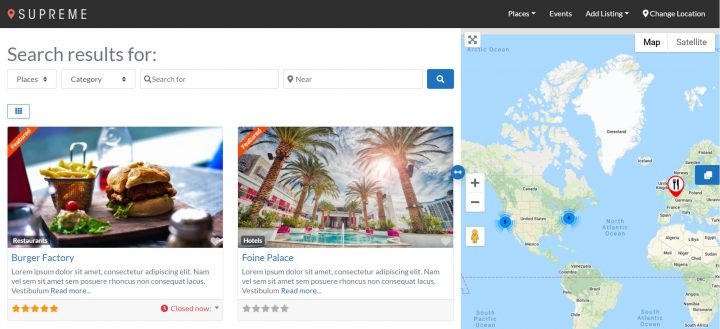
With the Pricing Manager add-on for GeoDirectory, you can sell premium listings that let users see more fields when creating listings.
They can help offer the correct details others search for to make more thoughtful connections.
You can give users the option to include fields like more pictures, categories, tags, a longer description, and extra custom fields.
You can also set up premium listings to be “featured,” which means you can automatically display those listings in the prominent places of your site that make sense for your specific directory.
This can mean at the top of category pages and using widgets for other areas of your site where you may need them.
You also have the option to set premium listings to have the ability to hide these “featured” listings automatically.
For example, free listings on a real estate directory could see a “Similar Places” section where premium listings are featured. This could be hidden when a user upgrades.
The pricing manager also lets you enable subscriptions.
It’s available in case you know your type of directory needs to let your users have the option to set their premium listing on a subscription basis, with recurring payments, where their “featured” status continues.
This works well for job boards or real estate listings, for example.
The options for potential use cases with this plugin and add-on are extensive.
This potentially helps you adapt it to your creativity.
You could create a unique directory that stands out from others.
This would be your foundation for a loyal fanbase dedicated enough to reliably generate more sales for you.
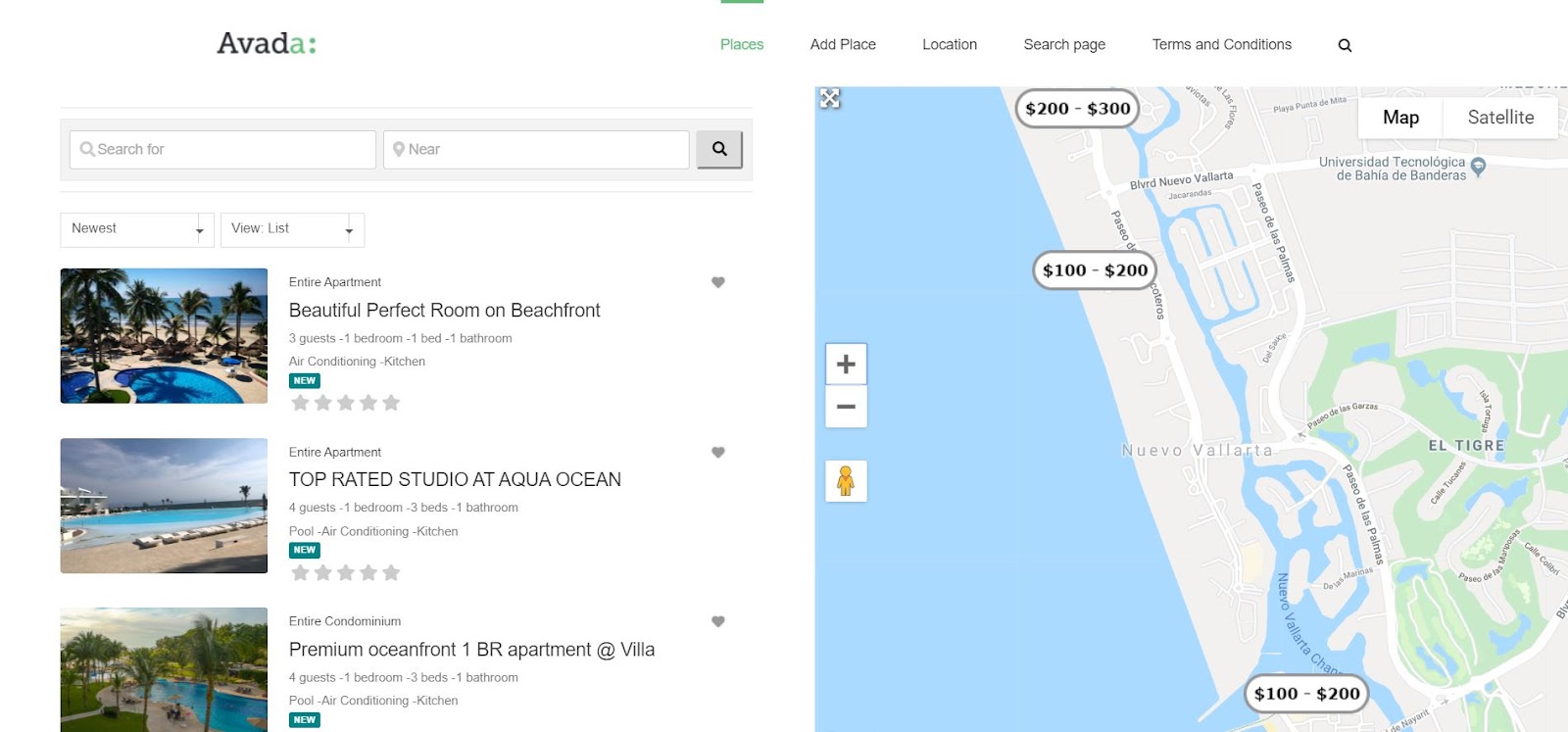
2. Sell Advertising Space on Your Site
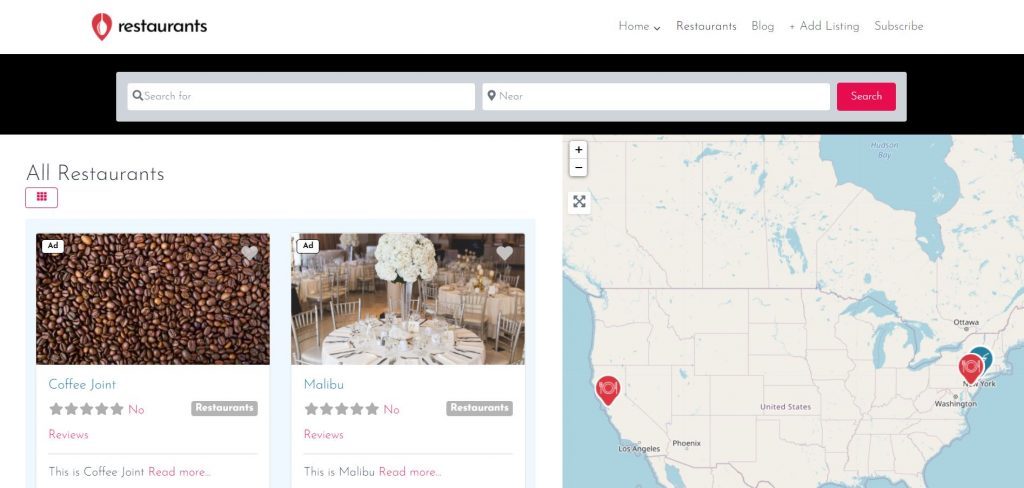
Installing the Advertising add-on for GeoDirectory allows you to display and monetize ads on your site from a network such as Google Adsense, Ezoic, or Mediavine.
This is the easiest way to sell ads because the network does the heavy lifting of finding the advertisers, and you sell space to the ads network.
However, you can also sell ad space directly to your users.
You can create several advertising zones on your website and let users buy ads to display in one or more of them.
They can upload their images, banners, or HTML/text, and you can set the ad price based on the number of impressions, clicks, or time spent on your website.
When you include the Pricing Manager add-on for GeoDirectory, you can sell premium listings that display or hide ads on different parts of your site, depending on your needs.
With this add-on, listings marked as ads can appear on the sidebar of your site’s organic search results page, similar to Google.
3. Set Your Price for Businesses to Claim Their Listing
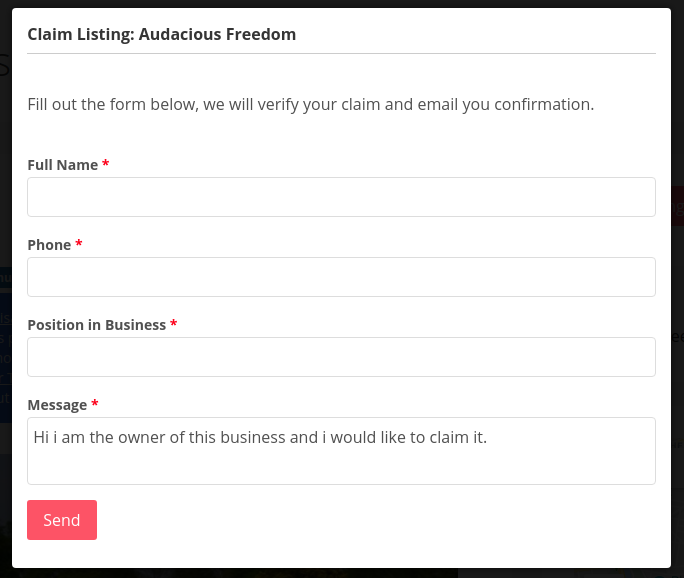
With GeoDirectory, you can create free listings with minimum details, such as business name, telephone, logo, and a brief description.
Then, you can use the Claim Listings and Pricing Manager add-ons to set a price for business owners to claim their listings and improve the data shown to your directory visitors.
Business owners can claim their listings by upgrading to a premium listing, which allows them to control the content of the listings on your online directory.
After paying and becoming the listing owner, they can add a longer/better description, more pictures, links to their website and social media account, and whatever custom field you make available only to premium listings.
4. Create a Marketplace that Sells Event Tickets

If you intend to build a directory of Events, you can do so with GeoDirectory and the free Events Calendar Plugin for GeoDirectory. Your visitor will be able to submit event listings.
The Events Ticket Marketplace add-on extends a GeoDirectory Events Directory, enabling event organizers, so they’re able to sell event tickets.
There are different options for how to build a paid directory in this case.
Let event organizers upgrade to a premium event listing and keep 100% of their ticket sales revenue.
You can also offer free event listings and charge a commission for each ticket sold.
5. Collect Commissions on a Listing’s Product Sales (Marketplace)
You can set up your directory to let users sell products through their listings on your site.
You can also set your commission rate on those sales.
The GeoMarketplace add-on, free WooCommerce, and MultiVendorX (formerly WC Marketplace) plugins allow you to do this.
This solution can be applied to various directory sites; for example, you could create one for restaurants where owners can sell their dishes for pick up or delivery.

Or, you could create a site like Etsy where listing owners can sell handcrafted products.
Another example is setting up a marketplace where users can search for the closest shop to buy a specific product they have in mind. This way, they can buy it online but pick it up physically at the store the same day.
6. Use Affiliate Links
Another option is monetizing the content in your directory’s listings or on the blog with affiliate links.
Several options exist for partnering with companies to create affiliate links for their products or services, such as Amazon Associates, CJ, ShareASale, or Clickbank.
You can join the booking.com affiliate program if you create a hotel directory. By integrating links to their hotel’s booking system into your online directory website, you may earn a commission for each booking made through your directory.
7. Sell Leads
Not every business participates in an affiliate program that will recognize a commission for every product sold or booking made by a visitor referred from your directory website.
To these businesses, you can sell leads.
But what is a lead?
Business leads are consumers interested in what your company offers.
How do you get the leads? A customer contacting a business through a listing on your website is a lead.
Instead of allowing customers to contact businesses directly through the contact form, you can use our Pay Per Lead add-on.
This system sends emails to listing owners without the sender’s contact details, so they can’t reach out until they pay to unlock the lead.
At that point, you have valuable leads to sell.
When a lead comes in, the business owner will receive a notification that a potential customer is interested in their services.
To access the contact details of the potential customer, they will need to pay whatever price you set for each lead, for example $5 per lead (or adjust the price based on their industry) or a percentage of the customer’s budget.
This GeoDirectory add-on allows you to automate lead notifications while keeping contact details hidden until the listing owner pays to unlock the lead.
You can manage payments easily using our GetPaid Payment form plugin.
8. Sell Extra Services for Listings
Many businesses need help with online marketing, especially in most locations outside major cities.
Every business owner who submits a free or paid listing into your directory is a lead. They are looking for extra visibility, and you can help them to get it.
So, you could sell marketing services for local business listings in your online directory.
You could sell extra digital marketing services such as:
- Letting users create premium listings that act as mini websites for businesses that don’t have an online presence.
- Website development to build a website and expand their information from the listing.
- Social media management and creating web 2.0 pages, including Facebook, Instagram, Twitter, LinkedIn, Google My Business, Yelp, Trip Advisor, and similar sites.
- Search Engine Optimization (SEO) services.
- Photography and Videography.
- Copywriting for the listings or their website
- Ads management.
- Reputation management.
And much more.
9. Sell Your Online Directory
Now that you’re set with knowing how to build a paid directory with a WordPress online directory plugin, you can grow your business.
Once you reliably generate monthly sales from it, you could choose to sell it.
There are plenty of websites where you can sell it, like flippa.com, empireflippers.com, or microacquire.com.
You could keep it as a recurring revenue stream or decide to use the profit from the sale to start something new, like Elon Musk did when he used his share of the online directory Zip2’s sale to fund x.com and eventually create PayPal.
Back then, Zip2 sold for $307 million, and the need for online directories still very much exists.
For details, check out Online Directory Business Model Explained.
After Finding Out How to Make Money with Websites and Directories
You can generate extra sales if you know how to build and monetize your directory with a WordPress business directory plugin.
Do you have any questions about how to make money with websites, how to build paid directory sites, or anything similar? Let us know in the comments below.
Meet Dan, the visionary behind AttractionsNearMe.co.uk
In the second post of the “Founder Story” series, we explore AttractionsNearMe.co.uk, the go-to guide for anyone exploring fun, family-friendly experiences across the UK. From big theme parks to hidden countryside spots, Dan saw a simple need: people wanted an easy way to find deals, honest reviews, and up-to-date info for their next day out.
With a love for family adventures and a passion for sharing valuable tips, he launched AttractionsNearMe.co.uk as a straightforward directory to help others plan great outings. What started as a small personal project has become a thriving community, connecting families and friends with top attractions while keeping things practical and budget-friendly.
Dan’s story shows what dedication and a clear vision can do. By focusing on reliable info and ease of use, he built a platform that genuinely helps people. Whether you’re looking for roller coaster reviews or special offers, it’s all there in one place. He’s faced the usual challenges of running a niche site but stayed committed to making it a valuable resource.
Stay tuned to learn how Dan turned his passion into a tool helping people discover and enjoy the UK’s best attractions!

The Attractions Near Me Story
Q: Can you share the story behind AttractionsNearMe.co.uk? How did the idea originate, and what inspired you to start it?
I always had a love for theme parks and attractions, feeling the rush of riding the roller coasters and the thrill of the big rides. My first trips as a child were to parks like Blackpool Pleasure Beach and Flamingo Land Resort, as I got older, I discovered more parks further afield that had new attractions for me to experience.
I visited theme parks on a regular basis and it irked me to pay the gate price when there were so many discounts and promotions available. It didn’t take me long to discover that there was always a pattern to the promotion offers that the theme parks and attractions ran.
The patterns not only included key dates such as January Sales, Black Friday etc. but they also would be newspaper promotions, offers on drinks and snack packets and supermarket loyalty reward programs.
I started paying more attention to the savings that I made and when and where I sourced them from and it was thanks to this knowledge that I became known as the go to person when anyone was planning a day out. My friends and family would ask me for recommendations on where to visit, when was the best time to go, where to buy the cheapest tickets etc.
It was when I was working on a project at work that Attractions Near Me came about, we were building websites for our customers to help them sell their products online and the company that we were working with wanted to charge a small fortune for SEO (Search Engine Optimisation).
I wanted a way of testing how well a website would perform without spending this money if it was built in a structured way that followed Google’s guidelines. To avoid any conflict of interest I decided to base this website on my knowledge of theme parks and attractions.
Q: When you first launched AttractionsNearMe.co.uk, was it intended as a directory, a blog, or something different?
When I first launched Attractions Near Me, I immediately installed Geodirectory so that I could build an easy-to-use directory to help users locate theme parks and attractions across the UK.
I knew that in order to rank well on Google the directory listings would need to be more than just a Business Name, address and telephone number, so I took the time to visit each of the attractions and see in person what they had to offer, this also allowed me to capture photos and videos which I could use for my directory listings.
Whilst doing this I also created a blog to share the best deals and discounts for people visiting these attractions.
Q: What business model did you adopt at the beginning? Has it evolved over time?
For a good number of years, Attractions Near Me was a hobby that I did in my spare time, it was a way of sharing our adventures and helping members of the public discover new places to visit.
It wasn’t about making money, it was about having fun, sharing our experiences and helping others. There was no business plan, we were just having a good time and helping others have a good time too.
We still follow the same ethos today, but the website is now a much bigger entity than I could ever have imagined, competing with some of the big businesses in the travel industry.
Q: Did you build the platform in-house or outsource the development? What influenced your decision?
The website was built in-house using WordPress so I could install free plugins and run the site for very little cost. The reason for this was to test the theory of whether a website built using very limited resources could still rank well on Google.
Q: What was the biggest challenge you faced in the early days of AttractionsNearMe.co.uk? How did you overcome it?
The biggest challenge I faced was acquiring images that I could use on the site, this often meant having to visit an attraction before I could list it.
Nowadays, attractions approach us asking to be included in the directory, often supplying us with high-quality images taken by professional photographers.
Q: At what point did AttractionsNearMe.co.uk start gaining significant traction, and what do you think contributed most to this growth?
One of the major turning points for Attractions Near Me was when we had the first Covid lockdown in March 2020. Like everyone else in the UK, it stopped us from being able to get out and visit attractions but it became apparent to me just how difficult things were for attractions, especially those with animals to feed and support.
With our interest in Theme Parks and Attractions, we came across a Facebook page for ‘The Bird and Sea Lion Show‘ at Flamingo Land Resort. It was not common knowledge that they were a small company that operated the bird and sea lion shows within the North Yorkshire Theme Park and Zoo.
Sadly, with no income coming in they were starting to find the costs almost impossible to cover.
We agreed to help support the ‘The Bird and Sea Lion Show‘ and in return, they presented a live Sea Lion Show using our Facebook Page, bringing joy and entertainment to families and their children across the UK.
The event proved really popular with over 4K people tuning in to watch the live show, increasing our Facebook following from 2.5K to over 6K overnight.
In the process, we raised enough money to support the ‘The Bird and Sea Lion Show‘ and help see them through this tough period.
Following on from our initial Live Show we have maintained our partnership with ‘The Bird and Sea Lion Show‘ and the animals who are involved in the shows have made regular appearances on our Facebook Page.
Flamingo Land Resort is our local park and we have been watching both the Bird and Sea Lion shows since we were children and like many other families, we now take our own children to watch the shows.
Q: Securing the first paid listing can be a milestone for directory businesses. What was your experience with this, and how did you convince businesses to join?
We are currently in the early stages of introducing paid listings. Historically, rather than selling paid listings, we utilised affiliate links.
Q: Did you start with free listings, paid listings, or a combination of both? What strategy worked best for you?
When building a directory from the ground up no one wants to pay for a listing without any potential return on investment, and our opinion was that we wouldn’t get anywhere if we didn’t have any places listed on our website.
To overcome this challenge, we listed all of the places that we had visited and added affiliate links where they were available.
Regardless of whether we got any contribution from the company that we were listing, we would still include them anyway because it was important to us that we covered the whole market.
Q: Community engagement is often crucial for directory success. How have you fostered and maintained a connection with the attractions community over the years?
Over time, we have built relationships with lots of people in the attractions industry.
Our contacts cover a wide selection of job roles ranging from zoo keepers, maintenance teams and ride operators to attraction owners and company directors, with many now also being friends as well as business associates.
We also work closely with marketing teams and marketing agencies covering attraction news, offers and events. We spend a lot of time travelling, experiencing new attractions and attending trade shows.
This is one of my favourite parts of the job as we have a lot of fun and we get to meet lots of like-minded people. We are also members of the Roller Coaster Club of Great Britain RCCGB and the European Coaster Club ECC.
Q: What have been some of your most effective strategies for driving traffic to the website?
We utilise a number of strategies to help drive traffic to our website.
I believe that one of the keys to our success is that our unique content combined with accurate and informative information not only appeals to our audience but also the search engines, helping drive a lot of organic traffic to our website.
I think that the way Geodirectory structures the data also helps with this. In addition to traffic coming from the major search engines we have a lot of people subscribe to our email newsletters and also, a healthy number of followers on our social media channels.
Q: Maintaining quality and accuracy in listings is vital for trust. How do you ensure this on AttractionsNearMe.co.uk?
We regularly review our attraction listings to ensure that the details are up to date.
We stay informed by closely monitoring any new developments in the industry using a combination of social media, press releases and trade memberships.
Thanks to our close working relationships, the attractions also proactively advise us when anything of note is happening that may require an update to their listing.
Q: Can you share some of the biggest mistakes you’ve made while running AttractionsNearMe.co.uk and how you’ve learned from them?
By far, the biggest mistake that we made was to employ someone to help improve our domain rating, it quickly increased but unfortunately, unbeknown to us they had utilised some underhand tactics which Google quickly picked up on and penalised us for.
Q: Would you be open to sharing a ballpark figure for AttractionsNearMe.co.uk’s annual revenue?
I first started the website as a hobby, and it was 5 years before it made any money. Since then, our turnover has doubled year on year, and is now into 5 figures, but I am unsure how long this trend is going to continue.
The large majority of revenue that we have generated has been reinvested back into Attractions Near Me on key elements such as improved hosting, professional versions of our website plugins, marketing and graphic design.
This year we are working with a number of professionals to help take the website to another level.
Last year we bought the https://www.attractionsnearme.com/ domain and we are investing a lot of money into building a new Worldwide directory applying what we have learnt from our UK website with GeoDirectory again acting as the heart of our new website.
Q: What tech stack is AttractionsNearMe.co.uk built on, and has it changed over time? If you could start over, would you choose a different technology or approach?
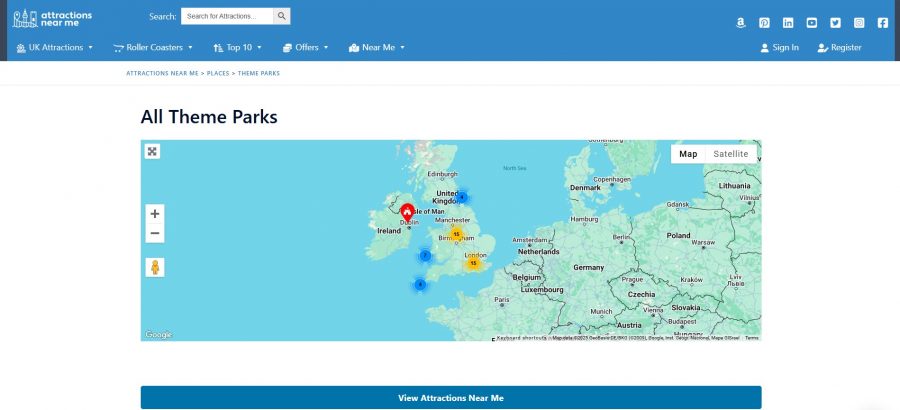
Attractions Near Me is built using WordPress, with Geodirectory as one of our core plugins. We recently transferred our website hosting from Hostgator to Cloudways Digital Ocean, which has led to significant performance improvements. To further improve performance, we also use Cloudflare and WP Rocket.
Q: What role does SEO play in your business strategy, and how have you stayed ahead of competitors in search rankings?
We have always monitored the performance of our website but never invested a great deal in SEO. Recently, we have seen an increase in the number of competitors, so to remain competitive SEO is one of the key areas that we will be investing in this year.
Q: Are there specific tools, platforms, or software that have been indispensable to running AttractionsNearMe.co.uk?
The key tool behind our website is Geodirectory. We have utilised this software from the very beginning and it really is a fantastic product, we have found that the customer support is superb and they really understand the key role that the software plays in our business.
Other notable pieces of software include WPRocket, which does a great job of optimising our website performance and the Sydney Theme from AThemes.
Q: Looking back, what advice would you give to someone starting their own directory or niche website today?
I think the best advice I could give is to lay out a plan of what you are looking to achieve before you start. It is important to have a structure that is easy to navigate for both your users and the search engines.
Q: What trends or opportunities in the directory business do you think entrepreneurs should focus on in the coming years?
If you are looking to build a directory then you need to focus on an industry that you are either knowledgeable about or have a passion for, or even better still a combination of both.
Q: If you could change one thing about how you’ve built or managed AttractionsNearMe.co.uk, what would it be?
I would put more emphasis on the directory structure, as Attractions Near Me has evolved over time I feel that our menu structure has become too complex and not as user-friendly as it should be, this is something that we are now planning to rectify.
Q: What’s next for AttractionsNearMe.co.uk? Are there any exciting updates, features, or expansions on the horizon?
We are in the process of implementing an AI Chatbot on AttractionsNearMe.co.uk to help users quickly locate the information that they are looking for. We are planning to invest in our SEO and also looking at the possibility of expanding our team.
Our main objectives for 2025 are to increase the following on our YouTube Channel and continue building a new website covering the many Theme Parks across the world using what we learnt from building our UK website.
You can follow our progress at https://www.attractionsnearme.com/
Introducing “Founder Stories”
Welcome to our “Founder Stories” series, where we dive into the inspiring journeys of entrepreneurs who have built successful directory websites, some with the help of GeoDirectory and others carving their own unique paths.
These are not just stories about creating websites. They’re about transforming lives.
You’ll meet founders who escaped the rat race, achieved financial freedom, and crafted extraordinary lifestyles. Some have built thriving local businesses, while others have made life-changing money.
Through these interviews, we aim to inspire, motivate, and showcase the endless possibilities of building a directory website. Whether you’re just starting out or dreaming of a similar escape, these real-life stories prove that success is within reach.
Stay tuned for insights, tips, and a behind-the-scenes look at how these founders turned their visions into reality!
Meet Ian Hodge, The Co-Founder of SayulitaLife.com

For our first “Founder Stories” interview, we’re excited to introduce Ian Hodge, the co-visionary behind SayulitaLife.com, the go-to directory for all things Sayulita.
Nestled on Mexico’s Pacific Coast, Sayulita is a charming beach town known for its laid-back vibe, stunning surf, vibrant local culture, and bustling art scene. Over the years, it has transformed from a sleepy village into a hotspot for travelers seeking adventure, relaxation, and a slice of paradise.
Recognizing the need for a dedicated platform to connect locals, businesses, and visitors, Ian and his wife Kerry launched SayulitaLife.com in 2004. What started as a simple directory has grown into a powerhouse platform that not only supports the local community but also outranks global giants like Airbnb, Booking.com, and VRBO for Sayulita-related searches.
Their endeavors have become the ultimate resource for vacation rentals, real estate, dining options, surf lessons, wellness retreats, and all things Sayulita. It’s a testament to the power of a niche directory and Ian’s relentless dedication to building something that truly serves its audience.
The couple’s journey from the daily grind to creating a life in this idyllic beach town is nothing short of inspiring. SayulitaLife.com has not only revolutionized how people experience Sayulita but has also given Ian and his family the freedom to enjoy a lifestyle many only dream about.
Stay tuned to learn how Ian and Kerry built this incredible directory, the challenges they overcame, and how it continues to shape both their life and the Sayulita community!
The Sayulitalife.com Story:

Q: Can you share the story behind SayulitaLife.com? How did the idea originate, and what inspired you to start it?
The idea for SayulitaLife.com originated from a small village where my wife Kerry and I were living. At the time, we needed to create tourism and some form of business to support ourselves and make it possible to stay in the area.
Back then, there wasn’t a town website or anything like it available. This was before Airbnb even existed. So, we decided to create SayulitaLife.com. It wasn’t just about building a website; it was about building a lifestyle business that allowed us to live and thrive in the place we loved.
Q: When you first launched SayulitaLife.com, was it intended as a directory, a blog, or something different?
SayulitaLife.com was created as a website for the town to do something good for the community, bring people to Sayulita, and give it an online presence.
At the last minute, Kerry suggested, “Oh, we should put some houses on there and charge for the listing,” which we did. But the idea from the start was really just to do something good for the town and help attract tourism
Q: What business model did you adopt at the beginning? Has it evolved over time?
The business model for SayulitaLife.com has remained consistent since the beginning. Businesses pay a flat annual fee to be listed on the website, and they can generate as much business as possible from their listing. This model is still in place today.
However, not every business pays the same fee. There are different categories, and pricing is tailored based on the type of business.
For example, a small taco stand like Maria’s Tacos won’t generate as much revenue as a large wedding catering company, so it wouldn’t be fair for them to pay the same price.
Additionally, we offer a variety of add-ons for businesses that want more exposure, allowing them to boost their visibility on the site.
Our core philosophy has always been customer-focused. We do whatever it takes for our clients’ success.
The model has proven to be sustainable and highly effective for both us and our clients.

Q: Did you build the platform in-house or outsource the development? What influenced your decision?
The very first version of SayulitaLife.com was built entirely by me using Dreamweaver, a tool that some might not even remember today, and hand-coded HTML. It was a simple yet functional platform created from scratch.
As the site grew, we transitioned to working with programmers and moved onto a PHP framework, one of the few that was available at the time. This shift allowed us to expand the platform’s functionality and handle the increasing needs of the business.
I sure wish GeoDirectory would have been around back then!
Q: What was the biggest challenge you faced in the early days of SayulitaLife.com? How did you overcome it?
That’s a great question. When we started SayulitaLife.com, it was during an interesting time. The internet bubble had burst in 1999 and 2000. We were building from scratch in a town that was just starting to boom, and we weren’t aiming to make millions. Because of that, we didn’t face many challenges initially.
However, one significant issue we encountered was fraud. People would copy our code, steal our pictures, and even contact our advertisers to create copycat businesses. To combat this, we had to find ways to protect our content.
We started adding a big, unsightly logo across our original pictures to prevent theft. While it didn’t look great, it worked. We also had to hide our code, copyright our images, and even hire lawyers when necessary. Those weren’t the fun or exciting parts of starting a business, but they were necessary to protect what we had built and ensure our platform’s integrity.
A local realtor once beat us to it and registered (or can I say “stole”?) our name on a social media platform, using it to promote the SayulitaLife-style. However, the name we ultimately came up with turned out to be even more advantageous in the long run.
Thanks to our extensive efforts, it has driven tens of thousands of locals and tourists to SayulitaLife.com, creating even more success for our clients.
Q: At what point did SayulitaLife.com start gaining significant traction, and what do you think contributed most to this growth?
We gained significant traction within the first year of launching SayulitaLife.com. Having previously owned a vacation rental business, we already understood the market and our clients. We knew that if we provided homeowners with the right tools, they could book their homes themselves.
This was before Airbnb existed, and back then, most people relied on rental managers. We simply showed them how to take control and handle bookings on their own.
Traction came quickly, definitely within the first 12 months. However, traction is a relative term. We weren’t trying to make a fortune; every peso or dollar we earned felt like a win.
We didn’t have strict goals or quotas. Instead, we focused on what we loved, building something for Sayulita, working for ourselves, and enjoying the process. What we created was a lifestyle business long before that term became popular.
We were effectively digital nomads before we even knew what that meant. It was the best plan for us, combining our passion for the town with the freedom of self-employment.
Q: Securing the first paid listing can be a milestone for directory businesses. What was your experience with this, and how did you convince businesses to join?
When SayulitaLife.com started, it was focused on vacation rentals rather than businesses. Most of the vacation rental owners in town already knew and trusted us, as we had built a solid reputation within the community. This made it easier for us to secure their support than it might be for someone starting without that connection.
We also structured our payment system to make it risk-free and appealing for owners. For example, we began in May and allowed them to defer payment until the following October or November, aligning with the start of the tourist season. This approach ensured they wouldn’t have to worry about paying us before seeing results.
Our rates were also very affordable, which further encouraged participation. With trust from the local community, fair pricing, and a strategy tailored to the town’s seasonal nature, we got things rolling without too much difficulty.
Q: Did you start with free listings, paid listings, or a combination of both? What strategy worked best for you?
We’ve never offered free listings for vacation rentals, but when we started adding businesses to SayulitaLife.com in the early 2000s, we listed every business in town for free. At the time, there were only about 25 businesses in Sayulita, so we put them all on the site to help them out and promote the town.
Our goal was to generate tourism for Sayulita. We believed that if potential visitors saw there were restaurants, shops, boutiques, and even car rentals, it would make the town more appealing.
Sayulita wasn’t anything like it is now, and international travel wasn’t as common. We were trying to convince people to visit the town, and featuring local businesses made Sayulita look more vibrant and welcoming as a whole.
For the first year, all those listings were free. After that, we started charging businesses an annual fee. This strategy supported the town and helped establish SayulitaLife.com as a trusted resource for visitors and locals.
Q: What’s the percentage of businesses versus vacation rentals on SayulitaLife.com today?
Today, the split between businesses and vacation rentals on SayulitaLife.com is approximately 30% businesses and 70% vacation rentals.
While the platform initially focused on vacation rentals, the addition of local businesses has grown steadily over the years. We also offer a For-Sale-By-Owner for those looking to sell their homes and/or properties.
Q: Community engagement is often crucial for directory success. How have you fostered and maintained a connection with the Sayulita community over the years?
SayulitaLife.com has always been about supporting the town, and that commitment extends far beyond the website itself. Over the years, we’ve contributed to (I think) every single charity in Sayulita, often multiple times. We donate money monthly, provide larger contributions when needed, and support anyone in need.
Our dedication to the community goes beyond financial contributions. Our entire team volunteers our time for various causes. We’ve participated in trash pickups, served as auctioneers at charity events, and supported initiatives for private and public schools, spay and neuter clinics, recycling programs, and more.
Whatever the need may be, everyone in Sayulita knows that SayulitaLife.com is there to help, offering genuine support straight from the heart. Over the years, we’ve given back over a hundred thousand dollars to the town, reinforcing our mission to make Sayulita a better place for everyone.
Q: What have been some of your most effective strategies for driving traffic to the website?
The most effective strategy has always been simple: build a good website. That was true 25 years ago when I first got into web design, and it’s still true today. There’s no need for tricks or gimmicks. Instead, focus on following general SEO best practices and strategies, but don’t become obsessed with it.
We’ve never been overly focused on SEO, yet our site performs incredibly well. Google has always favored us because we’ve built something people genuinely use and love. Sometimes, we can publish a new page, and it gets indexed in less than 24 hours. It’s amazing, and it’s a reflection of the trust we’ve earned over the years.
The key is to build a website that serves its users well. When people find value in your site, it naturally grows, and search engines will favor it because users do. Ultimately, it’s about creating something valuable, taking care of it, and treating people right. That’s the foundation of long-term success.
Q: Maintaining quality and accuracy in listings is vital for trust. How do you ensure this on SayulitaLife.com?
We’re small enough to personally vet every person who lists with us. We make it a point to know them, understand their business, and ensure they align with the community values. Business owners absolutely have access to modify their profiles on the site, but we maintain strict standards.
If someone operates unethically or doesn’t fit our values, they’re off the platform. We don’t deal with shady operators. While a few may have slipped through the cracks over the years, it’s rare.
Most people with bad intentions aren’t interested in being part of a community directory. They’re often focused on making quick money in one season and then moving on. This approach has helped us maintain trust and quality within our directory.
Q: Can you share some of the biggest mistakes you’ve made while running SayulitaLife.com and how you’ve learned from them?
Looking back, I should have gone global. If I had, we’d probably be having this conversation on my yacht right now. We were ahead of the curve, even before Airbnb. We had the idea, but we didn’t move fast enough with it.
Honestly, we weren’t incentivized. We were more focused on enjoying the surf, sand, and palm tree lifestyle.
One advice I’d offer from my experience is to choose your brand name very carefully. Your brand name matters a lot, especially if you plan to expand. And if you do decide to go outside your original market, don’t be afraid to adapt or modify your brand name to fit the new location. It’s a small step that can make a big difference.
Q: How do you avoid churn?
We do not lose clients. If someone is hesitant about staying with us, we make it a priority to address their concerns. We’ll call them, visit them in person, take them out to lunch, or do whatever it takes to keep them on SayulitaLife.com and ensure it works for them.
If necessary, we’ll go the extra mile by sending a photographer to re-shoot their property, rewriting their listing descriptions ourselves, or even posting their PDF menus online. We have a team dedicated to helping our clients succeed, and we’ll do whatever it takes to support them.
Q: Would you be open to sharing a ballpark figure for SayulitaLife.com’s annual revenue?
When it comes to a ballpark figure for SayulitaLife.com’s revenue, I think it depends on how you measure success, whether in dollars or lifestyle. The business provides enough to support my family, my children, and all of our employees and allows us to do good for the town.
It’s a small town, so the income we need to live comfortably is much less than you’d need in places like New York, Rome, Hong Kong or Paris. We have always focused on building a comfortable and sustainable lifestyle rather than chasing massive profits.
We keep our exact figures private, but I can tell you the business generates more than six figures annually. For me, real success is having the freedom to work when I want, where I want, while being able to give back to the community, which means so much to us.
Q: What tech stack is SayulitaLife.com built on, and has it changed over time? If you could start over, would you choose a different technology or approach?
Starting over back then, the only options we had were straight HTML and PHP. The website is so highly customized that it requires regular tweaking, making it difficult to transition to other platforms.
The customization has been key to meeting our specific needs, and while other technologies might offer certain advantages, maintaining control over the details has been essential to the website’s success.
Maybe someday I’ll have to rebuild or convert it, but for now, I’d still approach it the same way. If we ever decide to transition in the future, now we know who we will contact.
Again, where was GeoDirectory when I needed them? ☺
Q: What role does SEO play in your business strategy, and how have you stayed ahead of competitors in search rankings?
SEO doesn’t matter as much as it used to, especially for SayulitaLife.com. Many people who come to Sayulita are return visitors, and everyone already knows about us. Our clients know us, the community knows us, and most people looking for Sayulita-related information eventually find their way to SayulitaLife.com.
That said, SEO is still important, and we rank very high. Higher than anyone else. Searching for anything related to Sayulita will almost always lead you to our site, and from there, hopefully visitors will book through one of our clients. In the end, we stick to the basics. Even today, standard, solid SEO practices remain the best approach to follow.
Q: Are there specific tools, platforms, or software that have been indispensable to running SayulitaLife.com?
For any business, having the right tools in place is critical, especially for managing your CRM and customer journey. We use tools like HubSpot and MailChimp to manage communications and send out the large volume of emails required for our business. If you’re sending out a significant number of emails, having a reliable system is essential.
For images, we rely on Cloudinary to handle and optimize them efficiently.
As for SEO tools, Google offers valuable tools, such as Google Search Console Tools, and PageSpeed Insights, which are helpful for monitoring and improving site health.
One challenge we face is, in fact, site speed, mainly because our platform runs on older PHP technology. However, we continually work to address these challenges and optimize performance wherever possible.
Q: Looking back, what advice would you give someone starting their own directory or niche website today?
Realize that you’re not going to make money right away. Starting a directory site means dedicating yourself to truly understanding your clients, learning about their needs, and genuinely caring about them and your community.
I believe there’s massive potential for small niche sites out there, and they can work in just about any area. My wife and I travel a lot with our children, and I’m often surprised by how many places don’t have a local site like SayulitaLife.com.
Instead, I’m forced to rely on big corporate websites to find adventures, read about restaurants, or book accommodations.
There’s so much opportunity for smaller, community-focused directories. If you work hard, get to know your clients, and stay dedicated to the success of your community, your efforts will pay off.
It’s about building something that truly supports the people and places it serves, and when you do that, it will work.
Q: What trends or opportunities in the directory business should entrepreneurs focus on in the coming years?
When creating a directory site, you must look at where the money is in your chosen area. Identify who’s making money in the community. Is it carpet cleaning businesses, contractors, developers, vacation rentals, or restaurants? The answer will vary from one community to another.
In most cases, especially in areas with significant tourism, vacation rentals tend to be the most lucrative. That’s where large companies are often making the biggest commissions.
If you focus on those areas and provide value to the businesses that generate the most revenue, you’ll likely find the greatest opportunity for success.
Q: If you could change one thing about how you’ve built or managed SayulitaLife.com, what would it be?
That’s a great question, and honestly, I’m stumped for an answer. If I could change one thing about SayulitaLife.com, I’m not sure what it would be. I’d have to ask Kerry and our partner Joanna to see what they think.
One thing that does come to mind is the name. Looking back, I might have called it VivaSayulita.com instead. When we built the site, we primarily targeted Americans and Canadians, the primary visitors with spending power. However, a name like VivaSayulita might have felt more inclusive and patriotic, especially from a Spanish perspective.
That said, changing the name now would be a monumental task. For better or worse, the name SayulitaLife.com has become synonymous with the town and its community, so it’s a more theoretical than practical change.
Q: What’s next for SayulitaLife.com? Are there any exciting updates, features, or expansions on the horizon?
We’re constantly making changes and improvements. Design changes and navigation updates are two areas we focus on the most, ensuring the website remains user-friendly and visually appealing.
Internally, we’re always working to improve the customer journey. That includes staying in regular contact with our clients and listening to their feedback. The goal is to address their needs proactively because, by the time a client is upset, it’s already too late.
This approach isn’t unique to SayulitaLife.com. It applies to every business. There’s always room for improvement, and change is a constant part of growth and success.