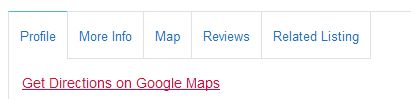
- You can get Google Map directions to the location of a listing from a standard GD detail page.
To get directions, you enter an address in the address field, and then click Get Directions:
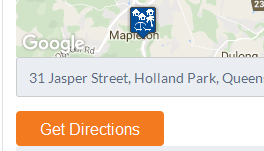
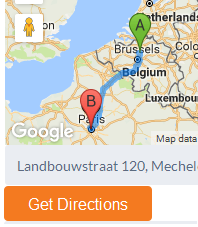
- That will give directions on the Google map on the website page:
- The code snippet below will create a link on the detail page, that open Google Maps with the location of the GD listing ready on the map.
- On a mobile device you can then use the Google Map App to get directions.
[php]function geodirectory_detail_page_google_map_link( $options, $canvas ) {
global $post;if ( $canvas == ‘detail_page_map_canvas’ && !empty( $post->post_latitude ) && !empty( $post->post_longitude ) ) {
?>
<p><a href="http://maps.google.com/?q=<?php echo $post->post_latitude . ‘,’ . $post->post_longitude ;?>" target="_blank"><?php echo __( ‘Get Directions on Google Maps’, ‘geodirectory’ ); ?></a></p>
<?php
}
}
add_action( ‘geodir_map_after_render’, ‘geodirectory_detail_page_google_map_link’, 10, 2 );[/php]
Changing the position on the page
- The above code will add the link below the map on the detail page.
- If you want to add the link in the profile tab, you can use this code:
[php]function geodirectory_detail_page_google_map_link() {
global $post, $preview;if ( !$preview && !empty( $post->post_latitude ) && !empty( $post->post_longitude ) ) {
$maps_url = add_query_arg( array(
‘q’ => $post->post_latitude . ‘,’ . $post->post_longitude,
), ‘http://maps.google.com/’ );
?>
<p><a href="<?php echo $maps_url; ?>" target="_blank"><?php echo __( ‘Get Directions on Google Maps’, ‘geodirectory’ ); ?></a></p>
<?php
}
}
add_action( ‘geodir_after_description_on_listing_detail’, ‘geodirectory_detail_page_google_map_link’);[/php] - If you would like to move the link to the top, replace the string
geodir_after_description_on_listing_detail
with
geodir_before_description_on_listing_detail